




After a month of beta development, Firefox 146.0 is available to download for Linux, Windows, and macOS users.
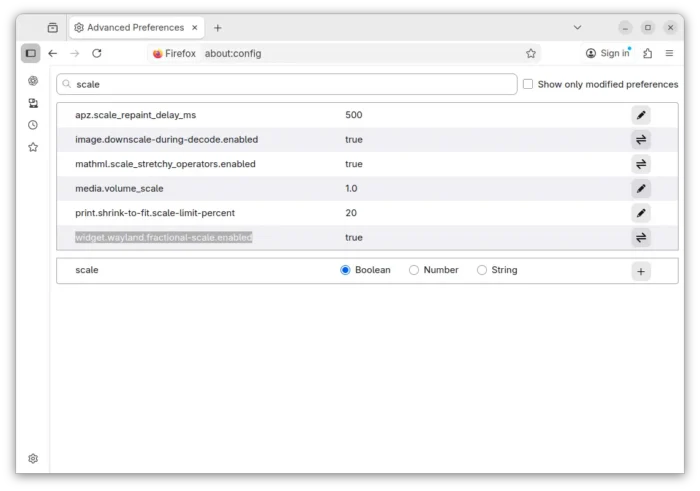
The new release of this web browser finally added native support for fractional scaling on Linux with Wayland session (e.g., Ubuntu 22.04+ and Fedora Workstation).
Mozilla Firefox merged Wayland fractional-scale-v1 support more than 2 years ago. The feature was however disabled by default due to bugs.
Now with Firefox 146.0, Wayland fractional scaling is natively supported and enabled by default, thus text, icons, and UI elements will render more effective on HiDPI displays with 125%, 150% etc scaling.

For user in the EU and some other countries, there is a New Tab Weather opt-in workflow available. And, user can choose whether to enable location detection or manually search for a location.
When type in search bar, Firefox 146.0 can now show you the direct results in the drop-down suggestions box. Though, this is a progressive roll-out feature that’s only available for small percentages of users.

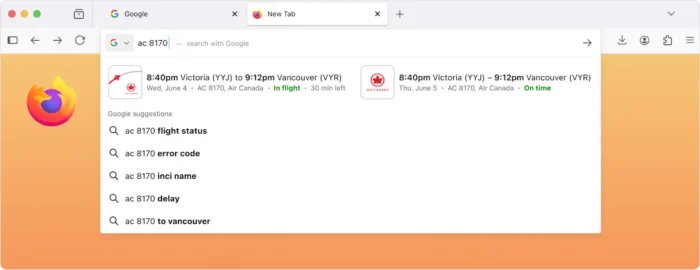
image from mozilla.org
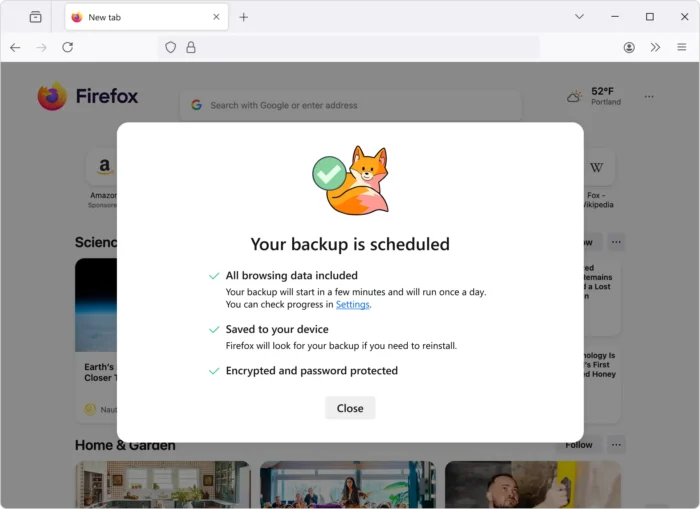
For Windows, the new version introduced a scheduled backup feature, that automatically backup the passwords, bookmarks, and browsing data daily, and save them on local device.
The backup can be encrypted with a password and used to restore a fresh install of Firefox on any operating system to the status where you left off. Though, this is also a progressive roll-out feature so far only works in Windows, and will be coming to other operating systems soon.

Also for Windows, the Direct2D hardware accelerated 2D graphics rendering support has been removed! For those who still require this feature, it’s recommended to switch to Firefox ESR 140.0 or higher.
And for macOS, Firefox now has a dedicated GPU process by default. It includes WebGPU, WebGL, and Firefox’s own WebRender. With it, fatal errors in graphics code will no longer crash the browser, instead transparently restart the GPU process.
Other changes in Firefox 146.0 include:
- Firefox Labs is now available to all users, for trying out experimental features.
- Improve ‘Colors’ dialog in Settings to make it easier to understand.
- Show English-language suggestions for holidays and other important dates for users in France, Germany, and Italy using the English-language versions of Firefox.
- Support the
contrast-color()CSS function. - Add support the @scope rule.
- Introduce text-decoration-inset property.
- Support legacy
-webkit-fill-availablekeyword for CSSwidthandheightproperties. - Support ML-KEM for WebRTC.
- Support compressed elliptic curve points in WebCrypto.
- Update Skia graphics library with improved rendering performance and compatibility.
- Hide unused CSS custom properties.
- Provide full keyboard and assistive technology support, when the timepicker is enabled for
<input type=\"time\">and<input type=\"datetime-local\">. - Various security fixes.
Get Firefox 146.0
This post is written according to the Github release-note, while the official announcement and download link will be available soon via the link below:
If you can’t wait, then go to this page to get Firefox 146.0.















and you don’t happen to have a negative opinion about any of these changes by chances ?