
MPV, the popular command line media player, released new version 0.41.0 yesterday.
The new release of this free open-source media player greatly improved the Wayland support for Linux users. It added support for the color-management-v1 and wp-color-representation-v1 protocols helping ensure accurate color display for High Dynamic Range (HDR) content.
As well, it added tablet input and clipboard writing support for users on GNOME, KDE, etc desktop environments with wayland session.
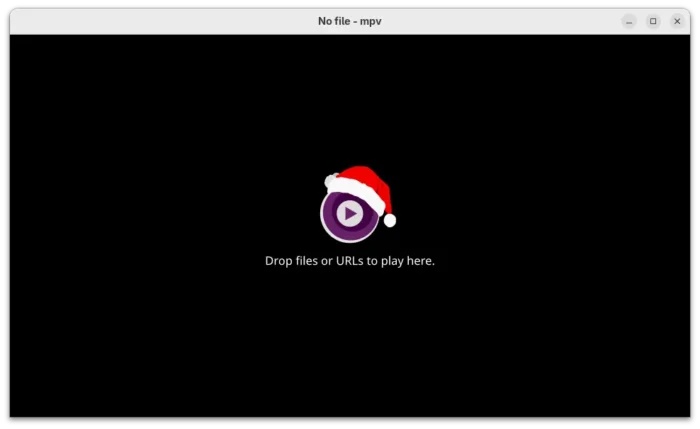

The 0.41.0 version now uses the libplacebo based gpu-next as default video output renderer instead of the previous gpu, which features overall performance improvements and better HDR and Wayland support.
It improved gpu-next with blend-subtitles=video option to force blend subtitles at the video’s native resolution, rather than the window or screen resolution.
And, it added options for the new default renderer to define the diffuse white and control subtitle peak for HDR output, and fill empty border areas with a blurred version of the video itself. It can as well respect ICC profile color space over any metadata, limit min_luma to 1000:1 contrast ratio in SDR mode, and control output colorspace metadata more precisely.

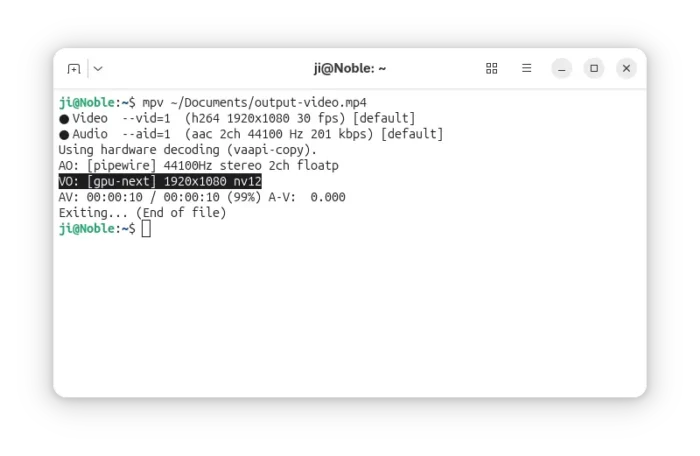
MPV 0.41.0 uses gpu-next by default
There are also new --sub-glyph-limit and --sub-bitmap-max-size libass caching options for the subtitle track, --hwdec-threads to set number of threads used for hardware decoding, and --bluray-angle to tell mpv which angle to use for Blu-ray discs contain scenes that can be viewed from multiple angles.
Other changes include:
- Prefer vulkan hardware decoding over other APIs.
- New context_menu.lua script for right-click context menus.
- Ambient light support on Linux.
- Add x11 clipboard backend.
- Add d3d11 composition mode support for Windows.
- Add built-in helpers to register mpv as a media app on Windows.
--sub-fix-timingto remove minor gaps or overlaps between subtitles.- Add default and forced flags to the track add commands.
- Add options to control background tile appearance.
MPV 0.41.0 also includes many other improvements and numerous bug-fixes. See the Github releases page for details.
How to Install MPV 0.41.0 in Ubuntu
MPV does not provide official installer packages, but has a list of third-party builds for Windows, Linux, and macOS in its website.
For Linux, besides building from the source, you may keep an eye on the community maintained Flatpak package and Snap package, though they are not updated at the moment of writing.
For Ubuntu and Linux Mint users who prefer native .deb package, I’ve built mpv 0.41.0 into this unofficial PPA for Ubuntu 22.04, Ubuntu 24.04, Ubuntu 25.04 and 25.10.
To add the PPA and install MPV, run commands below in terminal (Ctrl+Alt+T) one by one:
sudo add-apt-repository ppa:ubuntuhandbook1/mpv
sudo apt update
sudo apt install mpv
NOTE for Ubuntu 22.04, the system wayland version is outdated that does not match the minimum requirement. The mpv 0.41.0 package in PPA for 22.04 was built with Wayland feature disabled.