




Scribus, the free open-source desktop publishing software, released new 1.6.5 version few hours ago.
It’s been 8 months since the last point release, and the new 1.6.5 is also a maintenance release that contains only bug-fixes and improvements.
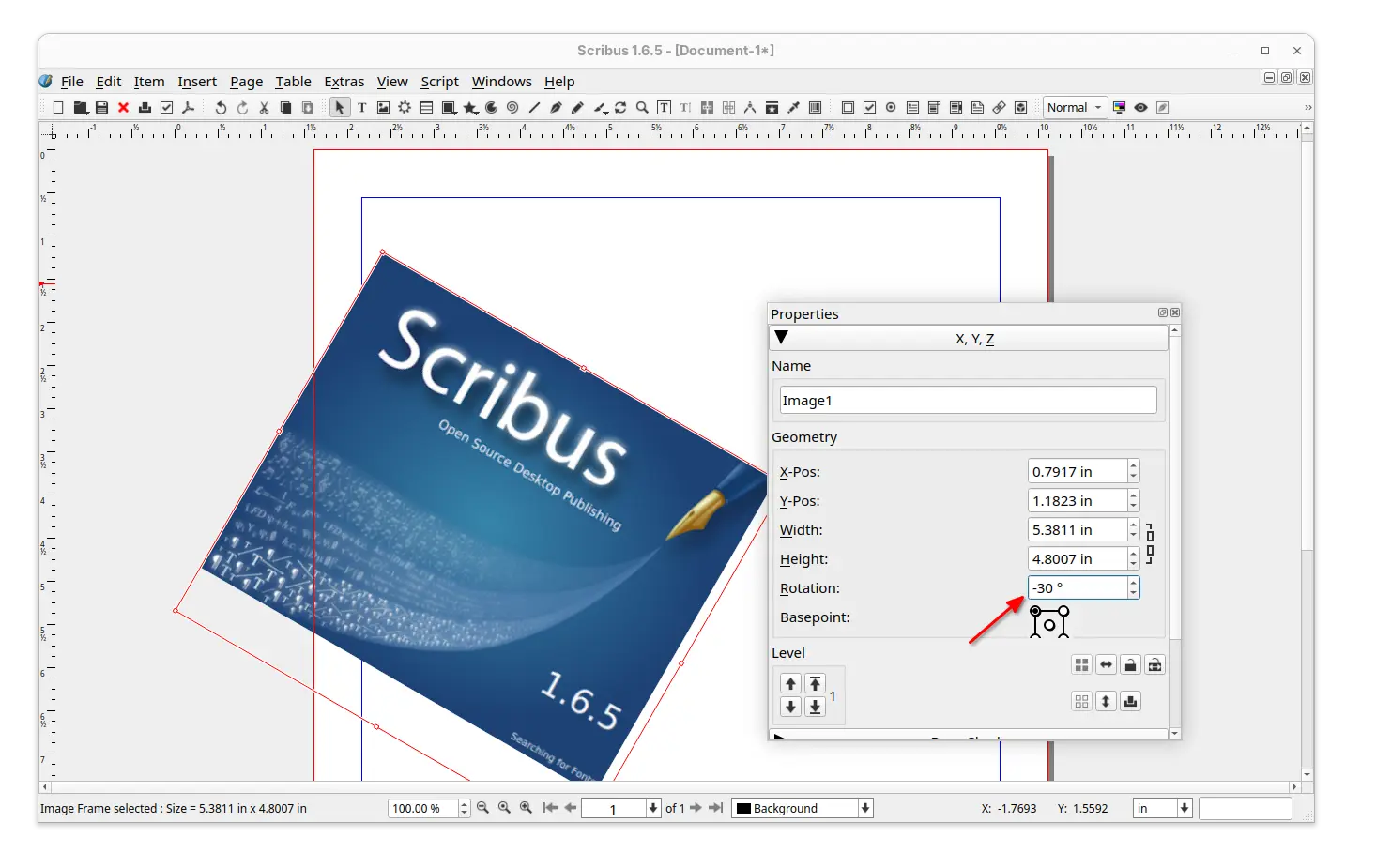
First, the new version added negative values support for the rotation in the properties palette. For example, you may input “-30” to automatically get “330” when hitting enter or leaving the properties.
For scripters, it added the document for scribus.ImageExport: transparentBckgnd, which corresponds to the ‘No Background’ checkmark in the ‘Save as Image’ dialogue, and, the function getBoundingBox() which was missing from HTML docs. And, it fixed that unknown/misspelled named parameter in API call crashed Scribus instead of giving an error message.
It also updated the print dialog, which fixed the inconsistency between output filename extension and printing language, and crop marks not present in output if it’s the only option selected in the “Marks”.
For fonts, the Additional Font Path Setting was cleared if any other setting is modified and saved while one document is open in Scribus. And, font rendering with non-integer font sizes (e.g., 9.90pt) went different after PDF export. Now, both the issues are fixed in the new 1.6.5 release.
The users who prefer dark color scheme, the new release fixed the poor menu appearance, though 3rd level menus are still in-visible in my case in Ubuntu with kvantum-dark theme.


menus were not looking good in dark color scheme
Other fixes in the release include:
- NTLM hash leak.
- Crash when loading a .sla file created by v1.4.6.
- Crashes when exporting PDF with PDF-Push-Button or other PDF-thingy via Python.
- Color picker (eyedropper) always returns “black”.
- Layer disappears after editing inline object.
- Documents become partially invisible when zooming or scrolling.
- Not able to set “line spacing mode” for sub-style.
For more, see the Changelog file in source tarball (see the link below).
Install Scribus 1.6.5
The source tarball as well as installers for Linux, Windows, and macOS are available to download in sourceforge via the link below:
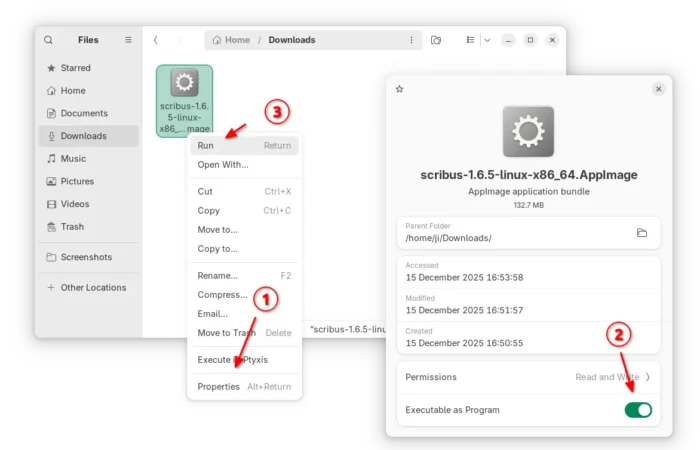
For Linux on AMD/Intel platform, it’s an AppImage that can be run directly to launch the software, after adding executable permission.

For Ubuntu, Linux Mint, Zorin OS users who prefer the classic .deb package format, I’ve uploaded the new release package into this unofficial PPA for Ubuntu 22.04, Ubuntu 24.04, Ubuntu 25.04 and 25.10.
Simply open terminal (Ctrl+Alt+T) and run the 3 commands below one by one to add PPA, refresh cache, and install the package:
sudo add-apt-repository ppa:ubuntuhandbook1/scribus
sudo apt update
sudo apt install scribus
Also, there’s a community maintained Flatpak package for most Linux, though it’s still at v1.6.4 at the moment of writing.











Hi Ji m, thank you very much! Have a good christmas time and a good and happy new year!
GN
Thank you GN. Happy new year!