

TLP, the popular battery power saving tool for Linux laptop, released new 1.9.0 version yesterday!
The new release of this free open-source software introduced its own power profile daemon called tlp-pd, which in certain respects added back the GNOME/KDE/Cinnamon’s built-in power mode settings.

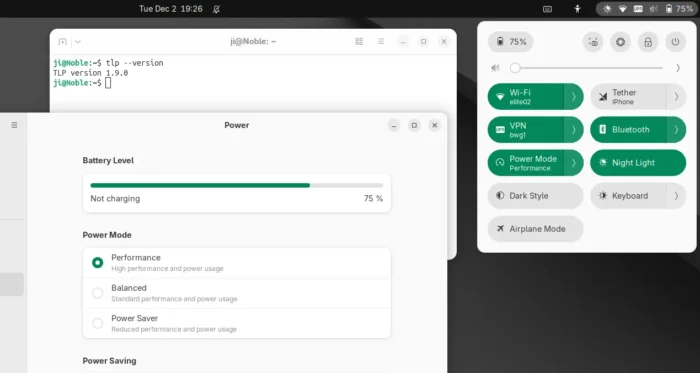
TLP 1.9.0 added its own power profiles daemon
As you may know, TLP conflicts with power-profiles-daemon, the background service for common Linux providing ability to switch between Performance, Balanced, and Power Saver power profiles. Thus, installing TLP will remove the built-in power mode options in GNOME, Cinnamon, and KDE desktop environments.
Now with TLP 1.9.0, tlp-pd is introduced to replace power-profiles-daemon by implementing the same D-Bus API that GNOME, KDE, Cinnamon use. So, the power mode options in your desktop seem just like they are never gone.

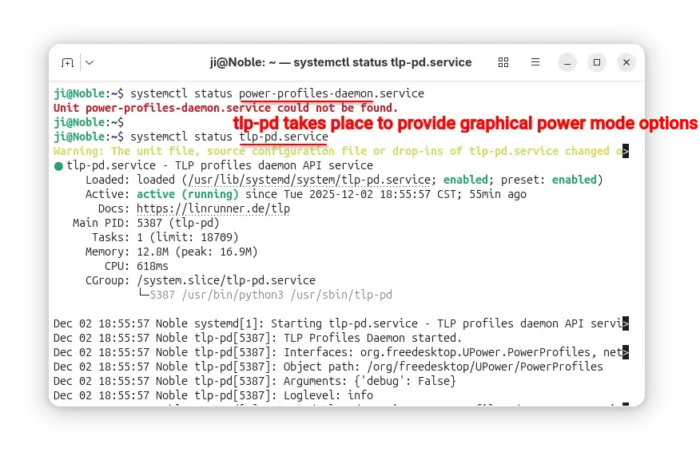
tlp-td power profile daemon
Besides that, it added new tlpctl command. Without sudo permission, it allows you to switch power profile from command line, query current power profile, or run custom command using a specific power profile.
Meaning that you may start your games or certain apps in performance mode, while leaving all others running in balanced or power saver.
For example, the command below will start the SuperTuxKart game in performance mode, no matter what power profile you set system wide.
tlpctl launch -p performance /usr/games/supertuxkart

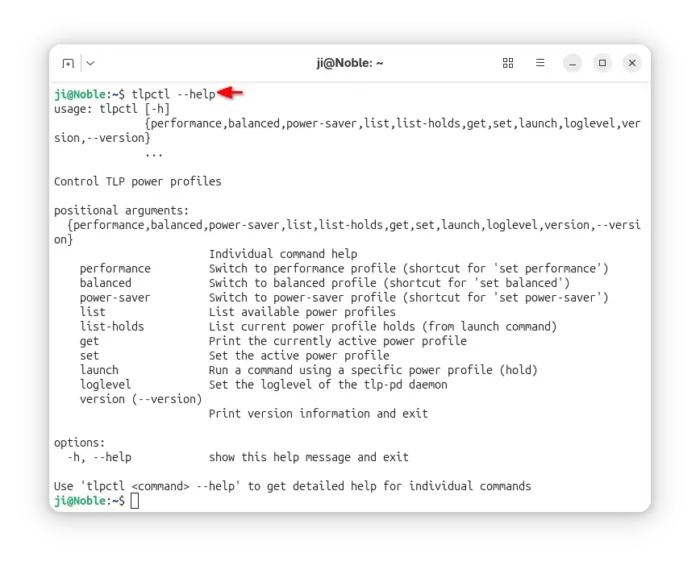
tlpctl command to switch profile, or run command using a specific power profile
Moreover, it updated the /etc/tlp.conf configuration file. Now, all parameters end with _AC will work when Performance profile is active, parameters end with _BAT will work for Balanced profile, and parameters end with _SAV will work for Power Saver profile. While, all other parameters work for all profiles.
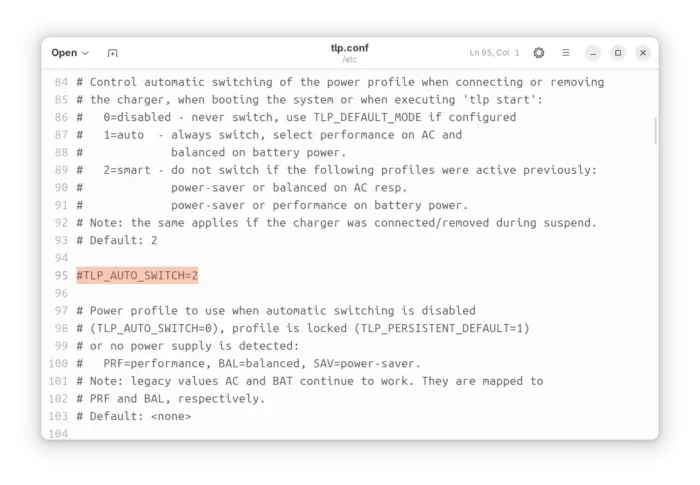
And, it added new TLP_AUTO_SWITCH option in configuration file, that controls the automatic switching of the power profile. It can be set to:
- 0, never switch power profile, and use the value of TLP_DEFAULT_MODE if set.
- 1, auto switch to performance when AC connected, or balanced when running on battery.
- 2, retain the manually selected profile (e.g., via your desktop’s built-in option) even when the power source changes.

Other changes in TLP 1.9.0 include:
- Add Battery Care (battery charge start/stop threshold) support for Tuxedo/Clevo laptops.
- Add TLP_DISABLE_DEFAULTS to deactivate all intrinsic defaults of TLP, so only parameters activated in config file applied.
- Fix tlp discharge to a target percentage for Chromebooks, Framework laptops.
- Fix Thinkpad X201, X220 discharge.
For more, see the changelog in Github.
How to Install TLP 1.9.0
TLP has an official PPA that supports Ubuntu 22.04, Ubuntu 24.04, Ubuntu 25.04/25.10, and their based Distros, e.g., Linux Mint 21/22, Zorin OS 17/18.
To add the PPA and install TLP 1.9.0, press Ctrl+Alt+T on keyboard to open terminal and run the commands below one by one:
sudo add-apt-repository ppa:linrunner/tlp
sudo apt update
sudo apt install tlp tlp-pd tlp-rdw
After installed the software, you may just forget it, as the default settings are already optimized for battery life. Though, you may follow the official documentation to install it on other Linux Distributions, or configure it to fit your need.
Uninstall:
To uninstall tlp in Ubuntu or Linux Mint, open terminal and run command:
sudo apt remove tlp tlp-pd tlp-rdw
Also run the command below to remove the PPA:
sudo add-apt-repository --remove ppa:linrunner/tlp
And, install back the system built-in power profiles daemon package:
sudo apt install power-profiles-daemon