




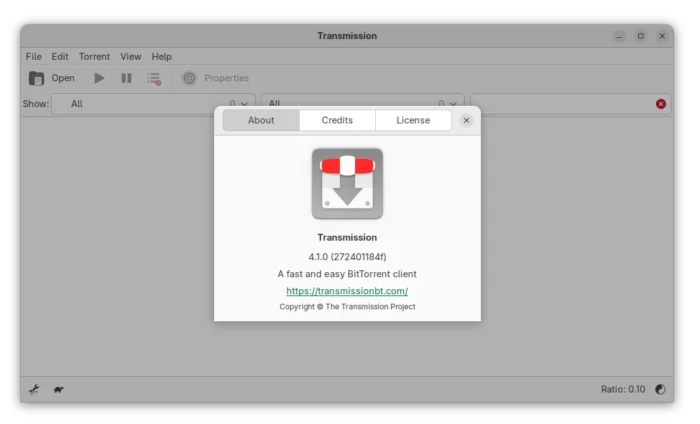
Transmission Bittorrent client finally released new major 4.1.0 version yesterday! Here are the new features and Ubuntu PPA for Ubuntu 22.04, Ubuntu 24.04 and 25.10.
The new version is made available after more than a year of development. It fixed the significantly degraded transfer performance in 4.0.x series by changed the uTP ack scheduling algorithm. And, the developer claimed that the download speed in his case went up from 70 MB/s to 90 MB/s.

The new version also added IPv6 Local Peer Discovery support, as well as dual-stack UDP trackers for the simultaneous use of both IPv4 and IPv6 addresses. And, it added back support for old BEP-7 query parameters with &ipv4= and &ipv6=.
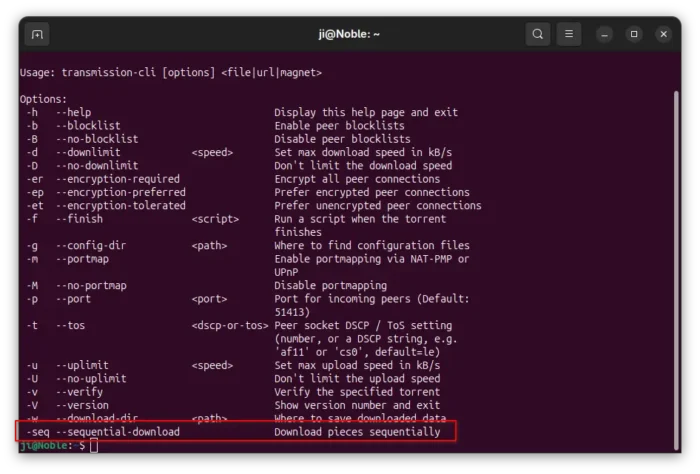
The CLI client now has a new -sel / --sequential-download command option, allowing to download pieces sequentially. It’s useful for those who want to watch a video during the download process.
The feature however does not support the GUI and Web UI so far, and, it only works in command line for either transmission-cli or transmission-remote by running similar command below:
transmission-cli -seq ~/Downloads/xxx.torrent

Transmission 4.1.0 also added an option to verify a torrent immediately after it finishes downloading. Don’t know if I missed something, but I can’t find out this option in Ubuntu while the merge request provides only a screenshot for macOS.
The settings.json file (under .config/transmission for Linux) added new preferred_transport allowing to choose between TCP and UDP when initializing outgoing connections. It as well added new sleep-per-seconds-during-verify option, disable the disk write cache when settings "cache-size-mb": 0, and fixed the bug that alt-speed-enabled had no effect.

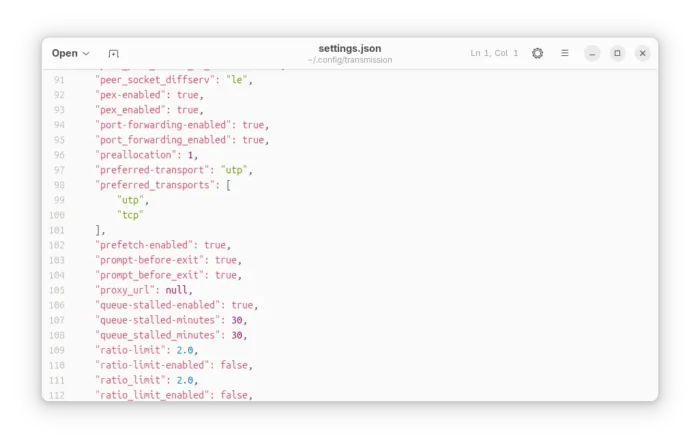
Transmission Config file
The GTK UI has been updated with native file chooser dialogs, and ability to set default behavior for GTK dialogs to add torrent from url and add tracker. The QT UI now features native icons for menus and toolbars depends on the operating system, ETA to compact view, and labels feature from web-UI.
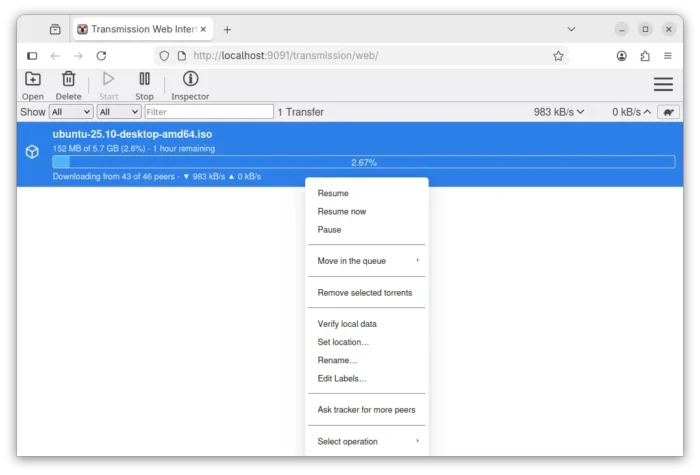
And, Web UI now supports drag’n’drop adding torrents, high contrast theme, long press on touchscreen to open context menu, percent digits in process bar, UI improvements and many fixes.

Other changes in Transmission 4.1.0 include:
- new JSON-RPC 2.0-compliant RPC API, co-exists with the existing RPC API for remote control.
- Add “Show Toolbar” toggle, and option to set default for macOS.
- Add option to prevent idle system sleep, and Low Power Mode support for macOS.
- Add start with all torrents paused support to settings file and daemon.
- Improve code to use less CPU and Memory.
There are as well tons of other improvements and bug-fixes. See the Github release page for details.
How to Install Transmission 4.1.0 in Ubuntu
Transmission provides official installers for Windows and macOS, along with source tarball, they are available to download via the link below:
As the default Bittorrent client, Ubuntu 26.04 will probably include the new Transmission 4.1.0 in system repository and pre-install it if you select “Extended selection” mode when installing Ubuntu desktop.
And, for current Ubuntu 22.04, Ubuntu 24.04, and Ubuntu 25.10, I’ve built the new release package (.deb) into this unofficial PPA.
To add the PPA and install Transmission 4.1.0, open terminal (Ctrl+Alt+T) and run commands below one by one:
sudo add-apt-repository ppa:ubuntuhandbook1/transmission
sudo apt update
sudo apt install transmission
Optionally, install transmission-cli for command line use, or transmission-daemon for running in background for server use.
For choice, there are also community maintained snap package (available in App Center) and Flatpak package that work in most Linux, though both are not updated at the moment of writing.
Uninstall
To remove the PPA and restore transmission to the stock version, run the command below to install ppa-purge and use it to purge the PPA:
sudo apt install ppa-purge && sudo ppa-purge ppa:ubuntuhandbook1/transmission
Or, manually remove the PPA:
sudo add-apt-repository --remove ppa:ubuntuhandbook1/transmission
And, remove the torrent client via command:
sudo apt remove --auto-remove transmission transmission-common














The 2 files listed below are missing from transmission-common this means that the web interface is unusable.
/usr/share/transmission/public_html/transmission-app.css
/usr/share/transmission/public_html/transmission-app.js
Ubuntu 22.04 lacks the dependency library for building the new Web UI, I thought it would fall back to the old one so I disabled it in the building process.
UPDATED with web UI for 22.04, but only for 64-bit AMD/Intel platforms.