

Visual Studio Code 1.108, the December 2025 version of this free open-source code editor, was released yesterday.
The new version introduced experimental Agent Skills support, to customize the agent behavior for specialized tasks.
They are instructions, scripts, and resources in directories with a SKILL.md file that define the custom behavior. VS Code will automatically detect and load them (from .github/skills or .claude/skills) on-demand into the chat context when relevant for your request.
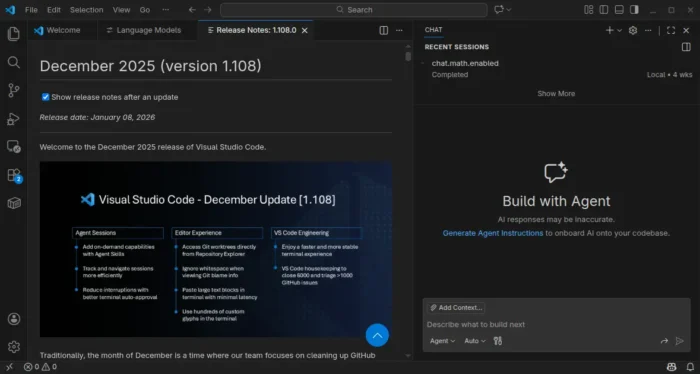

Besides agent skills, the release also improved the agent session view by adding keyboard access support for actions such as archive, read state, opening a session, information on changed files and associated PRs, and support for archiving multiple sessions at once from the new group sections.
VS Code 1.108 now opens empty chat on restart, instead of restore previous chat sessions, while you can access them from the Agent Sessions control.
When terminal auto approve is enabled, the git ls-files, git --no-pager, git -C, rg, sed, and Out-String commands are now auto approved by default. As well, npm scripts run through npm, pnpm or yarn are also auto approved by default when they are included within the package.json.
The new version also improved the editor experience. It now supports dragging and dropping a .code-profile file into VS Code to import a settings profile, with preview support.
User can now copy the breadcrumbs path to the clipboard by using the Copy Breadcrumbs Path command. And, “Go to Symbol in Workspace” feature now supports special characters in query. For example, use main# in rust-analyzer searches for functions in current workspace only.
It also reworked the Terminal IntelliSense default UX. Now, it needs to press Ctrl+Space to trigger quick suggestions and suggest on trigger characters when typing. And, an eye icon is added which can enable quick suggestions and suggest on trigger characters again.
On Linux and macOS, it fixed the performance issue and potential crash when pasting more than 50 characters at once or having Copilot run a large command.
Other changes in VS Code 1.108 include:
- Stream chat responses in now dynamically.
- Exclude MCP server output from Accessible View by default.
- Prevent shell history for bash, zsh, pwsh and fish in terminal tool.
- Two new snippet transformations available:
snakecaseandkebabcase. - New experimental Worktrees node in Source Control Repositories view.
- More comprehensive custom glyphs.
- New Synchronized output, XTVERSION VT features/sequences support in the terminal.
- Two new properties in Quick Pick API for creating interactive selection interfaces.
- Author VS Code extensions directly in TypeScript without requiring a build step.
Get VS Code 1.108
The official release note, as well as installers for Windows, MacOS, and Linux are available in the link below:
Besides the .deb package, Ubuntu users may optionally search & install the Snap package from App Center (or Ubuntu Software for 22.04).
As the official installers are proprietary, there’s also a community maintained free open-source flatpak package available for choice. See step by step guide for how to install them in Ubuntu.