
Google Chrome web browser released new 145 version yesterday for Linux, Windows, macOS, ChromeOS, and Android users.
The new version added support decoding JPEG-XL (.jxl) image format by using jxl-rs, a memory-safe pure Rust written decoder, instead of libjxl.
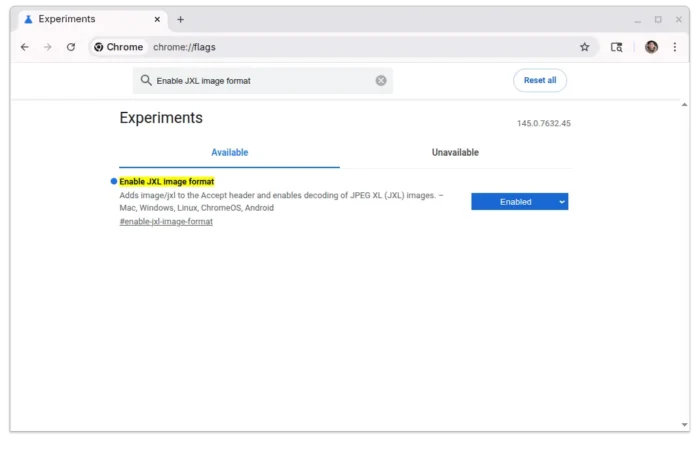
The JPEG-XL decoding is disabled by default. User can go to chrome://flags page then search and enable the feature.
And chromium can be built with enable-jxl-image-format and enable_jxl_decoder flags for the feature support.

Besides the new image format support, other changes in Chrome 145 are mostly for web developers.
It introduced Origin object in the Origin API that encapsulates the origin concept and provides comparison, serialization, parsing methods.
It also introduced Device Bound Session Credentials (DBSC) feature, allowing websites to bind authentication sessions with cryptographic key pairs associated with the user’s device. This improves the security by making it significantly harder for others to steal session cookies.
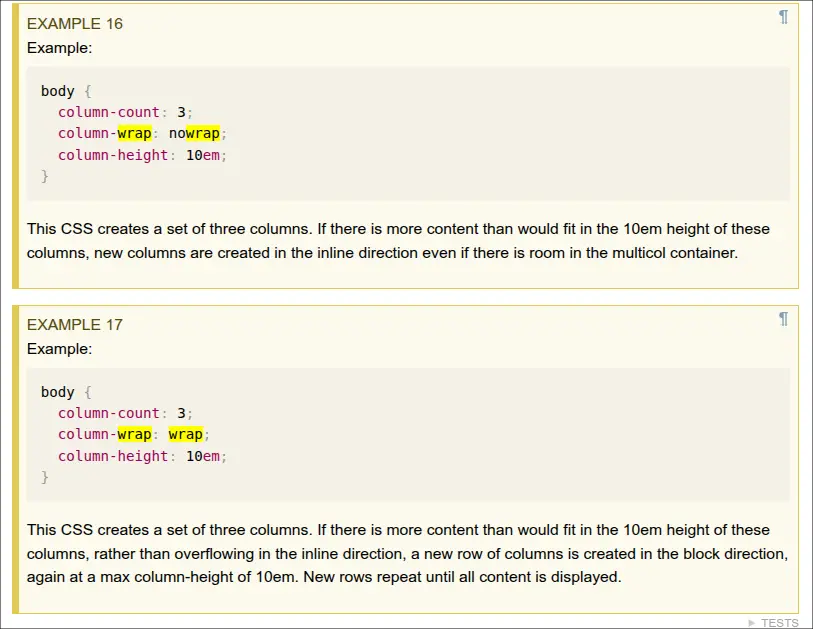
As well, it added the column-wrap and column-height properties support from Multi-column Layout Module Level 2, allow to set a height for the row of columns and the overflow columns to appear as a new row.
This version also improved online payments by introducing Browser Bound Keys feature that binds cryptographic keys to a specific browser instance to Secure Payment Confirmation (SPC).
Chrome on Android now accurately reports the browser window’s position and size using window.screenX, window.screenY, window.outerWidth, and window.outerHeight.
Other changes in Chrome 145 include:
- Add support
text-justifyproperty to control what type of justification applied to text - Enable monochrome emoji rendering in forced colors mode.
- Remove the UserAgentReduction policy
- Implement the
focusvisibleparameter forHTMLElement.focus()method. - Enable percentage values for the
letter-spacingandword-spacingCSS properties. - Refine border-radius shadow edge computation for high
border-radius. - Expose
onanimationcancelevent handler toGlobalEventHandlers. - Extend customizable select support to the listbox rendering mode.
For more about this browser release, see the official release note.
Get Chrome 145
Google Chrome is available to download in Google website via the link below:
For Linux, besides the official .deb/.rpm packages, there’s also a community maintained Flatpak package that runs in sandbox environment. And, here’s a step by step guide shows how to install them in Ubuntu.