Archives For media converter

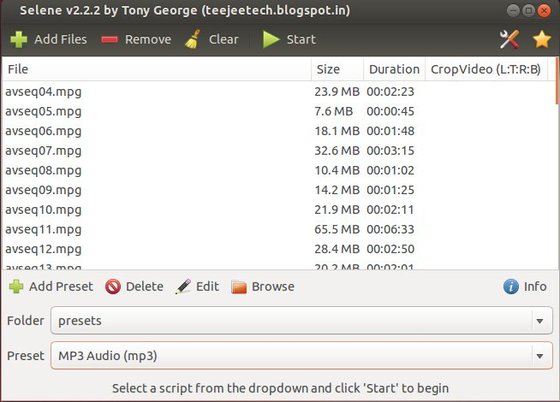
Selene is an audio/video converter for converting files to OGG/OGV/MKV/MP4/WEBM/OPUS/AAC/FLAC/MP3/WAV formats. It aims to provide a simple GUI for converting files to popular formats along with powerful command-line options for automated/unattended encoding.
selene media converter

The converting process is quite easy, just select a batch of audio / video files, set the output format and click start.

Install Selene via PPA:

The converter is available in PPA for Ubuntu 14.04 Trusty, Ubuntu 13.10 Saucy, Ubuntu 13.04 Raring, Ubuntu 12.10 Quantal, Linux Mint and their derivatives.

To install it, press Ctrl+Alt+T on keyboard to open terminal. When it opens, run commands below one by one:

sudo apt-add-repository -y ppa:teejee2008/ppa

sudo apt-get update

sudo apt-get install selene

Once installed, start it from Menu or Unity Dash.

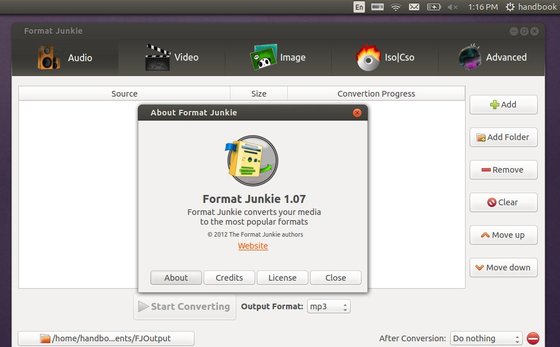
This tutorial is going to show you how to install Format Junkie media converter in Ubuntu 13.10 Saucy, while its PPA is not ready.

As you may know, Format Junkie is a program that can convert your media files (audio files, videos and pictures) to all the popular formats! It supports:

  • Conversion between the audio formats: mp3, mp2, wav, ogg, wma, flac, m4r, m4a and aac
  • Conversion between the video formats: avi, ogv, vob, mp4, vob, flv, 3gp, mpg, mkv, wmv
  • Conversion between the image formats: jpg, png, ico, bmp, svg, tif, pcx, pdf, tga, pnm
  • Create an iso with selected files, convert iso to cso and vice versa.
  • Encode subtitles to an avi file.

Install Format Junkie:

For Ubuntu 13.04, Ubuntu 12.10, Ubuntu 12.04, Linux Mint 13/14/15, Elementary OS Luna, you can install it from Format Junkie PPA by running below commands one by one in terminal (Ctrl+Alt+T):

sudo add-apt-repository ppa:format-junkie-team/release

sudo apt-get update

sudo apt-get install formatjunkie

For Ubuntu 13.10 Saucy, press Ctrl+Alt+T on your keyboard to open terminal. When it opens, run command to download DEB for raring:

for 32-bit system:

wget https://launchpad.net/~format-junkie-team/+archive/release/+files/formatjunkie_1.07-1~raring0.2_i386.deb

for 64-bit system

wget https://launchpad.net/~format-junkie-team/+archive/release/+files/formatjunkie_1.07-1~raring0.2_amd64.deb

Both 32-bit & 64-bit install the Deb via:

sudo dpkg -i formatjunkie_1.07-1*.deb; sudo apt-get -f install