




GIMP, the popular GTK-based image editor, released version 3.0.8 last night.
The new version of this free open-source image editor might be the final release in the 3.0 series. It primarily includes bug-fixes and performance improvements, while there are also some minor new features.
First, it noticeably speeds up the app start-up time for users with large number of fonts by backported the changes from GIMP 3.2 RC.
It also backported the gimp_cairo_surface_get_buffer () API to retrieve a GEGL buffer from a Cairo surface, as well as gimp_config_set_xcf_version () and gimp_config_get_xcf_version () APIs to specify a particular XCF version for a configuration.
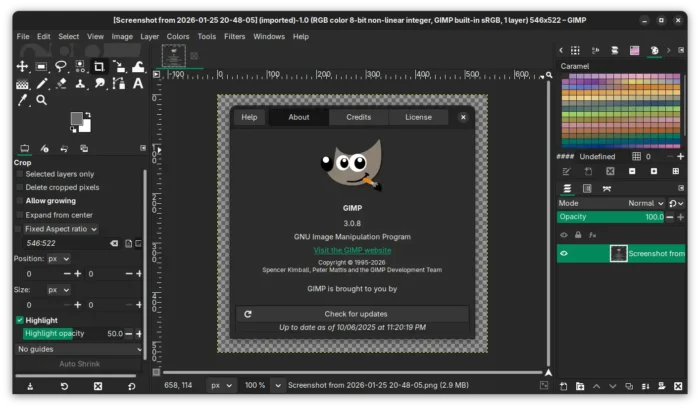

The release also includes some theme and UX improvements. More GUI elements now respect user’s icon size preferences. Dark mode now looks better by showing less bright texture. And, UI has been updated with more usable Spin Scale widget.
For users who need to run GIMP in command line without display, there’s a new --no-interface command option which may be useful for Linux running GIMP with Flatpak or AppImage package without a separate gimp-console-3.0 executable.
And, the Flatpak package has been improved with safe guards to show the correct configuration directory, regardless of whether XDG_CONFIG_HOME is defined, which makes it much easier for flatpak users to install and use third party plug-ins.

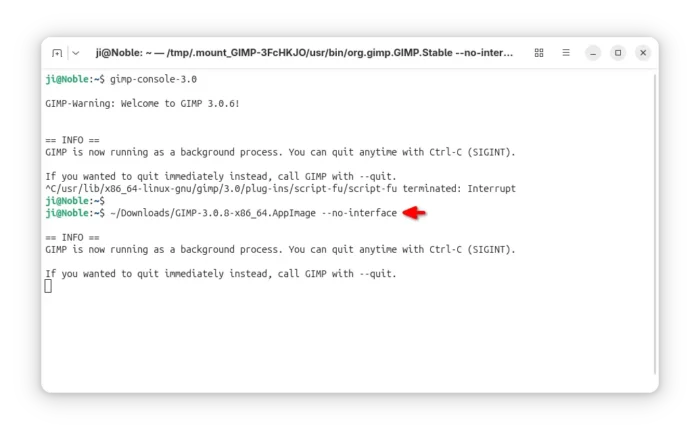
new ‘–no-interface’ option
For macOS, Image Graph is now available when running GIMP with --show-debug-menu option. The app icon is now properly displayed in macOS 26 Tahoe. EPS and PS files can be opened again. And, configuration migrations from GIMP 2.10 to 3.0 has been greatly improved.
Other changes include a new help manual made by Jacob Boerema, as well as fixes for following issues:
- Lossless WEBP image export affected by lossy settings.
- Duplicate text in Windows installer for certain languages.
- Font kerning on macOS
- Default color profiles loading issue in Windows.
- XCF incompatibility with GIMP 2.10.
- Unintended Search pop-up.
There are as well some potential security fixes and other changes, see the official announcement for details.
How to Install GIMP 3.0.8
GIMP provides official installer for Linux, Windows, and macOS which are available to download via the link below:
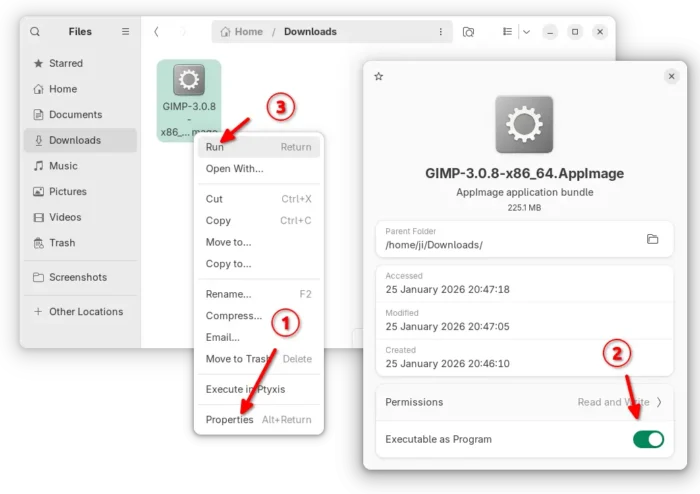
For Linux, the packages include AppImage which can be run directly without installation after added executable permission. Though, Debian/Ubuntu need to install libfuse2 first.
sudo apt install libfuse2

There’s as well a Flatpak package available in Linux Mint Software Manager and Fedora Gnome Software, while others may install it from flathub repository.
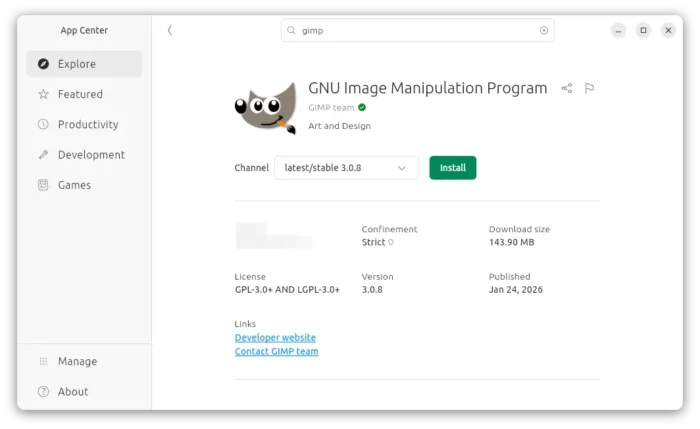
Ubuntu users may simply launch App Center (or Ubuntu Software), search and install it as Snap package:

For Ubuntu, Linux Mint, and their based distributions who prefer the native .deb package, I’ve built GIMP 3.0.8 into this unofficial PPA for Ubuntu 22.04, Ubuntu 24.04 and Ubuntu 25.10.
To add the PPA and install GIMP 3.0.8 deb package, open terminal (Ctrl+Alt+T) and run commands below one by one:
sudo add-apt-repository ppa:ubuntuhandbook1/gimp-3
sudo apt update
sudo apt install gimp libbabl-0.1-0 libgegl-0.4-0t64
NOTE: The PPA packages are built against system default GTK-3 library, which is a bit outdated in 24.04/22.04 and lack the fix for possible crash when drag arranging layers.













For Linux users switching over who want to use Affinity without having to deal with Wine & co., there’s an interesting project. It provides an AppImage that comes with all dependencies and a preconfigured Wine setup, so it’s ready to use right away. Just download it, launch it, and get started
https://github.com/ryzendew/Linux-Affinity-Installer
Thanks for your PPA, JI.
On some machines there are problems with the 3.0.6 – 3.0.8 updates.
Opening GIMP via terminal there are several messages like this:
Error: eval: unbound variable: (/usr/share/gimp/3.0/scripts/add-bevel.scm : 210) script-fu-register-filter

scriptfu-Message: 16:56:15.718: Fehler beim Laden von /usr/share/gimp/3.0/scripts/addborder.scm:
Error: eval: unbound variable: (/usr/share/gimp/3.0/scripts/addborder.scm : 187) script-fu-register-filter
scriptfu-Message: 16:56:15.718: Fehler beim Laden von /usr/share/gimp/3.0/scripts/blend-anim.scm:
Error: eval: unbound variable: (/usr/share/gimp/3.0/scripts/blend-anim.scm : 235) script-fu-register-filter
scriptfu-Message: 16:56:15.719: Fehler beim Laden von /usr/share/gimp/3.0/scripts/burn-in-anim.scm:
Error: eval: unbound variable: (/usr/share/gimp/3.0/scripts/burn-in-anim.scm : 241) script-fu-register-filter
scriptfu-Message: 16:56:15.719: Fehler beim Laden von /usr/share/gimp/3.0/scripts/carve-it.scm:
This happens on some but not all machines. Can you imagine what causes these messages?
Where should I start searching?
It looks like installing gir1.2-gexiv2-0.10 helps.
(Maybe you can consider adding this as a dependency.)
Thank you for the info, I’ll add it in next build.