




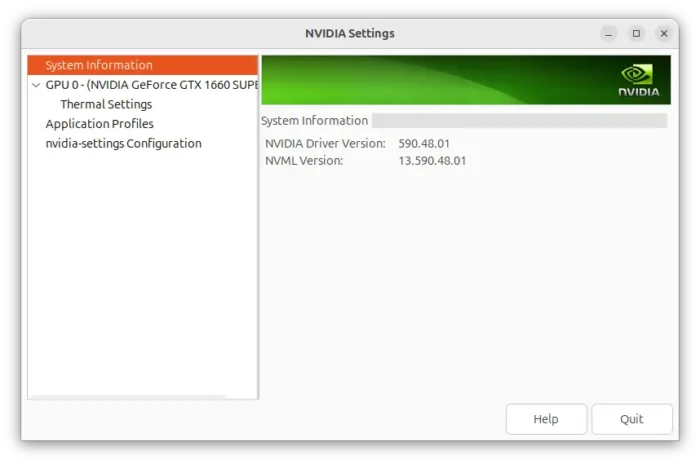
For NVIDIA users, the latest nvidia-590 driver has been made available for Ubuntu 22.04, Ubuntu 24.04, Ubuntu 25.10 and next Ubuntu 26.04.
NVIDIA 590.48.01 is the latest feature branch driver for Linux that was released almost one month ago. Ubuntu community is now building it into the multiverse repository.
The 590 driver so far does not include any big new features. It improved the performance of swap chains recreation, which can help prevent stuttering when resizing Vulkan application windows, and, fixed wallpaper display issue and nvidia-settings control panel function in Wayland.
As well, it fixed DPI detection issue for some monitors such as the Samsung Odyssey Neo G9, PREEMPT_RT kernel freeze, and Vulkan app working issue on Venus VirtIO virtual GPU.
And, the new driver does NO longer support GeForce 700, GeForce 800M, GeForce 900/900M, GeForce 10 series, as well as GeForce MX100, MX200, MX300 series notebooks. See HERE for more about the driver.

Ubuntu usually supports recent NVIDIA production branch drivers officially (e.g., nvidia-580 and nvidia-570) by building them into restricted repository as they are proprietary software, and keeps updated with new minor version updates.
As a feature branch (non-production) driver, NVIDIA 590 is maintained by Ubuntu community and it’s being made into the multiverse repository.
Meaning it’s not supported by Canonical, the company behind Ubuntu, and usually has no updates.
Install NVIDIA 590 driver in Ubuntu:
The driver package is build in launchpad via this page for desktop and gaming, and this page for server and computing purpose.
Both are being tested at the moment of writing as the proposed (pre-released) updates.
And, the test usually takes several days or even few weeks. If you can’t wait, enable proposed updates in Software & Updates -> Developer Options (remember to turn it off afterward).
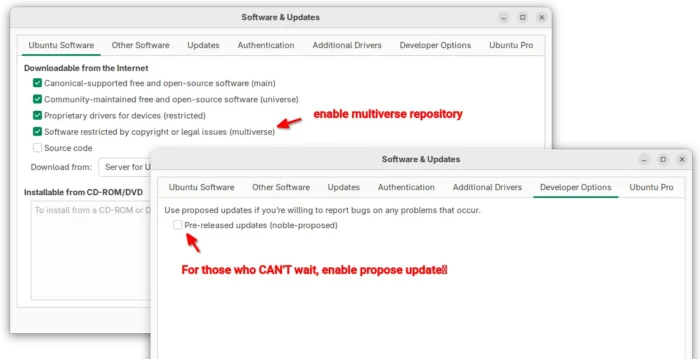

To install the driver, first refresh cache by either launching Software Updater and waiting for check updates (but no need to install anything) or running command below in terminal:
sudo apt update
Then, launch Additional Drivers. Choose install nvidia-driver-590 or nvidia-driver-590-open for desktop and gaming, or nvidia-driver-590-server or nvidia-driver-590-server-open for server and computing use. After installation, restart computer to apply change.
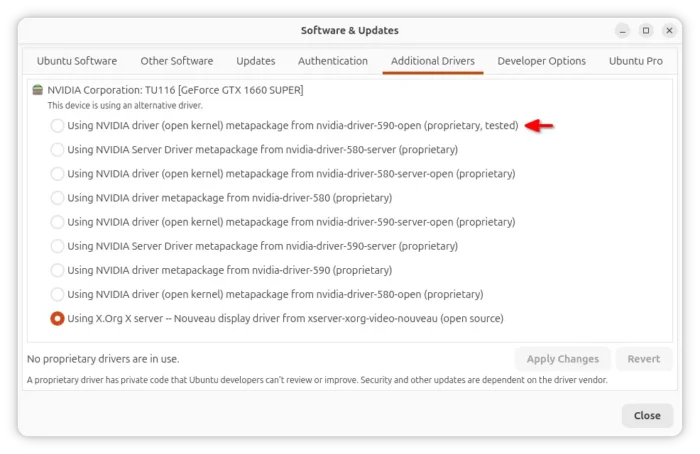

For those confused about the “open kernel”, it’s the the proprietary driver built with new open-source kernel modules, which should now have approximate feature parity with the close-source kernel modules.
However, some features (e.g., RTD3) with open kernel modules support only NVIDIA 30 series and later. See HERE for more about the difference.
And for Ubuntu server without GUI, try add-apt-repository multiverse to add multiverse repository, and use ubuntu-drivers command to list and install drivers. See the official guide for details.















break RDP