

VLC, the popular free open-source media player, released new 3.0.23 version few days ago for Linux, Windows, and macOS.
This is a small release that fixed some bugs, updated the dark palette, and improved the compatibility for recent dependency libraries.
First of all, the new version included some fixes for security vulnerabilities. They include null deref in libass, undefined shift in theora and cc-708, integer overflow in daala, infinite loop in h264 parsing, as well as buffer overflow in png and multiple format-overflows.
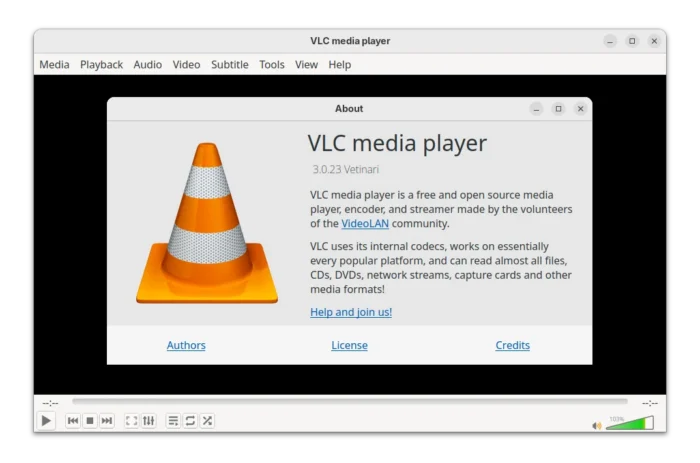

As you may know, the last 3.0.22 introduced native dark mode interface. The new version improved this dark palette by added Windows accent color support, updated the seek-style, and adapted volume slider support.
VLC was going to add Qt6 support for 3.0.22, which however aborted. According to the NEWS file in source, the new 3.0.23 added prepare compatibility for Qt6.
I saw the Qt6 checks in “configure” file, and new --with-qtconf=PATH compile option to specify the location of Qt6 qt.conf file, though I didn’t try if it builds properly with Qt6.
For Windows user, besides accent color support for dark mode, the new version also fixed the compilation of OpenGL modules, broken image rendering issue with D3D11. And, it does no longer tries to create folder in %userprofile%\Documents.
VLC 3.0.22 added official support for Windows on ARM64 by providing .7z, .exe, and .zip. The new 3.0.23 also provides the .msi installer.


For maintainers and those who build VLC from source, the new version finally fixed the FFmpeg 8.0 compatibility. It added a small function to automatically select the new avprofile variables for FFmpeg 6.0 and higher, while keeping the old FFmpeg version also supported.
Other changes in VLC 3.0.23 include:
- Fix WebVTT line positioning.
- Expose additional audio codec information (notably for Flac 24bit).
- Fix JFIF detection.
- Prepare compatibility for taglib 2.0, mingw-w64 v13 and newer versions of libplacebo and pupnp.
- And, other minor fixes.
Download / Install VLC 3.0.23
The source tarball as well as Windows and macOS installers are available to download in vlc website via the link below:
For Linux, VideoLAN provides official package through Snap, which is however stuck at old v3.0.20.
For Ubuntu, VLC 3.0.23 is already made into the universe repository for next Ubuntu 26.04. And, I’ve built the release package into this unofficial PPA for Ubuntu 20.04, Ubuntu 22.04, Ubuntu 24.04, Ubuntu 25.04 and 25.10.
To add the PPA and install VLC 3.0.23, open terminal (Ctrl+Alt+T) and run the commands below one by one:
sudo add-apt-repository ppa:ubuntuhandbook1/vlc
sudo apt update
sudo apt install vlc
NOTE: The PPA package is only tested in Ubuntu 24.04.
Uninstall:
To remove the PPA repository from your system, either go to “Software & Updates” -> “Other Software”, or run command:
sudo add-apt-repository --remove ppa:ubuntuhandbook1/vlc
And, remove the VLC packages by running command:
sudo apt remove vlc vlc-bin vlc-data libvlc* vlc-plugin*