

Sniffnet, the popular free open-source network traffic monitoring software, released new 1.5.0 version few days ago.
The new version of this lightweight Rust-based packet analyzer introduced per app or program based network traffic monitoring.
Meaning that you can now easily find out which applications or processes are sending or receiving data, and how many bytes or packets they generate.
Like services or network host monitoring, you may click on each app to see real-time information about the source and destination addresses, protocol, services, etc.
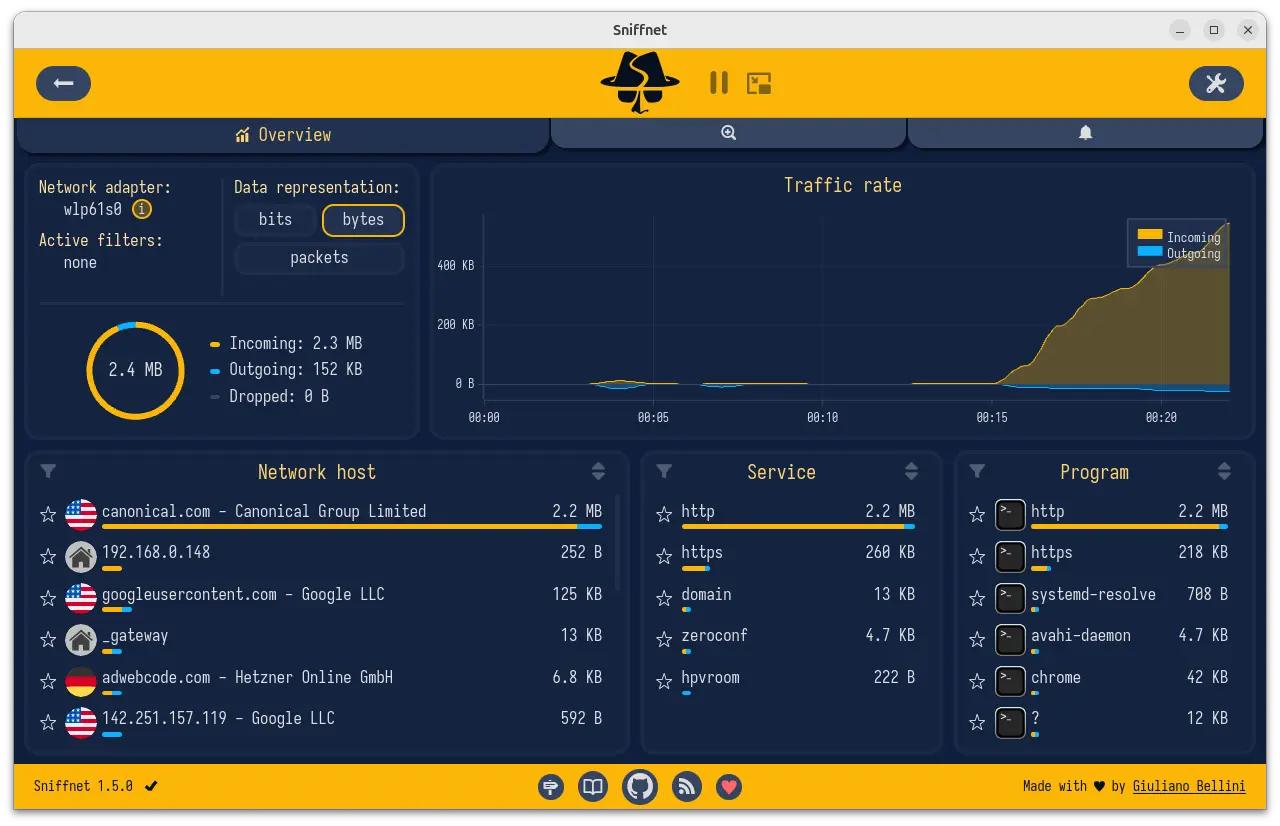
According to the request page, it also display app icons for each program, which however does not work in my case in Ubuntu 24.04.
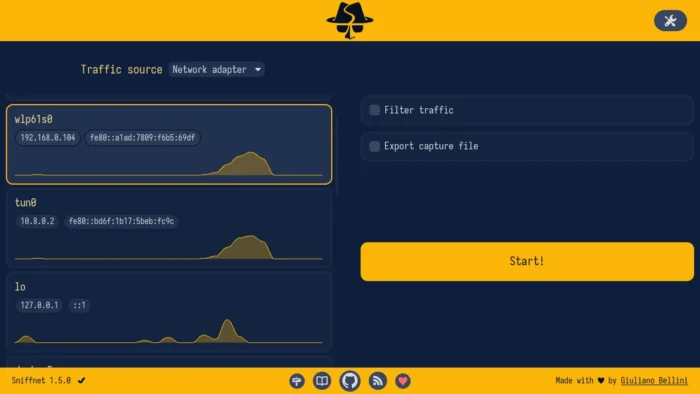
In initial page for the app window, it now displays charts for all network adapters, allowing to preview the activity of each network adapter before actually starting a traffic capture.
This is useful to help users correctly choose the desired adapter to inspect, and to have an high-level view of the whole system’s Internet traffic.
The implementation includes using a thread for each network adapter to parse its packets, and a channel to share updates with the frontend every 1 second.

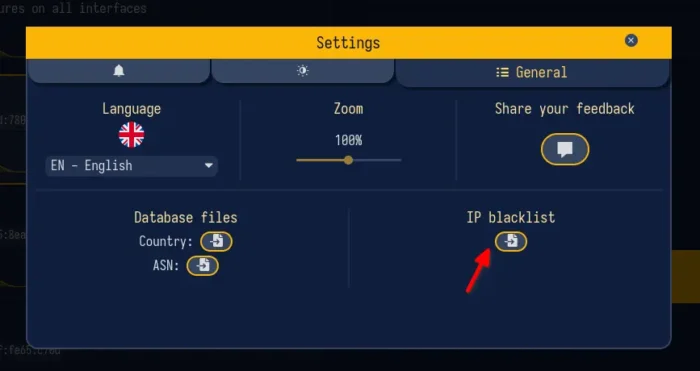
The new 1.5.0 also added custom IP blacklists. By going to settings -> general, user can add IP blacklist from a file (one IP per line). A new option is also added to show notification when sending or receiving data to/from a blacklisted IP. And, a new filter is added in the Inspect page to show only blacklisted connections.

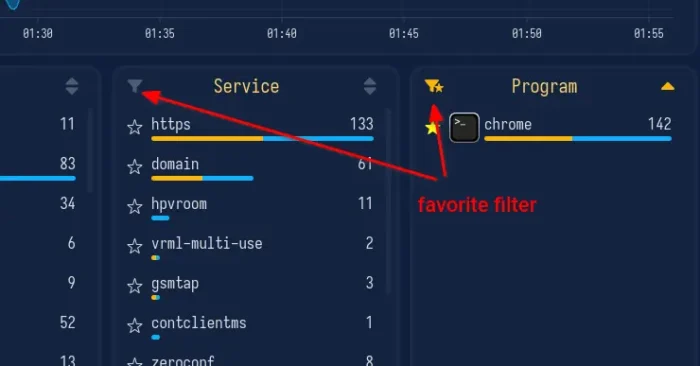
This version also improved the favorite function. As you see in the screenshot, it now supports saving services or programs as favorites, and notifications has been updated to support favorite services and programs.
The favorite will persist across different runs of the app. And, a filter is added in Overview page tables to only show the saved favorite items, including currently inactive ones.

It as well added a --config_path or -c command line option to tell the path of the app configuration file. So that you can easily find out which file to edit for the default configurations, such as app language, window size and position, favorites, IP blacklists, and so on.
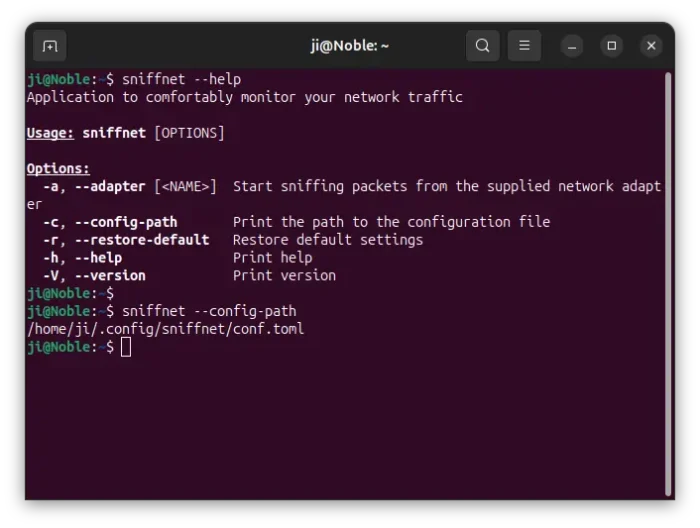

Other changes in Sniffnet 1.5.0 include:
- New welcome screen.
- Support search prefixes
!and!=in Inspect page filters, to search values that don’t contain or aren’t equal to a given string. - Add sanity checks when loading configurations from file, to ensure it works as expected.
- Translation updates, and some fixes.
Get Sniffnet
The packet analyzer software provides official installers for Linux, Windows, and macOS, as well as source tarball, which are available to download via the link below:
For Linux, either select the non-install AppImage that works in most Linux Distributions, though it needs to be run as root (sudo) to avoid permission issue, or download & install DEB for Debian/Ubuntu, RPM for Fedora/RHEL based distributions.
And, select amd64 for modern Intel/AMD processors, arm64/aarch64 for 64-bit ARM devices (e.g., Snapdragon X or Raspberry Pi), armhf for 32-bit ARM, or i386 for old X86 computers.