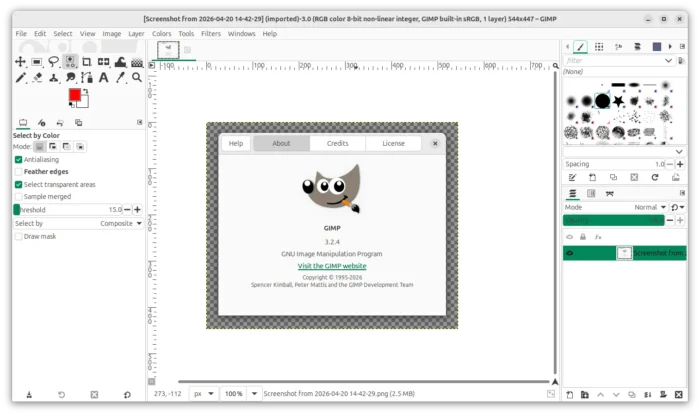
GIMP 3.2.4, the second maintenance update of the 3.2 major release series, was released yesterday.
The new version of this popular GTK-3 based image editor continued improving UI/UX experiences, fixed various issues, and added new function for plugin developers.
The 3.2.4 now shortens long file names in the Welcome dialog’s Create page, while, user may hovering over the image preview or name to see the full name.
It significantly improved the performance when making selections inside a large image with Intersection Mode enabled, by only considering pixels within the existing selection rather than trying to calculate across the entire image.
It raised the maximum UI image size to 8192 pixels, and improve the performance when moving a floating layer or selection, by temporarily turned off the “marching ants” outline.

When editing text, it now prioritizes the global actions when a shortcut matches, before sending the hit keys to the input method engine (IME). This can prevent IME from blocking custom shortcuts.
GIMP 3.2.4 changed the behavior of the “edit-fill-*” actions. It will now either skip layers which can’t be filled (e.g., content-lock layers and link layers) or fill the expected way non-rasterized text and vector layers.
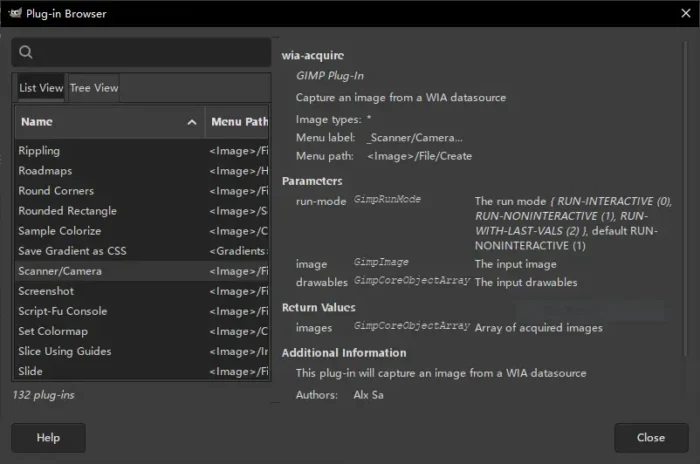
For Windows, the scanner plugin is broken due to removal of the 32-bit support. The new version introduced a Windows Image Acquisition (WIA) scanner plug-in to replace it. The new plugin can be accessed from the same place, though the UI looks difference and it requires new WIA-compatible drivers to make it work correctly.

For plugin developers, this version also added new gimp_resources_loaded () function to determine if a resource (like brushes, patterns, fonts, etc) has been loaded in GIMP before trying to use it in your plug-in.
It also deprecated the gimp_quit () plugin, which will be removed in the next GIMP 4.x release. And, several deprecated Script-fu functions have been cleaned out from scripts.
Other changes in GIMP 3.2.4 include:
- Improve temporary folder support to avoid clashes when several users run GIMP on a same computer.
- Prevent font size jumping to 0 when using shortcuts on selected text.
- The “layers-resize” now only works on raster layers.
- The “Layers to Image Size” and “Resize Layer to Selection” actions will only work on raster layers too.
- Non-raster layers are not rasterized anymore for crop tool.
- New Lao translation.
For more, see the official announcement.
How to Install GIMP 3.2.4
The official packages for Linux, Windows, and macOS, are available to download in GIMP website via the link below:
For Linux, either choose the non-install AppImage which can be run directly (after added executable permission) to launch the image editor, or install Flatpak package from Linux Mint Software Manager or Fedora Gnome Software.
Ubuntu user may choose install the Snap package in App Center (or Ubuntu Software), or install native .deb package from this unofficial PPA, which so far supports Ubuntu 22.04, Ubuntu 24.04, Ubuntu 25.10 and 26.04.
To add the PPA & install GIMP 3.2.4 deb package, open terminal (Ctrl+Alt+T) and run commands below on by one:
sudo add-apt-repository ppa:ubuntuhandbook1/gimp-3
sudo apt update
sudo apt install gimp libbabl-0.1-0 libgegl-0.4-0t64
Though for Ubuntu 22.04, I’d recommend to use GIMP snap, flatpak, or AppImage packages, as system default GTK3 library is bit out-dated that could cause the app crashes.