
Shotcut video editor released new 26.4 version one days ago.
The new version named “All the Small Things”, though there are also some exciting new features and various fixes.
First, the new Shotcut 26.4 improved timeline by adding drag’n’drop support from Recent to Timeline, symmetric resize (grow or shrink equally on both sides, keeping center point fixed) of timeline transition using its trim handles.
It also reduced memory usage for timeline waveforms, added support using Up and Down keys to set current track above/below, and improved Timeline and Keyframes zoom to be less erratic and more focused.
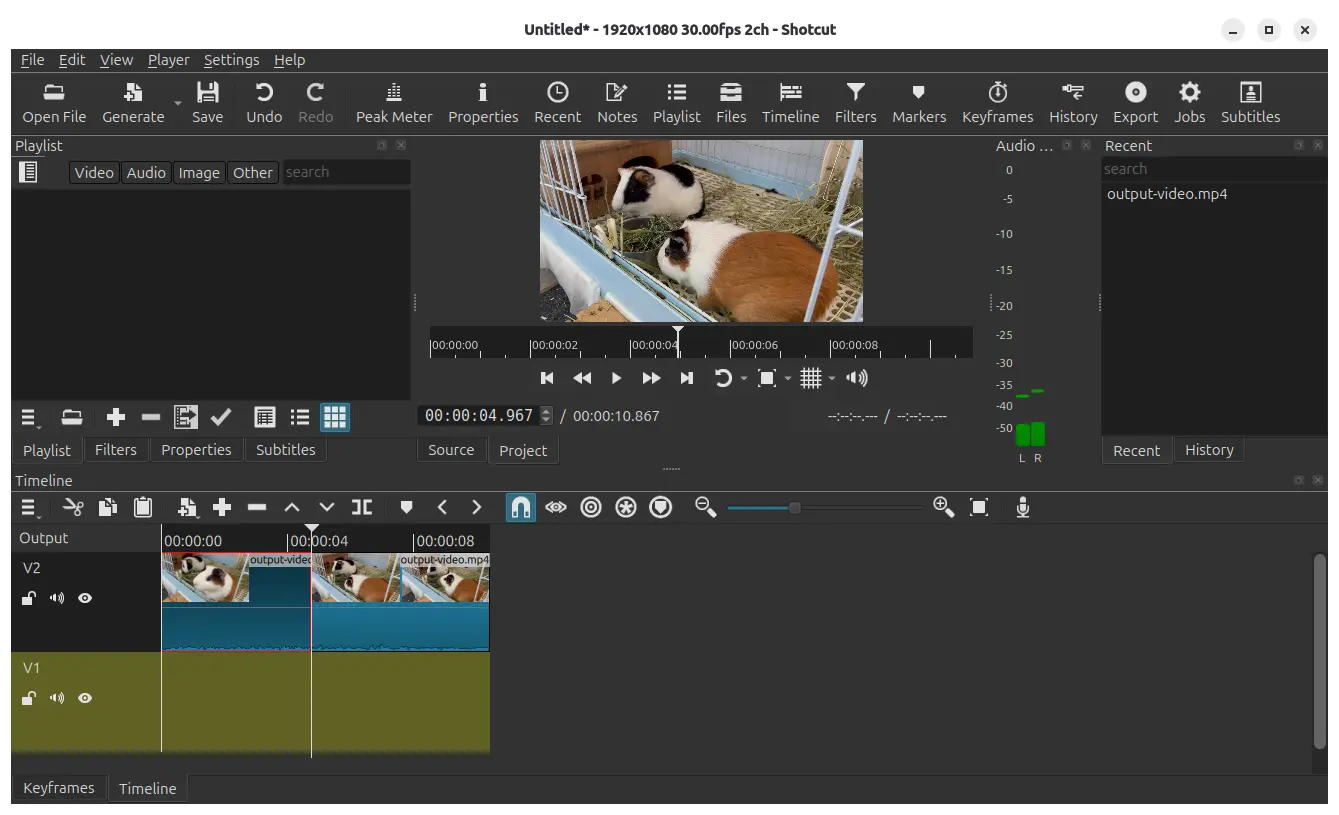
Shotcut video editor in Ubuntu 26.04
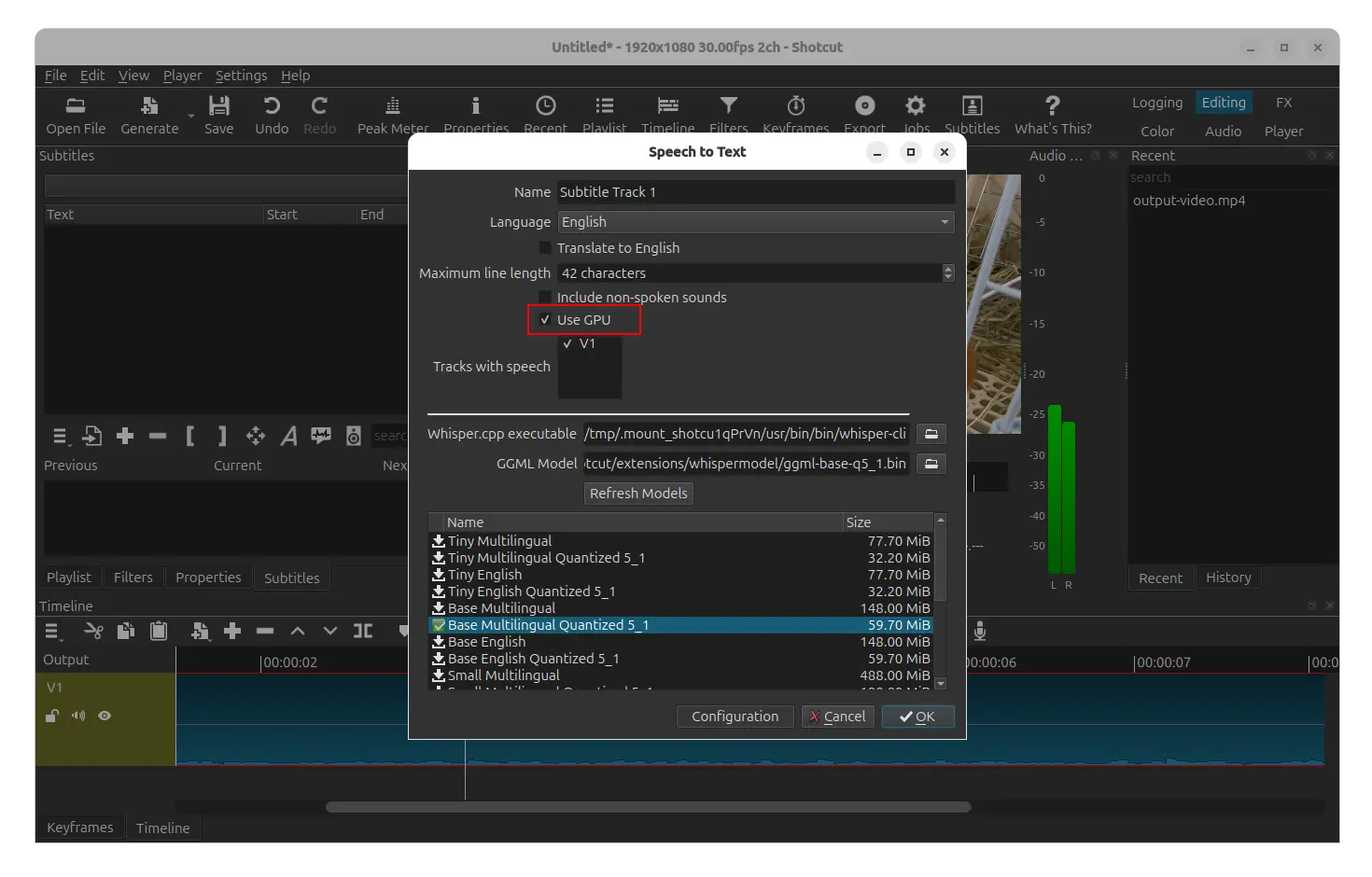
For Linux and Windows, the Speed to Text feature that automatically recognizes speech in video clips and generates subtitles has been improved with GPU acceleration support through Vulkan API.
And, the Speech to Text dialog will show you a “Use GPU” checkbox, which is enabled by default.
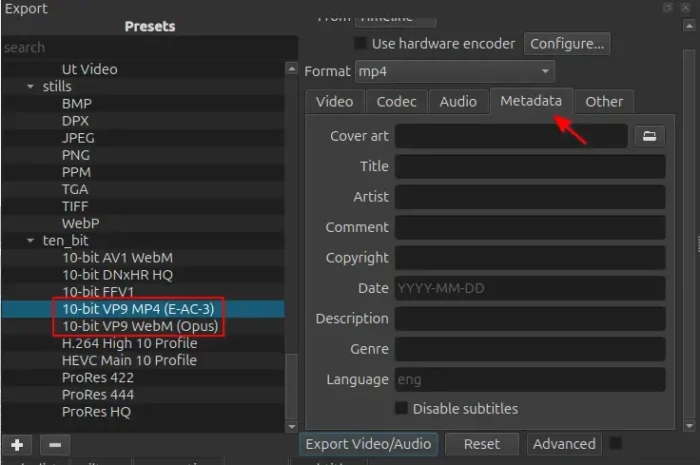
The Export widget introduced new Metadata section, allowing to add cover art, title, artist, copyright, date, etc information for your videos.
It also added two new presets: 10-bit VP9 MP4 (E-AC-3) and 10-bit VP9 WebM (Opus), the VP9 codec using 10‑bit color depth, packaged inside an MP4 or WebM container.

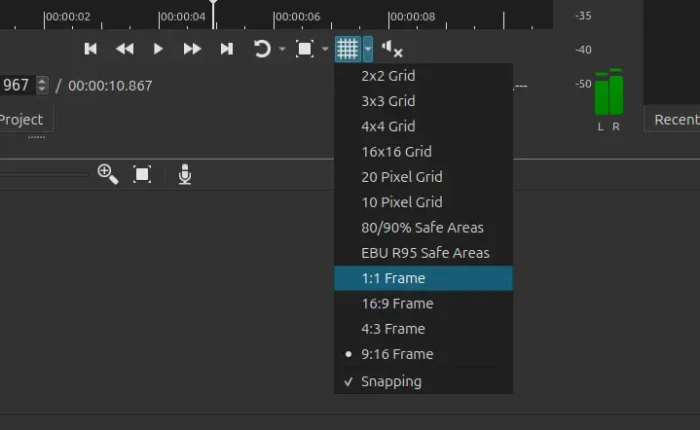
This version as well added a Typewriter group of options added to the Burn In Subtitle filter, Properties > LUT file for video clips primarily for the Linear 10-bit processing mode, and 4 aspect ratio grid options to the player grid button: 1:1 Frame, 16:9 Frame, 4:3 Frame, 9:16 Frame.

Other changes in Shotcut 26.4 include:
- Use
Shiftkey for subtitles multi-selection operation. - Make Timeline duration in Properties editable.
- Use FLAC instead of Opus by default for Timeline -> Record Audio.
- Default to 10-bit HEVC export in the 10-bit processing modes.
- Reorganize Video Mode menu with new categories (Social Media, Other, and Legacy).
- Do not bundle Glaxnimate except Linux Flatpak package.
- Update FFmpeg to version 8.1.
- And various bug-fixes.
Get Shotcut 26.4
The official release note, installer packages for Linux, Windows, macOS, as well as the source tarball are available in Github via the link below:
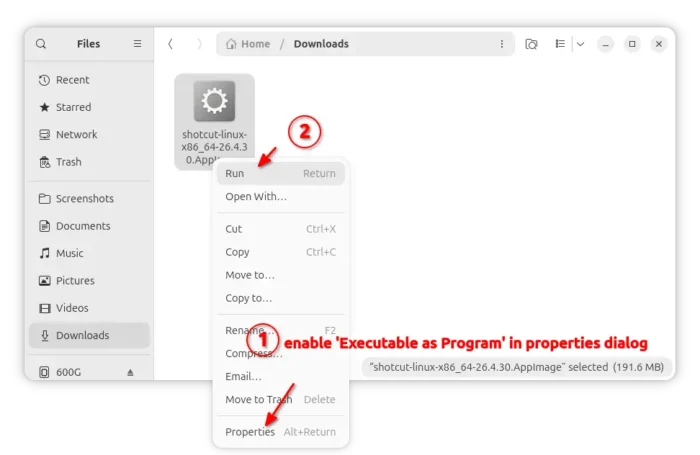
For Linux, either select download the AppImage (for modern Intel/AMD), add executable permission from its Properties dialog, and click Run to launch the video editor.
NOTE: Ubuntu since 22.04 does NOT support AppImage out-of-the-box, open terminal (Ctrl+Alt+T) and run command to enable the feature:
sudo apt install libfuse2

Or, choose the official Flatpak package in flathub.org, which also support ARM64 platform, or snap package in App Center (or Ubuntu Software), though both run in sandbox environment!