NVIDIA announced new 595.71.05 version of production branch driver for Linux yesterday.
This is the second stable release for the current 595 driver series, which however features only a single bug-fix.

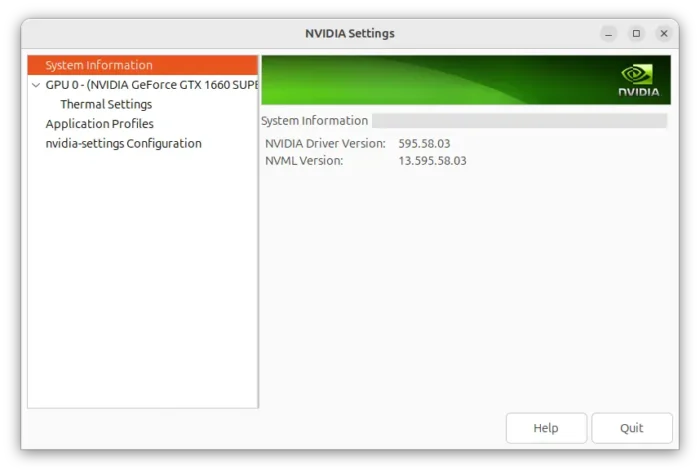
NVIDIA 595.58.03
For Wayland, the default session in Ubuntu (since 22.04) and Fedora Workstation, the new driver fixed the OpenGL applications stop rendering issue after waking up from suspend.
Nothing else! See this page for details.
For those who missed the last NVIDIA 595.58.03, there are as well many other changes compare to the 590 release series.
They include new CudaNoStablePerfLimit profile allowing CUDA-using apps to reach the highest power and performance level, nvidia-drm.ko modeset=1 parameter enabled by default which is essential for Wayland support, and DRI3 1.2 support features a kernel-level synchronization mechanism that is crucial for preventing tearing and improving performance in modern Linux gaming environments.
There are as well VK_EXT_descriptor_heap extension allowing apps to store buffers / images directly into GPU-accessible memory thus reducing CPU overhead, and, VK_EXT_present_timing extension to query detailed timing information and specify a target time for future frames for smooth gaming and video playback experience.
Other changes since NVIDIA 590 include:
- Improve support for falling back to system memory when video memory is low.
- Fix GPU hang in Black_Myth_Wukong.
- Fix X11 compositors blink issue.
- Fix display wake up issue in kwin_wayland.
- Fix screen flickering in VRR on some HDMI displays.
- See more in the release page.
Install NVIDIA 595.71.05
Ubuntu has made NVIDIA 595 into official repository for Ubuntu 22.04, 24.04, 25.10, and Ubuntu 26.04. It’s however NVIDIA 595.58.03 so far. And, I’ve written about how to install it step by step.
For the latest NVIDIA 595.71.05, the best choice is wait for Ubuntu updates. If you can’t wait, then try the NVIDIA’s CUDA repository, which also support Debian, Fedora, RHEL etc distributions.
NOTE: Don’t do following steps in production machine, as it may break your desktop.
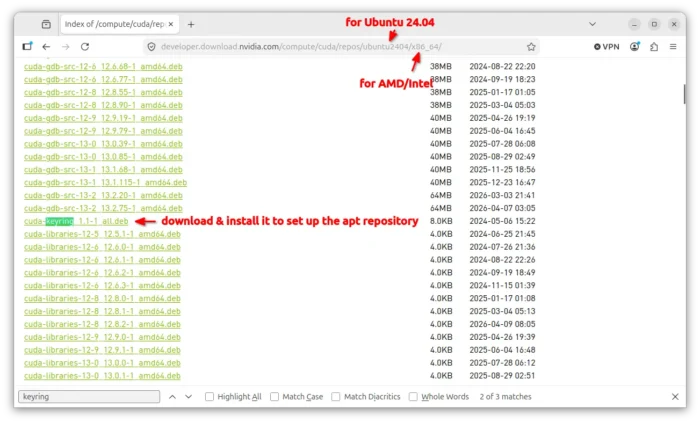
For Ubuntu, first download & install the “cuda-keyring_1.1-1_all.deb” (version number may vary as time goes on) from the 22.04, 24.04, or 26.04 page.

After that, open terminal (Ctrl+Alt+T) and run command to refresh cache:
sudo apt update
And, finally install the driver via command:
sudo apt install nvidia-driver
Replace nvidia-driver with nvidia-driver-open for the open kernel driver. Though, you probably need to first uninstall previously installed NVIDIA driver if any.