Archives For News

Free open-source software updates and Linux news

This latest stable Kernel 3.10.3 has been released. All users of the 3.10 kernel series are urged to upgrade as soon as possible. This tutorial shows how to install / Upgrade Kernel 3.10.3 for Ubuntu 13.04, 12.04, 12.10 and Linux Mint users.

Linux Kernel 3.10.3

Linux Kernel 3.10.3 is a small release that includes a lot of small changes. The mainline Kernel PPA has updated DEB packages for Ubuntu / Debian users. Read full list of changes at LKML

Install / Upgrade Kernel 3.10.3

Press Ctrl+Alt+T on your keyboard to open terminal. When it opens, run below commands to downloads Debs.

For 32-bit system:

wget http://kernel.ubuntu.com/~kernel-ppa/mainline/v3.10.3-saucy/linux-headers-3.10.3-031003-generic_3.10.3-031003.201307251835_i386.deb http://kernel.ubuntu.com/~kernel-ppa/mainline/v3.10.3-saucy/linux-headers-3.10.3-031003_3.10.3-031003.201307251835_all.deb http://kernel.ubuntu.com/~kernel-ppa/mainline/v3.10.3-saucy/linux-image-3.10.3-031003-generic_3.10.3-031003.201307251835_i386.deb

For 64-bit system:

wget http://kernel.ubuntu.com/~kernel-ppa/mainline/v3.10.3-saucy/linux-headers-3.10.3-031003-generic_3.10.3-031003.201307251835_amd64.deb http://kernel.ubuntu.com/~kernel-ppa/mainline/v3.10.3-saucy/linux-headers-3.10.3-031003_3.10.3-031003.201307251835_all.deb http://kernel.ubuntu.com/~kernel-ppa/mainline/v3.10.3-saucy/linux-image-3.10.3-031003-generic_3.10.3-031003.201307251835_amd64.deb

After that, both 32-bit and 64-bit use below command to install the kernel:

sudo dpkg -i linux-headers-3.10.3*.deb linux-image-3.10.3*.deb

To apply changes, run:

sudo update-grub

(Optional) To remove this kernel, run below command in terminal:

sudo apt-get purge linux-image-3.10.3*

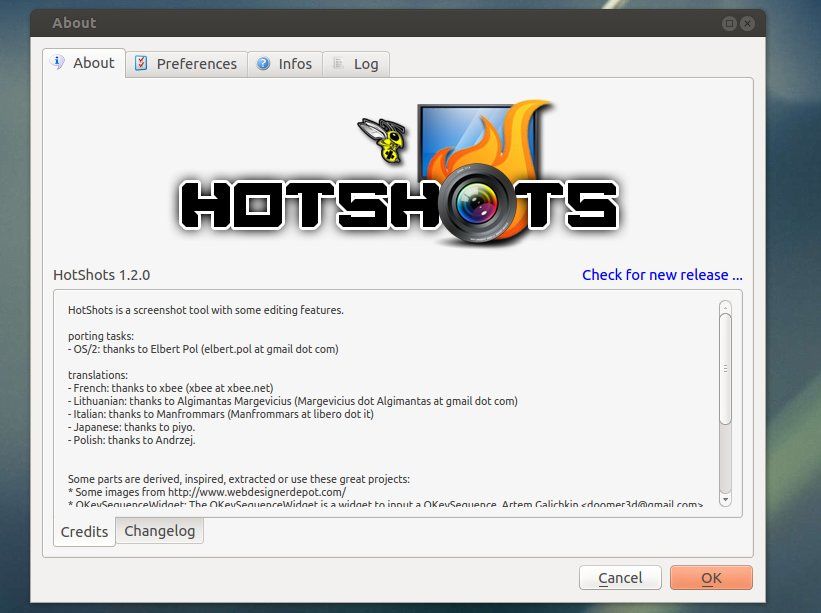
The HotShots screenshot tool 1.2.0 has been released. This simple tutorial shows you how to install or upgrade to this version on Ubuntu 13.04 Raring, 12.04 Precise and 12.10 Quantal.

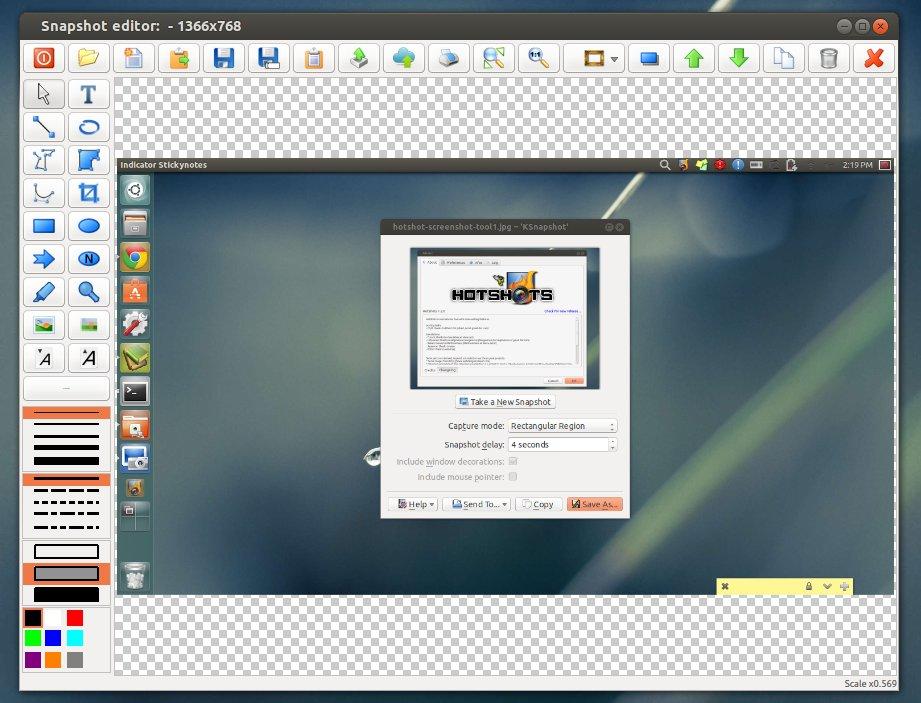
HotShots is an application for capturing screens and saving them in a variety of image formats as well as adding annotations and graphical data (arrows, lines, texts, …). Because HotShots is written with Qt, it runs on Windows and Linux

The new release has some layout changes. The editor has multi-selection, the ability to select shadows on each item, the ability to edit some items (polygon, polyline, and curve) more easily, and the ability to add post-effects to the image background. The uploader adds a user field to define the output template for FTP uploader. The ability to send a document directly to the printer has been added. Slovak, Turkish, Russian, Sinhala, Serbian, Czech, Vietnamese, Basque, Spanish, and Chinese translations have been added.

Install HotShots:

A PPA repository has been created to make it easy to install for Ubuntu and Linux Mint users. So far it supports Ubuntu 13.04 Raring Ringtal, 12.10 Quantal Quetzal, and Ubuntu 12.04 LTS Precise Pangolin.

Press Ctrl+Alt+T on your keyboard to open terminal. When it opens, run below commands to add the ppa:

sudo add-apt-repository ppa:dhor/myway

After that, update package lists and install HotShots screenshot tool via below command:

sudo apt-get update; sudo apt-get install hotshots

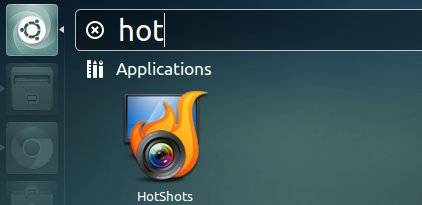
Once installed, you can open it from the Unity Dash.

This latest stable Kernel 3.10.2 has been released. All users of the 3.10 kernel series are urged to upgrade as soon as possible. This tutorial shows how to install / Upgrade Kernel 3.10.2 for Ubuntu 13.04, 12.04, 12.10 and Linux Mint users.

Linux Kernel 3.10.2 is also a small release that includes a few updated drivers, fixes for the ext3 and ext4 file systems, as well as other small changes. Read the announcement.

Install / Upgrade Kernel 3.10.2

The Kernel PPA has updated with latest DEBs for Ubuntu and Linux Mint users.

Press Ctrl+Alt+T on your keyboard to open a terminal window. When it opens, run below commands to download the Debs.
For 32-bit system:

wget http://kernel.ubuntu.com/~kernel-ppa/mainline/v3.10.2-saucy/linux-headers-3.10.2-031002-generic_3.10.2-031002.201307212216_i386.deb http://kernel.ubuntu.com/~kernel-ppa/mainline/v3.10.2-saucy/linux-headers-3.10.2-031002_3.10.2-031002.201307212216_all.deb http://kernel.ubuntu.com/~kernel-ppa/mainline/v3.10.2-saucy/linux-image-3.10.2-031002-generic_3.10.2-031002.201307212216_i386.deb

For 64-bit system

wget http://kernel.ubuntu.com/~kernel-ppa/mainline/v3.10.2-saucy/linux-headers-3.10.2-031002-generic_3.10.2-031002.201307212216_amd64.deb http://kernel.ubuntu.com/~kernel-ppa/mainline/v3.10.2-saucy/linux-headers-3.10.2-031002_3.10.2-031002.201307212216_all.deb http://kernel.ubuntu.com/~kernel-ppa/mainline/v3.10.2-saucy/linux-image-3.10.2-031002-generic_3.10.2-031002.201307212216_amd64.deb

After downloading, both 32-bit and 64-bit use below command to install them:

sudo dpkg -i linux-headers-3.10.2*.deb linux-image-3.10.2*.deb

Finally, remember to update grub to apply changes. To do so, run below command:

sudo update-grub

Once done, restart your computer and you should see the entry with Linux Kernel 3.10.2.

The latest stable kernel 3.10.1 has been released. All users of the 3.10 kernel series are urged to upgrade as soon as possible. Here is what’s new and how to install / upgrade kernel 3.10.1 on your system.

Linux kernel 3.10.1 is a small release that includes a few updated drivers, fixes for the HPFS and NFS file systems, as well as other small changes. See the announcement.

Below steps shows you how to install or upgrade this kernel:

1.) Press Ctrl+Alt+T to open terminal. Run below command to download the Deb packages

For 32-bit:

wget http://kernel.ubuntu.com/~kernel-ppa/mainline/v3.10.1-saucy/linux-headers-3.10.1-031001-generic_3.10.1-031001.201307131550_i386.deb http://kernel.ubuntu.com/~kernel-ppa/mainline/v3.10.1-saucy/linux-headers-3.10.1-031001_3.10.1-031001.201307131550_all.deb http://kernel.ubuntu.com/~kernel-ppa/mainline/v3.10.1-saucy/linux-image-3.10.1-031001-generic_3.10.1-031001.201307131550_i386.deb

For 64-bit:

wget http://kernel.ubuntu.com/~kernel-ppa/mainline/v3.10.1-saucy/linux-headers-3.10.1-031001-generic_3.10.1-031001.201307131550_amd64.deb http://kernel.ubuntu.com/~kernel-ppa/mainline/v3.10.1-saucy/linux-headers-3.10.1-031001_3.10.1-031001.201307131550_all.deb http://kernel.ubuntu.com/~kernel-ppa/mainline/v3.10.1-saucy/linux-image-3.10.1-031001-generic_3.10.1-031001.201307131550_amd64.deb

2) Install the Debs:

sudo dpkg linux-headers-3.10.1*.deb linux-image-3.10.1*.deb

After installation, update grub via:

sudo update-grub