
qBittorrent, the popular Qt BitTorrent application, released new major 5.2.0 version yesterday.
The new version of this free open-source app introduced many improvements to its Qt UI and Web UI, optimized search engine support, and fixed various issues.
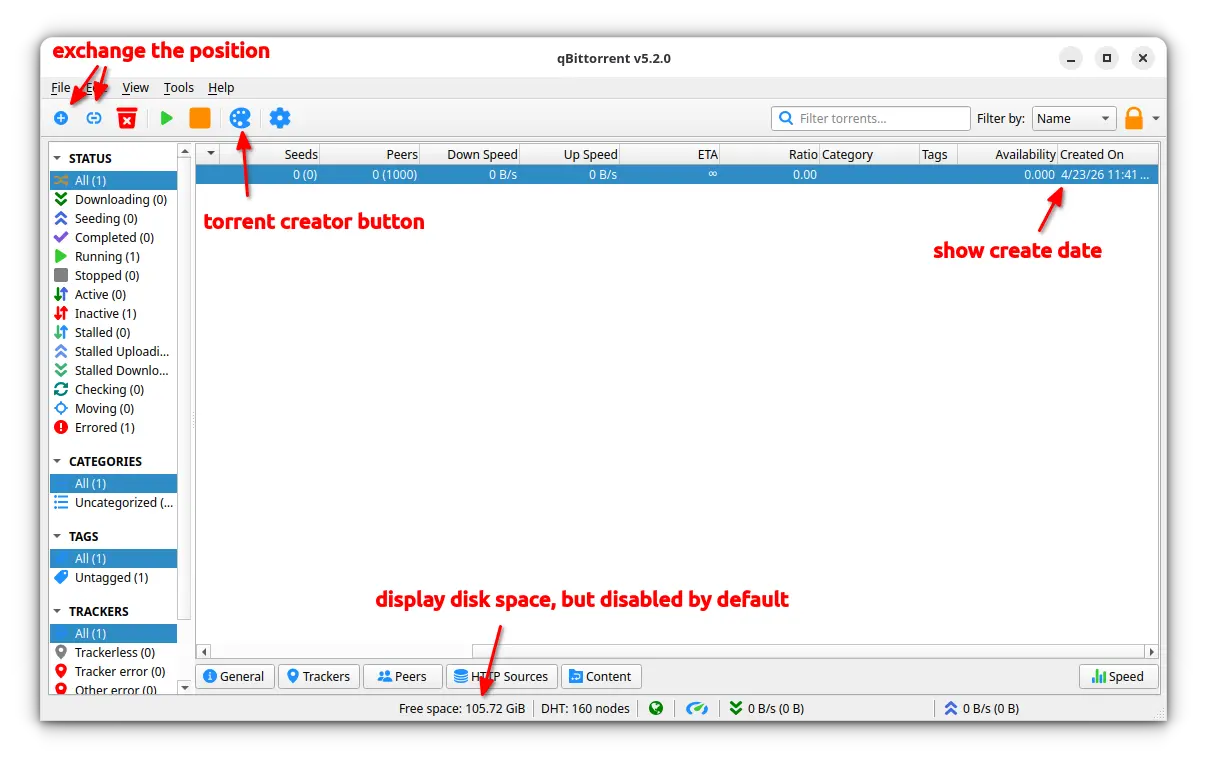
First, the new version exchanged the “Add Torrent File” and “Add Torrent Link” button, so the plus icon goes first in the tool-bar. And, it added “Torrent Creator” tool-bar button, allowing users to quickly open the dialog for sharing files with others.
It also ability to display free disk space in the bottom status bar in both QT and Web UI, allowing to glance at how much free space left in your operating system. Though, the feature is not enabled by default, and user can go to Preferences -> Behavior to enable it.
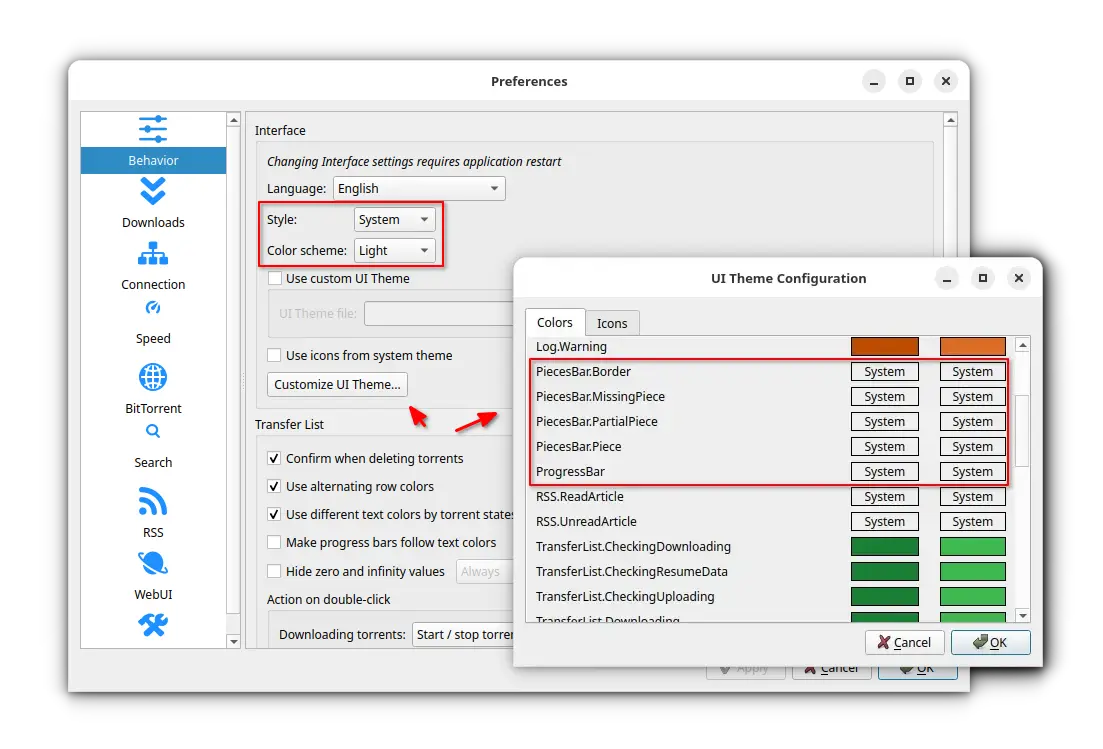
qBittorrent 5.2.0 now allows to configure style and color scheme on all supported platforms. User may go to Preference -> Behavior -> Interface setting page to select an app style (e.g., System, Fusion, Windows) and color scheme (light, dark, for follow system color).
For users who prefer custom colors, the colors of progress bar and pieces bar are now customizable, though it may not work in some desktops. And, it added options to disable torrent state colors, and, make progress bar to follow torrent state color.
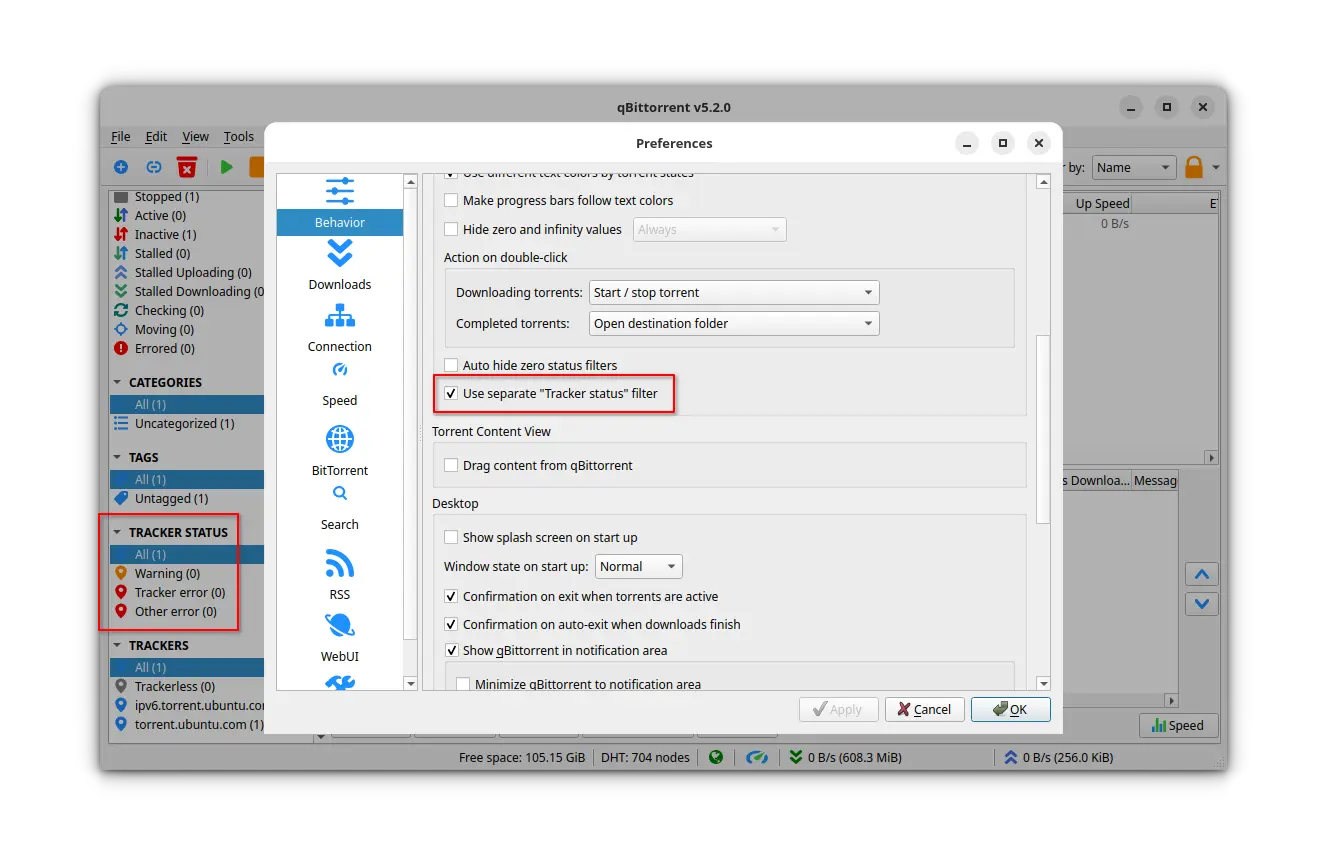
Besides UI changes, the new version also implemented a new separate “Tracker Status” filter. Enable the feature will add a new category in the left sidebar that groups torrents by the status of their trackers.
It added options to auto reboot when downloads done, set torrent share limits per category, and, configure the number of seconds before the internal host name resolver considers a cache value timed out.
As well, it now calculates torrent pieces asynchronously, supports copying content paths of selected torrents to clipboard, and, persists additional trackers and load on startup.
The Web UI that allows to control the qBittorrent downloading from a remote device (e.g., mobile phone) via web browser has been enhanced with many new features.
Instead of popping up an ugly upload dialog, the Web UI now opens your system native file chooser for adding torrent file. And, the “Add Torrent Link” dialog has been simplified to only show the box for pasting links, while the torrent options have been removed.

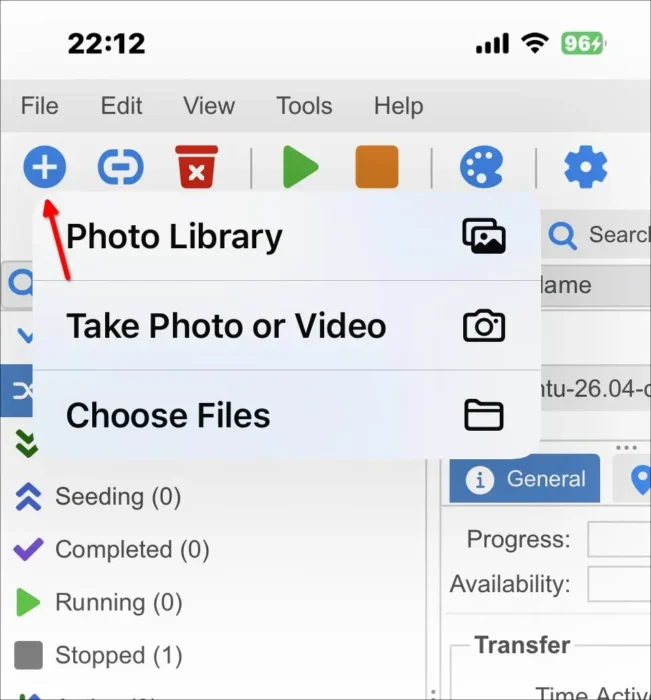
Web UI now uses system native file chooser
Besides the new “Add Torrent” experience, it also switched icons from GIFs to SVG, and added ability to increase display density for better HiDPI display support.
And, it added horizontal scrolling of tabs, footer scrolling in mobile, and improved search page experience on mobile.
Other Web UI changes in 5.2.0 include:
- Create new torrents.
- Tracker status filter.
- Tracker list features.
- Edit tracker tier.
- Share limit action.
- Add I2P peers to peer list.
- Add/remove tracker from selected torrents.
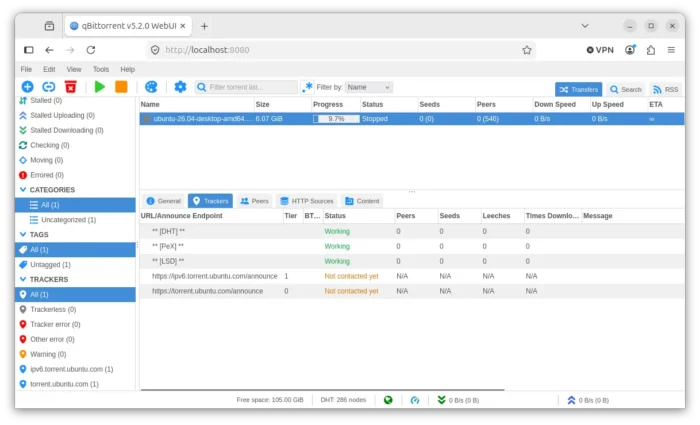

For Linux, qBittorrent 5.2.0 removed the memory (RAM) usage limit option as it’s not effective. For Windows, it added ARM64 build support through NSIS. And for macOS, it added semi-native Window menu, options to toggle speed indicator in dock and show/hide status bar icon, as well as status bar menu with DL/UL display.
Other changes in this new major version include:
- Add “Created On” column to display the torrent creation date & time.
- Improve resume queue load performance.
- Restore default drag behavior in Torrent Content widget.
- Authenticate via API key (WebAPI).
- Support persisting WebUI client preferences.
- Switch to lightweight clipboard library (WebUI).
- Add SOCKS4/SOCKS4a proxy support to search engine.
- Enforce SOCKS proxy setting in search engine plugins.
- New translations.
Get qBittorrent 5.2.0
The new version also includes many other features and bug-fixes, see the NEWs page for details.
And the installer packages for Windows, macOS, and Linux are available to download at the link below:
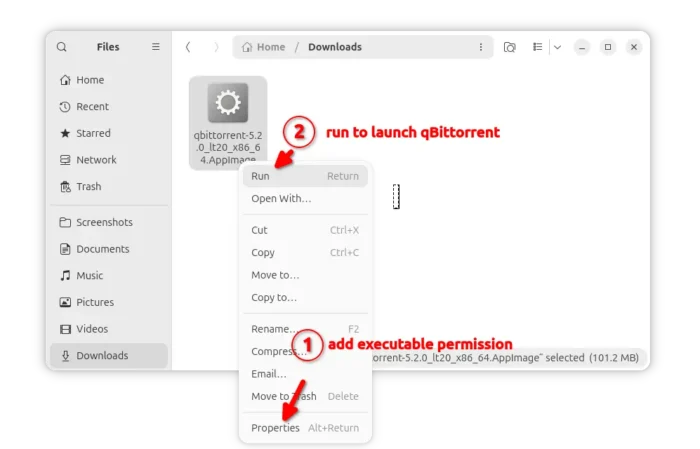
For Linux, it’s an AppImage that can run to launch the app without installation (add executable permission first). Though, Ubuntu needs to add AppImage support by running command:
sudo apt install libfuse2

For choice, Ubuntu user may select install the community maintained Snap package from App Center (or Ubuntu Software). While, there’s also an official Flatpak package available in flathub.
If you prefer the native DEB package, then keep an eye on this unofficial PPA, which is being updated at the moment for the current Ubuntu 26.04 LTS.