



Linux Kernel 6.18 was released yesterday! According to the version history, it will be probably the next Long Term Support (LTS) kernel release.
Linus Torvalds announced this kernel release on this lkml.org page:
So I’ll have to admit that I’d have been happier with slightly less bugfixing noise in this last week of the release, but while there’s a few more fixes than I would hope for, there was nothing that made me feel like this needs more time to cook. So 6.18 is tagged and pushed out.
…
What’s New in Linux Kernel 6.18
On CPU side, the new kernel updated Intel Trust Domain Extensions (TDX) to work with Kexec for being able to load and boot into a new kernel from another currently running kernel. It updated FRED with patch for the late breaking incompatible change. And, it added a workaround for Xeon 6 to avoid performance issue.
For AMD, it updated Error Detection And Correction “EDAC” driver with next Zen 6 “Venice” server processors support. And, added patch for the old Bulldozer processors with X86_NATIVE_CPU option support for maximizing performance.
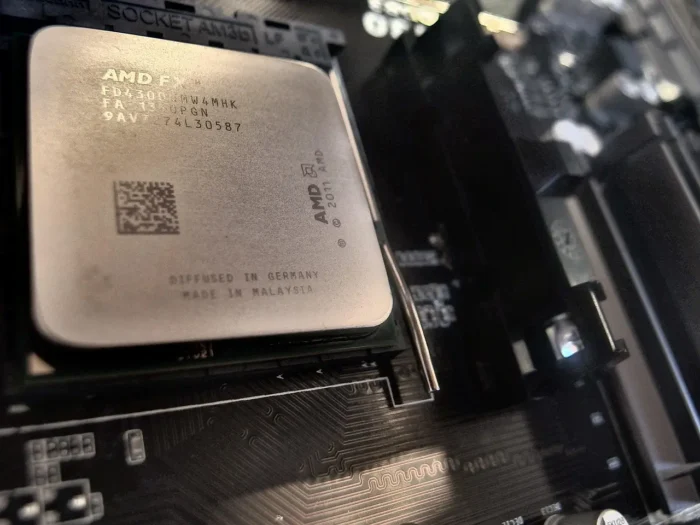
Image by Marcello Rabozzi from Pixabay
The Kernel also added support for Sheaves, a new opt-in, per-CPU and array-based caching layer, updated IOMMU driver with ACPI and MIPS vendor extensions support for RISC-V, and introduced Loongson Security Engine support for handling offloaded RNG, TPM2, and various crypto acceleration on LoongArch processors.
It as well added patch to reliably handle 255+ vCores on AMD EPYC servers, enabled Wildcat Lake graphics support, introduced new Rocket accelerator driver for the NPU found on newer Rockchip SoCs, and added Google’s PSP encryption for TCP connections.
The Bcachefs code is removed from Kernel 6.18, users should now use DKMS kernel modules instead. And, exFAT file-system driver has been optimized leads to 16.5x speedup for loading time.

The new Kernel also added many new hardware support. They include:
- Haptic touchpad support.
- New sensor driver for GPD handheld gaming devices.
- Awinic AW86927 haptic driver for Fairphone 5 smartphone.
- Hynitron CST816x touchscreen control.
- New EC driver for Lenovo ThinkPad T14s Gen6 With Snapdragon X Elite SoC.
- AI button and Fn keys support for on Xiaomi Redmibook laptops.
- Red and green status LEDs support on QNAP NAS devices.
- Sensor monitoring support for Dell OptiPlex 7040, ROG STRIX X670E-E, X870-I/X870E-E GAMING WIFI, etc motherboards.
- Apple M2 Pro, M2 Max, and M2 Ultra.
- Qualcomm Snapdragon X1 laptops of the Dell Thena, HP OmniBook X14, Dell Inspiron 14 Plus, Dell Latitude 7455, HP Omnibook X14, and Lenovo ThinkBook T16.
For more about Linux Kernel 6.18, see either kernelnewbies.org or phoronix.com pages.
How to Install Kernel 6.18 in Ubuntu 24.04+
The Mainline Kernel PPA has built the new kernel as .deb packages, which are available to download through the link below:
Depends on your CPU architecture type (run uname -a or dpkg --print-architecture command to tell), select download either amd64 for Intel/AMD, armhf/arm64 for 32-bit/64-bit ARM, or ppc64el for IBM POWER, s390x for IBMz or LinuxONE.
NOTE: the Mainline Kernel packages are NOT signed! You need to disable secure-boot to boot the kernel. And it may be not work properly with NVIDIA proprietary driver.
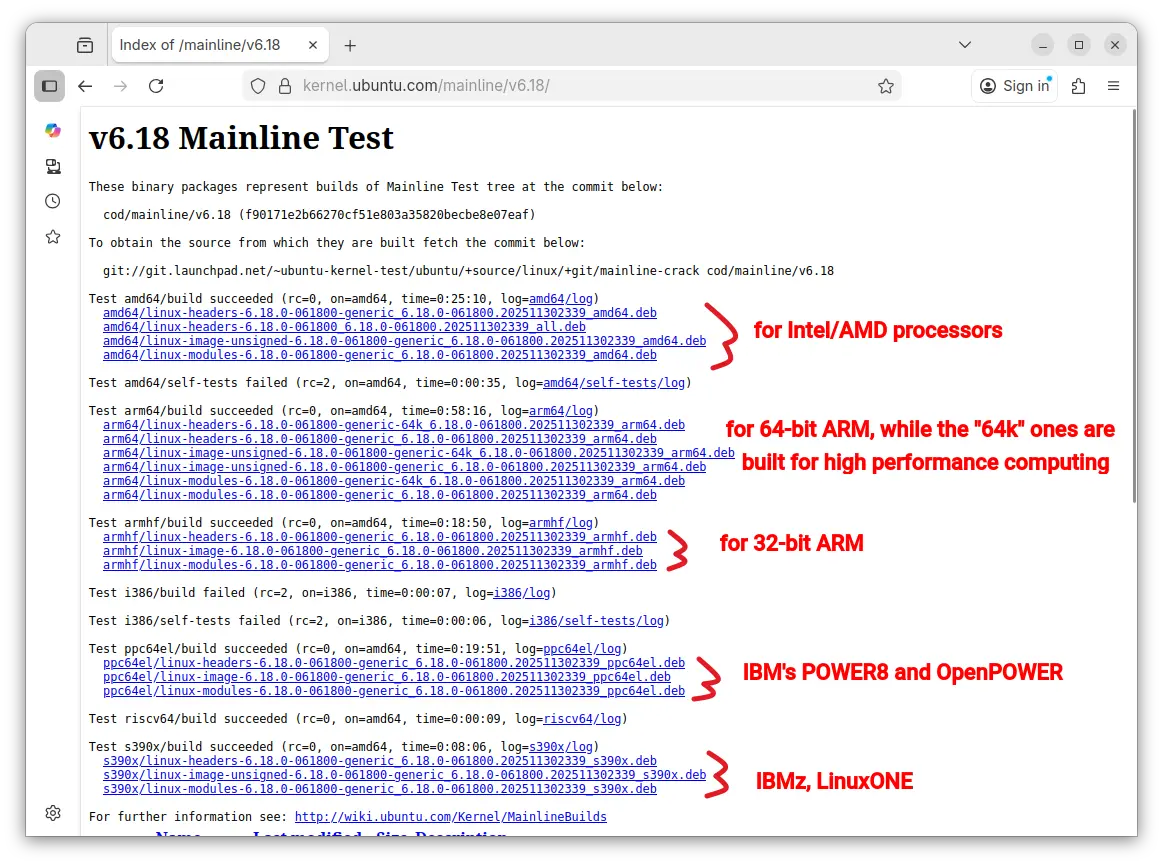
For Intel/AMD platform, you may open terminal or connect to the server console, then run the commands below one by one to download & install the Kernel:
cd /tmp

wget -c https://kernel.ubuntu.com/mainline/v6.18/amd64/linux-headers-6.18.0-061800-generic_6.18.0-061800.202511302339_amd64.deb

wget -c https://kernel.ubuntu.com/mainline/v6.18/amd64/linux-headers-6.18.0-061800_6.18.0-061800.202511302339_all.deb

wget -c https://kernel.ubuntu.com/mainline/v6.18/amd64/linux-image-unsigned-6.18.0-061800-generic_6.18.0-061800.202511302339_amd64.deb

wget -c https://kernel.ubuntu.com/mainline/v6.18/amd64/linux-modules-6.18.0-061800-generic_6.18.0-061800.202511302339_amd64.deb

sudo apt install ./linux*-6.18.0*.deb
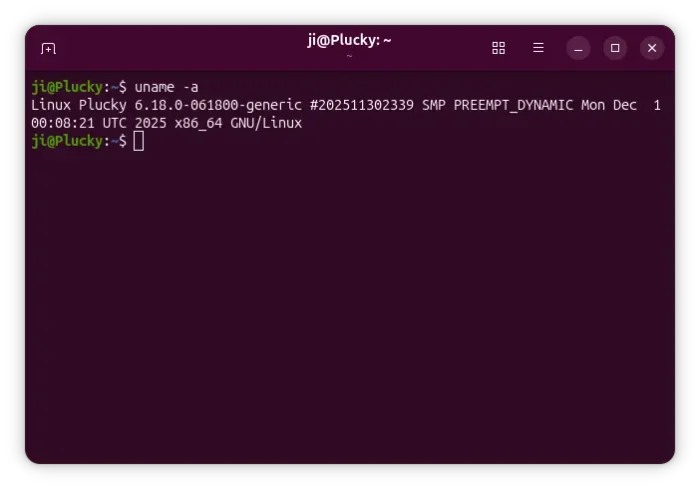
After installed the packages, restart your computer or server and run uname -a to verify.
Uninstall Kernel 6.18
For any reason, you may remove this Kernel by firstly rebooting into the old Kernel (usually under Grub -> Advanced options of Ubuntu)., then run command:
sudo apt remove --autoremove linux-headers-6.18.0* linux-modules-6.18.0-*-generic
















What about to write some remark about installation from sources ? Of course, kernel 6.18. C’mon !