


For those who like the old Unity Desktop, there’s new work in progress Linux Distribution features that desktop environment.
It’s Glacia OS, a free open-source Ubuntu based distribution that promotes itself as:
a lightning-fast, secure, and beautifully designed Linux distribution built for developers, creators, and everyday users who demand performance without compromise.
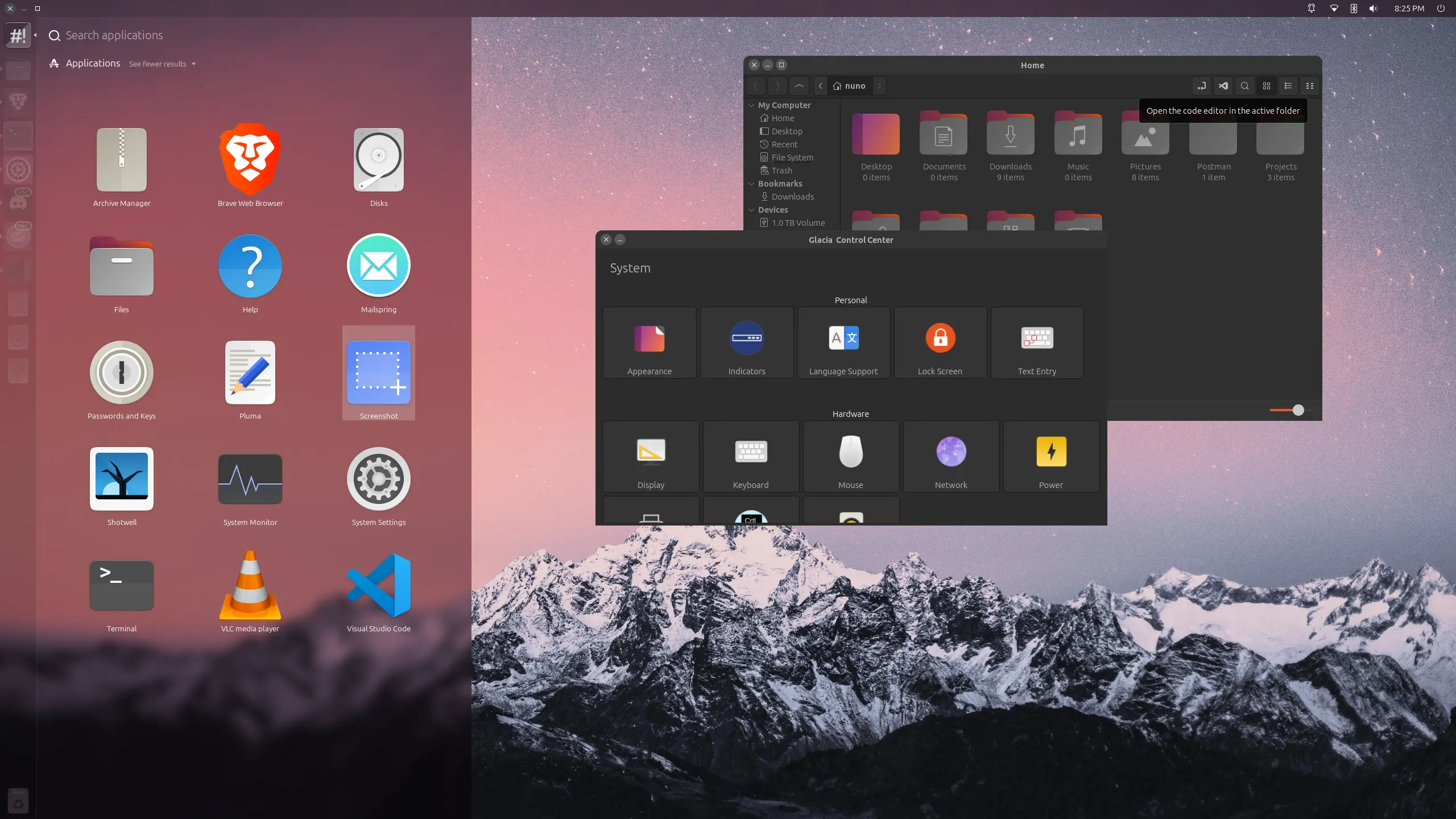
As you may know, Unity was the default desktop environment for Ubuntu, when it was at version range from 11.04 to 17.04.
Unity now is available in Ubuntu through the community maintained universe repository. And, an official flavor, Ubuntu Unity, maintains the desktop environment for Ubuntu users.
However, because of busy life in university, the current Unity maintainer has no time to fix things. The flavor did not publish the 25.10 release due to ISO test issues, and, it missed the LTS qualifications for next 26.04 LTS.
GlaciaOS, as a new choice, is basically an Ubuntu remix. It features a focused application launcher (aka the dash) that can only search and launch installed applications. While, files/folders, documents, settings, and all other searches are removed.
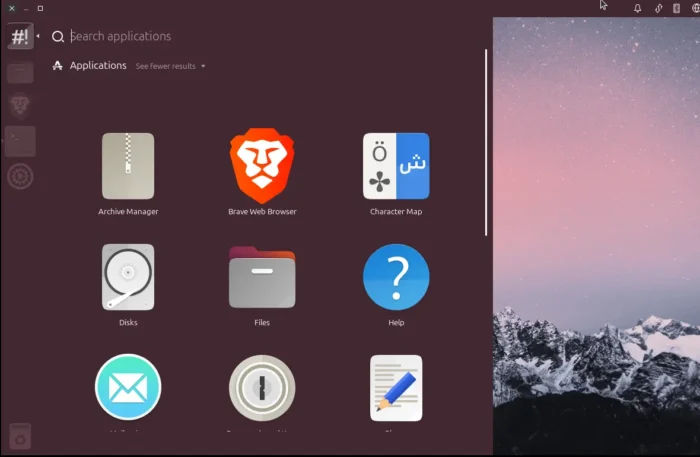
the Dash only search & launch installed apps
It enhanced the file manager (aka Nemo) with a dedicated “Open in Editor” button to launch current folder with user preferred code editor (e.g., VS Code, intellij), as well as context menu option to send/receive files through SSH (SFTP).
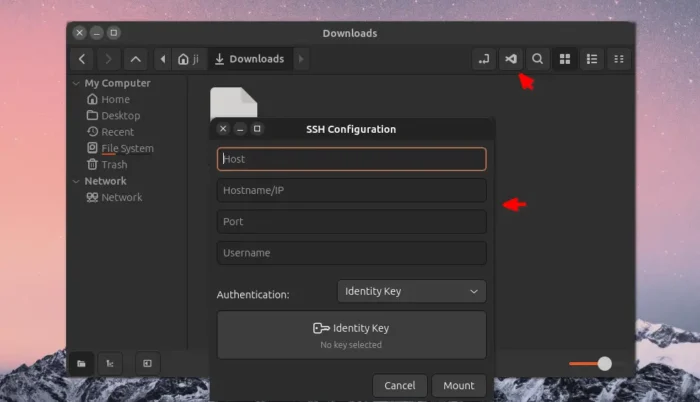
enhanced file manager with Open in Editor and Send/Receive via SSH integration
It merged the Unity Tweak Tool and System Settings into a single new Control Center app, and reviewed several indicators such as Bluetooth, date and time, session.
Instead of Firefox, it uses the privacy-focused Brave browser by default with out-of-the-box ads blocker. It as well include VS code editor and following default apps:
- Mailspring email client.
- VLC media player.
- Rhythmbox music player.
- Shotwell photo manager and image viewer.
- Pluma text editor.
No Snap, No Flatpak. And, probably due to early development stage, there’s no even Software App and Update Manager for beginners to install/update apps, though advanced users may use apt command instead.
Try out Glacia OS
For more about Glacia OS, as well as the .iso image, go to its website via the link below:
Computer requirements include:
- 64-bit AMD or Intel processor.
- 2 GB Memory.
- 20 GB disk space.












Wow, thank you for this! I’m one of the developers behind GlaciaOS, and posts like this really make our day. We put a lot of heart into it, so it’s incredibly rewarding to see it get some attention. Thanks again!