Dolphin, the free open-source GameCube and Wii game emulator, released new 2603 version yesterday for Linux, Windows, macOS, and Android.
Besides GameCube and Wii, the new version now also supports running Triforce games on your PC or Android devices.
Dolphin has a dedicated Triforce branch that was able to play a few games, such as Mario Kart Arcade GP 1 and 2, over ten years ago. Now, the dedicated branch has been merged into mainline build.
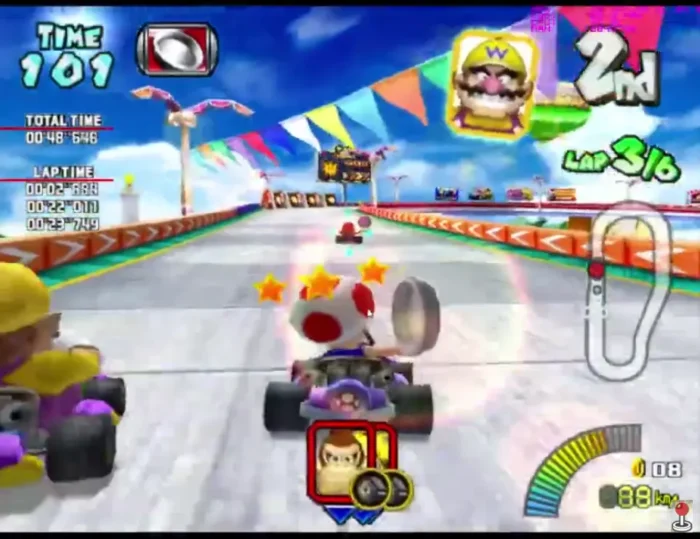
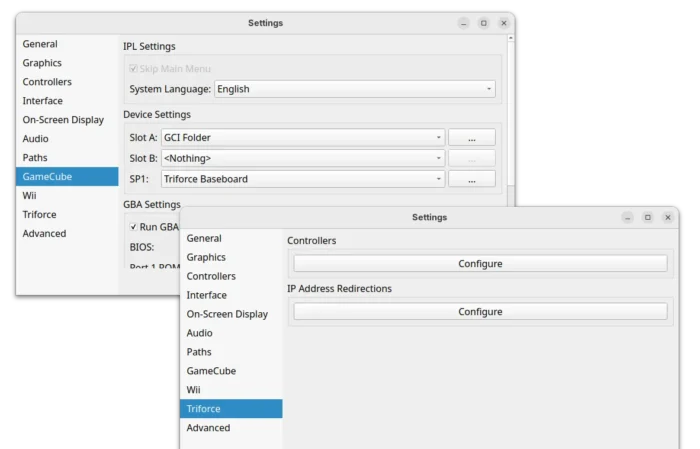
All the Triforce games are now playable. User can setup Dolphin for Triforce emulation by going to Options -> Configuration -> GameCube -> SP1 device settings for triforce baseboard, and go to the new Triforce setting page to configure the controllers and IP address redirections
For the full gaming experiences, user also need to manually load Segaboot. See this page for details.
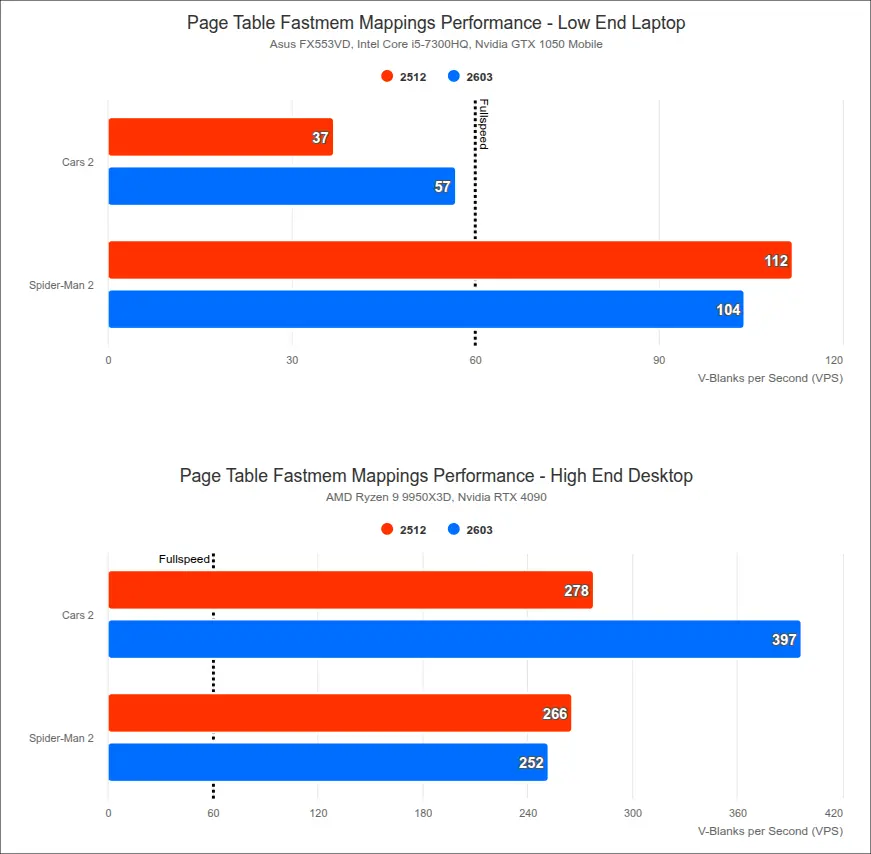
Besides Triforce emulation, the 2603 version also implemented page table mappings in fastmem, which greatly boost the performance on MMU games, such as Car2, Rogue Squadron II and III games, making them all fairly playable on full speed.
Some games with custom memory handlers, like Spider-Man 2, actually lose a little bit of performance due to the overhead of tracking page table updates, but it has fewer traversal stutters so it feels more fluid in motion.
See the graph from Dolphin website that shows how much the new feature in 2603 boost the MMU games performance on both low-end and high-end laptops.
In addition to page table mappings in fastmem, the new version also added some more optimizations to Rogue Squadron II & III, such as disable Branch Following and enable CPU Vertex Culling, which get absolutely massive performance boost, particularly for Rogue Squadron III.
The 2603 also added support for loading game disc into the host’s system memory, though only available for the desktop build so far, which is useful for playing games that are stored remotely, such as on a NAS.
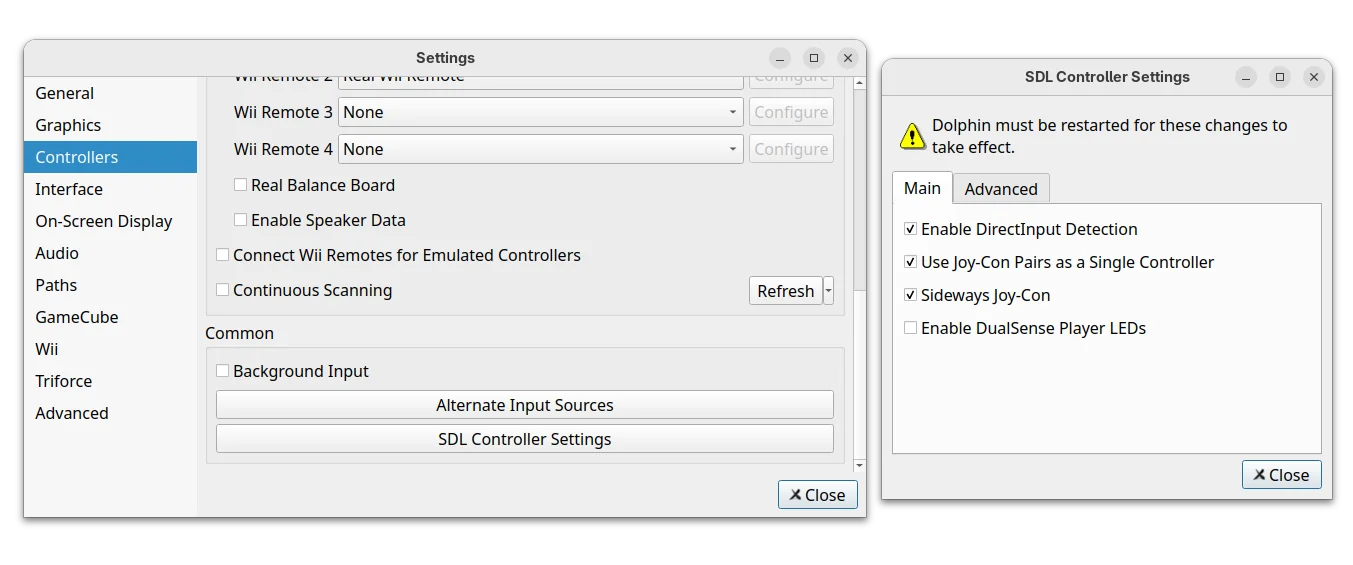
It as well added new SDL Controller settings, allowing to change how Nintendo Switch Joy-Cons are handled, e.g., separate left and right Joy-Cons into two different controllers to emulate the Wii and Nunchuk, as well for average users to easily work around the 8BitDo/DS4/DS5 bugs by disabling SDL’s DirectInput support.
Other changes in Dolphin Emulator 2603 include:
- Fix Mario Strikers Charged desync issue when play an online match between Dolphin and real Wii.
- Add Wii Menu data management timings.
- Performance patches for following games:
- Need For Speed: Hot Pursuit 2.
- Monster 4×4 Stunt Racer.
- 4×4 Evo 2.
- Rabbids Go Home.
- Rabbids Lab.
- 007: Quantum of Solace.
For more, see the official release note.
Get Dolphin Emulator 2603
The software provides official packages for Linux, Windows, macOS, and Android, which are available to download in its website via the link below:
For Linux, select download the Flatpak package, x86_64 for Intel/AMD or aarch64 for Snapdragon X or Raspberry Pi etc ARM devices, then install by running the command below:
flatpak install /path/to/the/flatpak
Though you need to first enable Flatpak support by following the official setup guide.
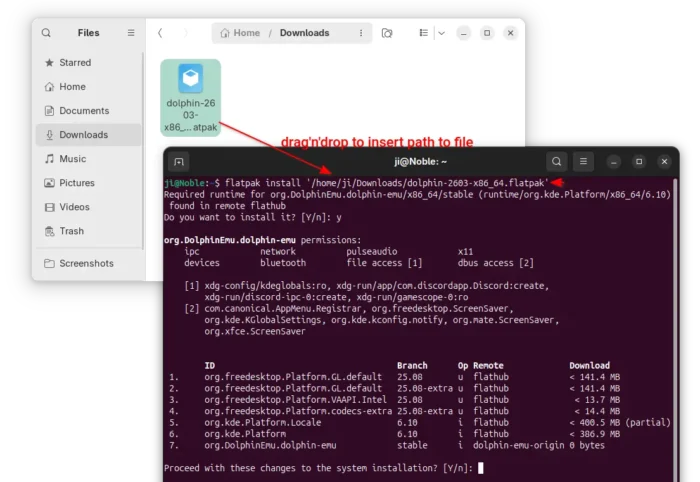
If you already have the previous version installed as Flatpak, then use the command below instead to update it to the latest:
flatpak update org.DolphinEmu.dolphin-emu
For Ubuntu and Linux Mint based distributions prefer the native .deb package, I’ve built the new version into this unofficial PPA (not tested, use it at your own risk) for Ubuntu 22.04, Ubuntu 24.04 and Ubuntu 25.10.
Simply open terminal (Ctrl+Alt+T) and run 3 commands below one by one to add the PPA and install the emulator:
sudo add-apt-repository ppa:ubuntuhandbook1/dolphin-emu
sudo apt update
sudo apt install -t "o=LP-PPA-ubuntuhandbook1-dolphin-emu" dolphin-emu
(Optional) If anything goes wrong, use the commands below to remove them:
sudo add-apt-repository --remove ppa:ubuntuhandbook1/dolphin-emu
sudo apt update
sudo apt remove dolphin-emu-data dolphin-emu
And, run this command instead to remove the Flatpak package (skip --delete-data if you want to keep personal settings):
flatpak uninstall --delete-data org.DolphinEmu.dolphin-emu