
JetBrains announced the 2025.3 release of its IntelliJ IDEA JAVA IDE yesterday.
Like PyCharm 2025.3, the new version does no longer provide the Community Edition. Instead, it introduced an unified version that bring the Community and Ultimate editions together in a single product. While, Community users can continue using the IDE for free.

Also, it updated the UI with new default Islands theme for both light and dark mode.
Besides JetBrains Junie AI agent, the release also added Claude Agent to the same chat interface. While, BYOK (Bring Your Own Key) feature will be coming soon, allowing to connect to OpenAI, Anthropic, or any OpenAI API-compatible local models using your own API key.
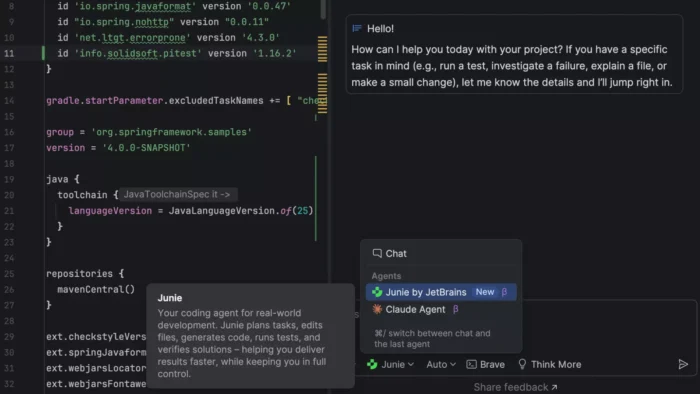
image from jetbrains.com
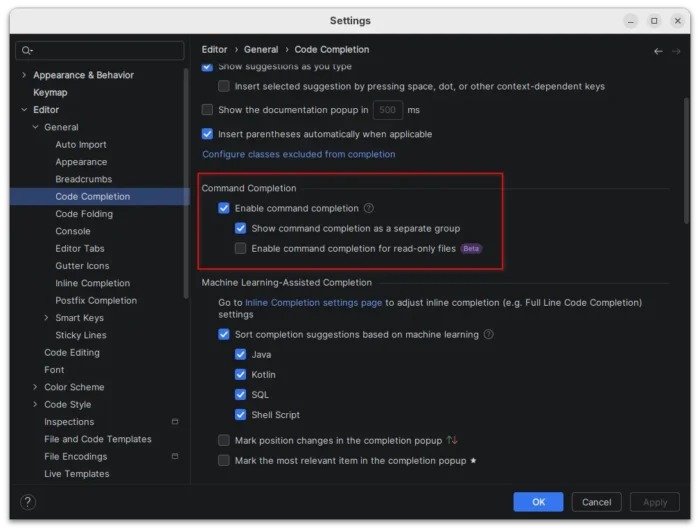
To improve your workflow, the new version introduced command completion as new way to access context-aware actions directly from code completion.
You can now type . to see code completion, postfix completion, and action suggestions, type .. to filter completion suggestions to actions only, and select the action to see the exact context and preview what the action will do if applied.
This feature was initially introduced in last 2025.2 as Beta feature, now enabled by default in this 2025.3 version. While, a new “Enable command completion for read-only files” is available as new beta option.
IntelliJ IDEA has Java 25 support from the day when it was released. Now, with the new version, all bundled tools and libraries are compatible with Java 25 runtimes. And, JDK 25 builds from all major vendors are available for download directly from IntelliJ IDEA.
Moreover, the Develocity IntelliJ plugin brings profiling into the build process, allowing to view detailed build characteristics directly in IntelliJ IDEA, identify performance bottlenecks, and observe how build changes affect speed and resource utilization.
So far, the plugin supports Gradle builds, while Maven support is coming soon.
Other changes in IntelliJ IDEA 2025.3 include:
- Ability to view remaining AI Credits, renewal date, and top-up balance inside the IDE.
- Replace the term query console with query file.
- And Ultimate only features:
- First-class support for the latest improvements in Spring Framework 7 and Spring Boot 4.
- First-class Spring Data JDBC support.
- Spring Debugger updates with remote applications debugging support, and auto-connect to user database on application starts.
- Full Vitest 4 support, including its test discovery logic.
- Kubernetes experience improvements.
Get IntelliJ 2025.3
The official release note and download link for 2025.3 are available via the link below:
For Linux, it’s a portable tarball includes executable file and most runtime libraries. Just download and decompress it, then run the executable file from extracted folder to launch the IDE.
Ubuntu users may choose install the official Snap package from App Center (or Ubuntu Software for 22.04 and earlier).
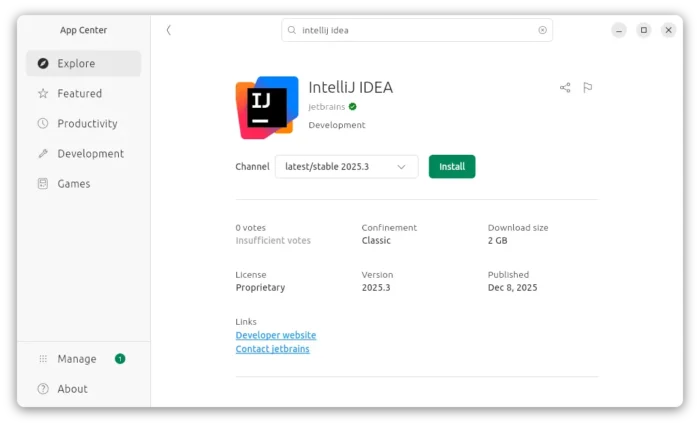
For choice, there are also community maintained Flatpak packages that runs in sandbox environment. And, I’ve written a step by step guide show how to install it in Ubuntu for beginners.