OnlyOffice desktop editors, the free open-source office suite for Linux, Windows, and macOS, released new 9.2 version yesterday.
The new release added AI agent support, customizable keyboard shortcut, macro recording for repetitive actions, and Windows on ARM support.
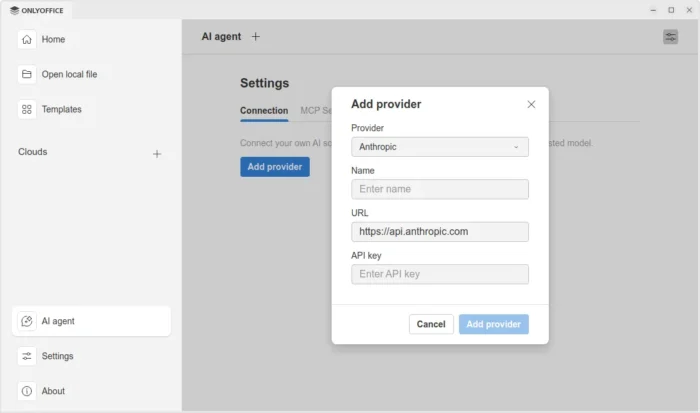
In the bottom left of the app window, an “AI agent” option is added, allowing to connect to either Anthropic, OpenAI, TogetherAI, or OpenRouter AI models through API key, or Ollama local hosted AI model.
After that, you may chat with AI to ask questions, find and open files on your computer, create new documents, presentations, or PDFs, generate text or HTML from files without open them, fill forms, and do more actions.
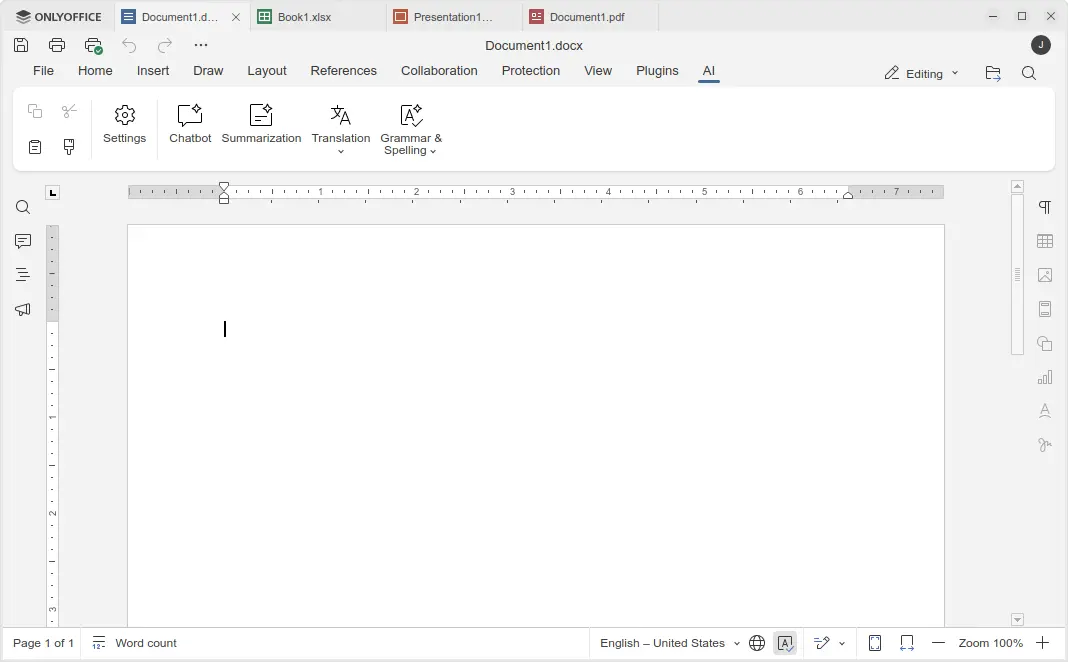
Besides that, the Document, Spreadsheet, Presentation, and PDF editors have AI toolbar options, allowing to do AI-powered translations, summarization, grammar correction and spell-checking. Though, they all need an AI model connected as mentioned above.
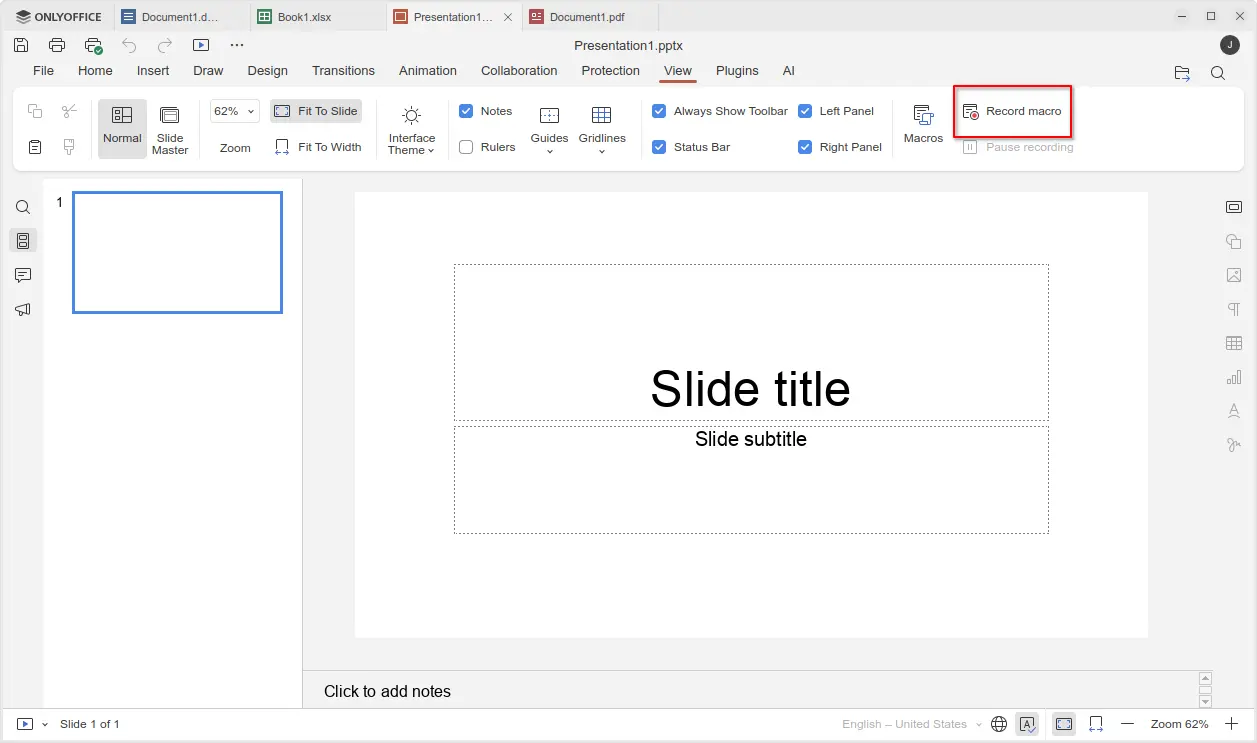
For those who often perform repetitive actions with OnlyOffice, the new version added View -> Record macro menu option, allowing to automate your actions by recording them as macros.
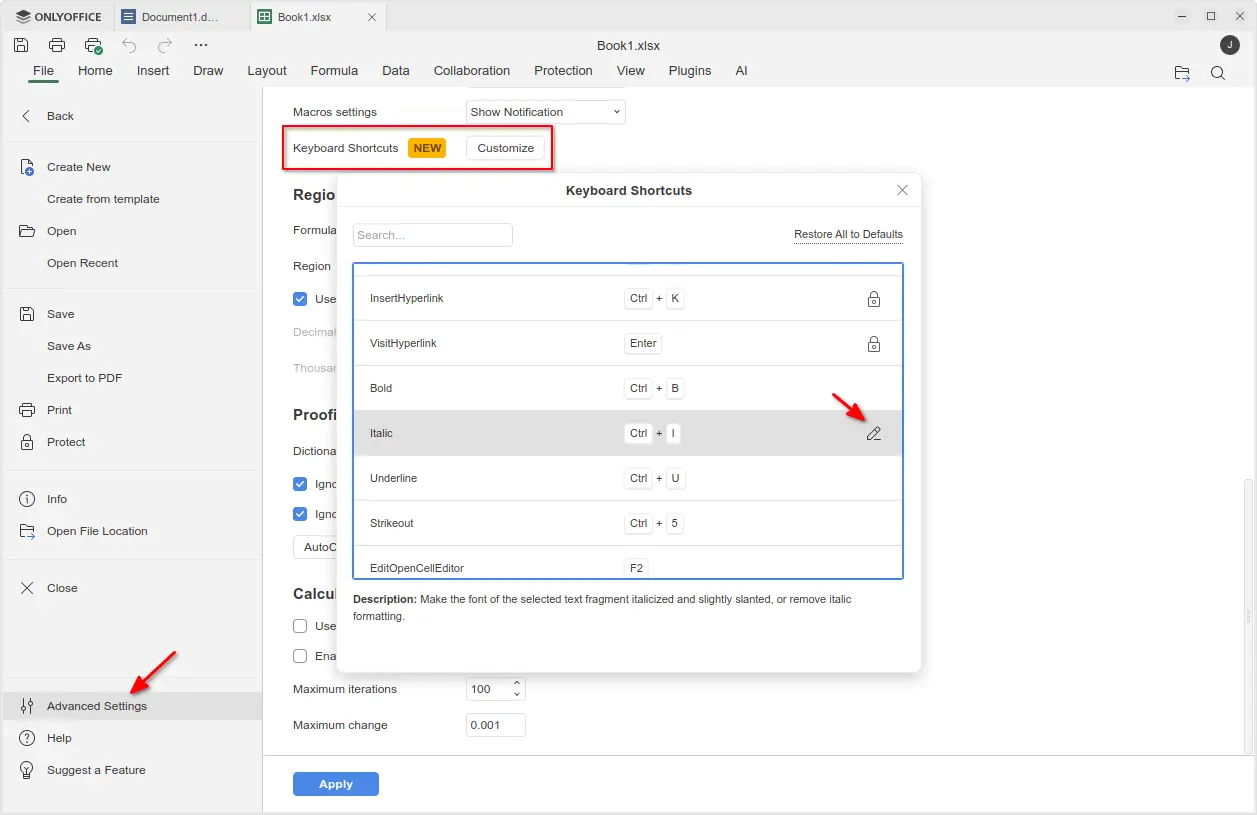
The new version also added support changing the keyboard shortcuts. Simply go to File -> Advanced Settings -> Keyboard Shortcuts, then click on “Customize” button. In pop-up dialog, find out your desired shortcut and either double-click or click ‘edit’ icon to change it.
Though, many shortcuts are locked as unchangeable, and a “Restore All to Defaults” option is available to reset them all.
Moreover, the new version added official support for Windows on ARM64 computers, such as Surface Laptop 7, Galaxy Book4 Edge, etc laptops with Snapdragon X series processors. And, ARM64 support for Linux is coming in future releases.
Other changes in OnlyOffice Desktop Editor 9.2 include:
- Custom color support for the Redact feature in PDF editor.
- Ability to add descriptive text labels to checkboxes and radio buttons.
- Assign specific roles to new fields when inserting them into form.
- For more, see the official release note.
Get OnlyOffice Desktop Editor 9.2
For Ubuntu, the office suite can be installed easily through the App Center (or Ubuntu Software for 22.04). It’s the official Snap package that runs in sandbox environment. Though, at the moment of writing, it’s still at version 9.1.

For choice you may download the app package for Windows, Linux, and macOS from its website. Where, Ubuntu user may choose download:
- native DEB package, then click open with App Center or Ubuntu Software to install.
- non-install AppImage, that can launch the office after adding executable permission.
- or Flatpak package which runs in sandbox environment.