OpenShot, the free open-source and easy-to-use video editor, released new 3.4 version yesterday.
It’s been almost a year since the last! The new release improved the overall performance with 32% speed up, and introduced many new effects.
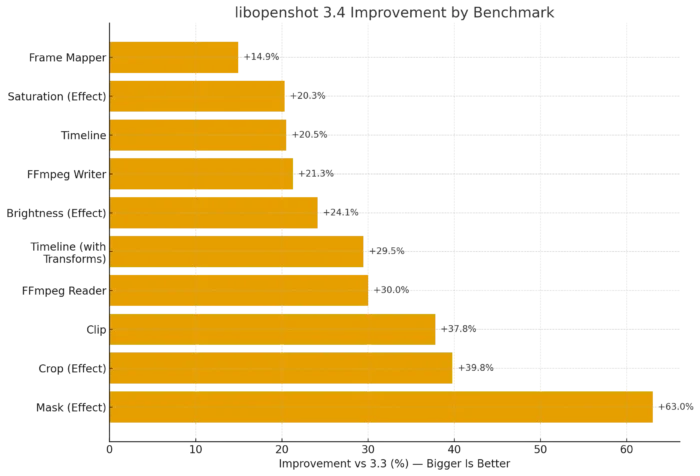
According to the official announcement, the new version has 14.9% to 63% speed up for the performance of frame mapper, mask, crop, ffmpeg reading/writing, and other effects.
It also features 23% faster export by integrating the caching thread into the Export dialog, faster waveforms for long audio plus time-curved clips, and faster FFmpeg decoding.
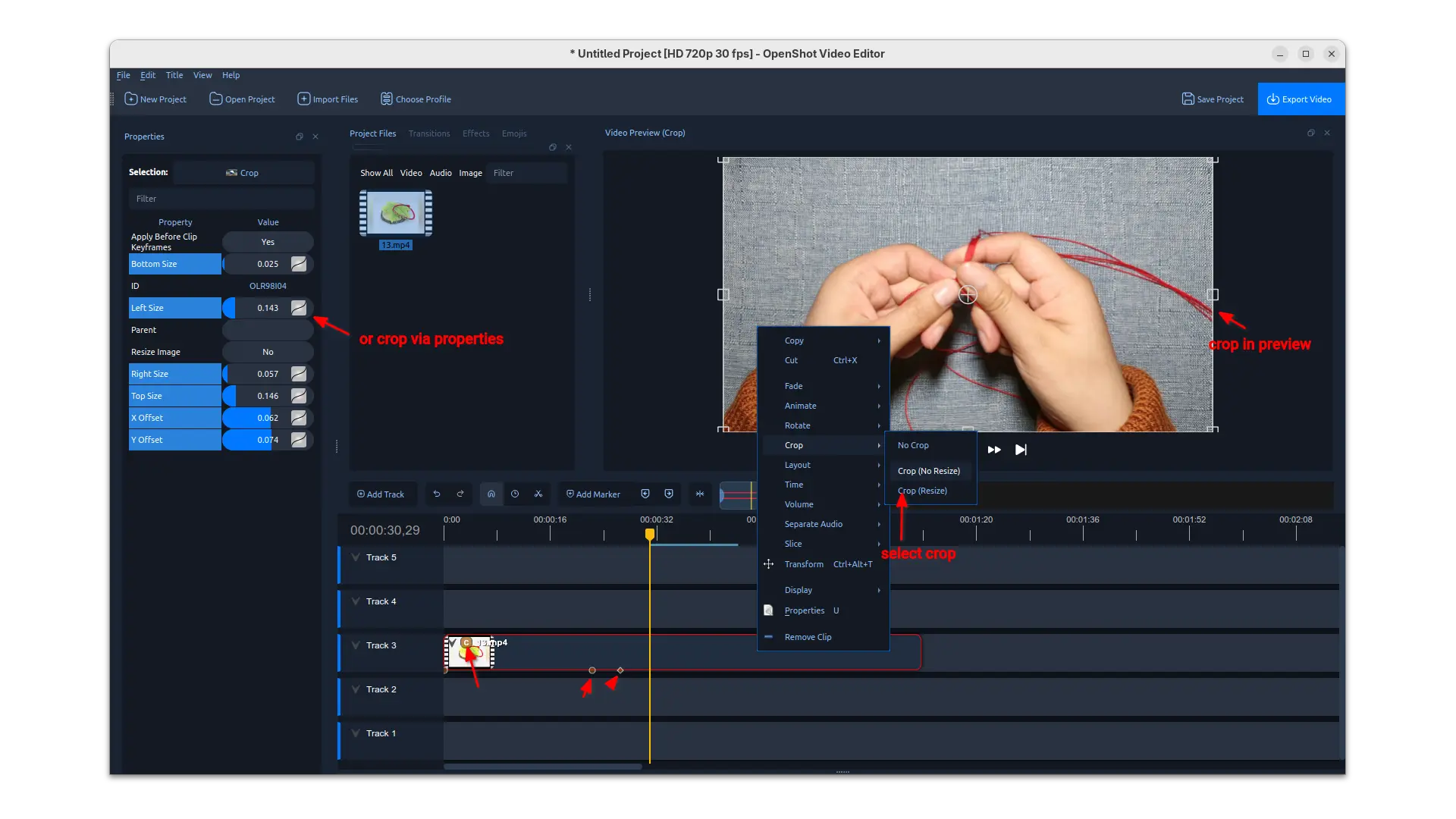
Besides the significant performance improvements, the release also introduced interactive cropping support in preview.
Simply, right-click on your video clip and choose a crop method, then you may drag resizing and moving the rectangular selection in preview to crop the video clip from current position in timeline. While, you may also input the corresponding values in left to crop using properties.
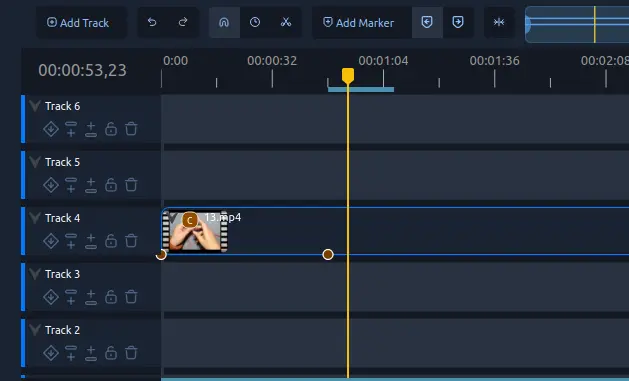
The release also added new experimental timeline which can be enabled in Preferences dialog. The new timeline added buttons to do move up/down, lock, delete actions in track header. It as well features smoother scrolling/zooming on large timelines, new Keyframe panel and in-timeline keyframe editing.
OpenShot 3.4 also added following new filter effects:
- Sharpen – boost edge contrast to make video details look crisper.
- Color Map (LUT) – adjust colors using 3D LUT lookup tables.
- Spherical Projection – Flatten and reproject 360 or fisheye inputs into a rectilinear view with yaw, pitch, and FOV. Support Equirect and multiple fisheye lens models.
- Lens Flare – simulate sunlight hitting a lens with flares and spectral colors.
- Outline – add outline around any image or text.
Other changes include:
- Timing toggle button to re-time by dragging clip edges, similar to trimming.
- Dragging keyframes on the timeline with live preview while dragging.
- Add new Repeat / Loop / Ping-Pong options into Time context menu.
- Copy/Paste files into Project Files from system clipboard.
- New Benchmark tool in libopenshot.
- Improved EDL and Final Cut Pro XML import/export.
- Update AppImage to work better on newer Linux Distros.
How to install OpenShot 3.4
The video editor provides official packages for Linux, Windows, ChromeOS and macOS. Along with the source code, they are available to download via the link below:
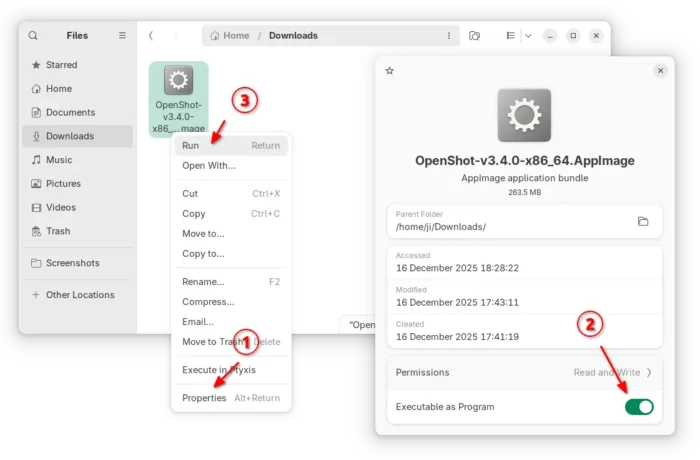
For Linux, it’s an AppImage for AMD and Intel platforms. It can be run directly to launch the video editor after adding executable permission.
For Ubuntu, there’s also an official PPA, though it’s not updated for the new release at the moment of writing.
It’s also available to install as Flatpak package, which runs in sandbox environment and support both amd64 and arm64 CPU processors.