Shotcut, the free open-source Qt and MLT based video editor, released new 25.12 version today for Linux, Windows, and macOS users.
The new version improved 10-bit video and added 12-bit video sources support to many video effects/filters.
Previously, 10-bit video sources were only partially supported using GPU Effects, and only GPU filters but no transitions or track blending/compositing.
With v25.12, many CPU video effects have been ported to support 10-bit and 12-bit video sources including transitions and track blending. And, the #10bit CPU video filters also work properly with the experimental GPU processing.
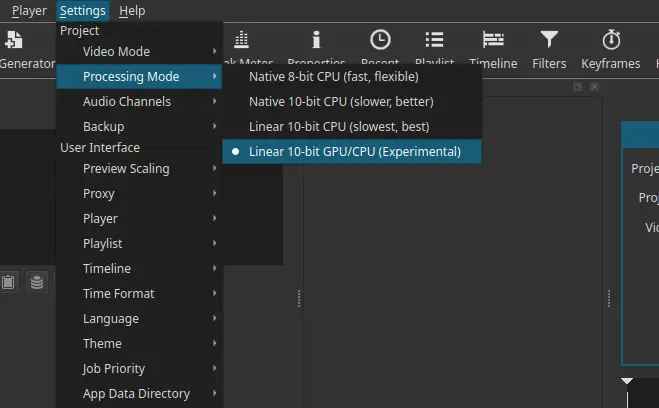
Under “Settings -> Processing Mode”, 4 new options are added allowing to choose between different color processing mode. They include:
- Native 8-bit CPU (fast, flexible)
- Native 10-bit CPU (slower, better)
- Linear 10-bit CPU (slowest, best)
- Linear 10-bit GPU/CPU (Experimental)
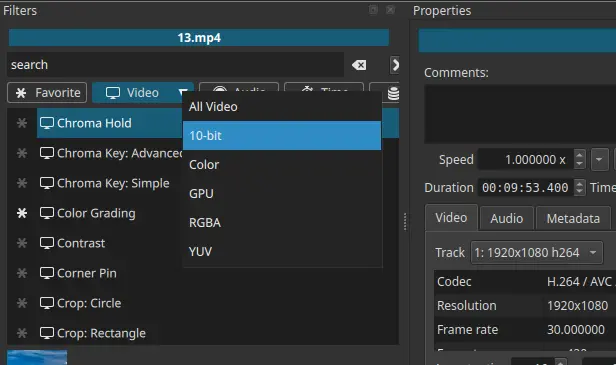
When adding filters, the “Video” category now has a drop-down menu, allowing to sort video filters with GPU, 10-bit, Color, RGBA, and YUV flags.
The last 25.10 version introduced new option to generate image or video from HTML. The new version improved this feature by adding a visual browser that displays thumbnail previews for all presets.
If you want to add a thumbnail for your custom preset, then just add file named <preset-name>.webp in the preset folder. For Linux, it’s ~/.local/share/Meltytech/Shotcut/presets/HTML.

For Linux, this version also added NVIDIA hardware accelerated nvenc encoding support for screen recording, though only works on the classic X11/Xorg session.
And, it added ‘minimize shotcut’ and record audio options support when trying to record screen or take a screenshot using the video editor. However, I didn’t see the “Screen Recording” option when trying out the official AppImage package in Ubuntu.
Other changes include:
- Add
mov_textandSSAsubtitle formats support for Extract Subtitles. - Update Linux AppImage and Snap with improved VA-API hardware encoder compatibility.
- Remove Screen Recording option on Windows 10.
- Other improvements, and various bug-fixes.
How to Get Shotcut 25.12
The official release note and the installer packages for Shotcut 25.12 are available in Github releases page via the link below:
For Linux, there are three official packages.
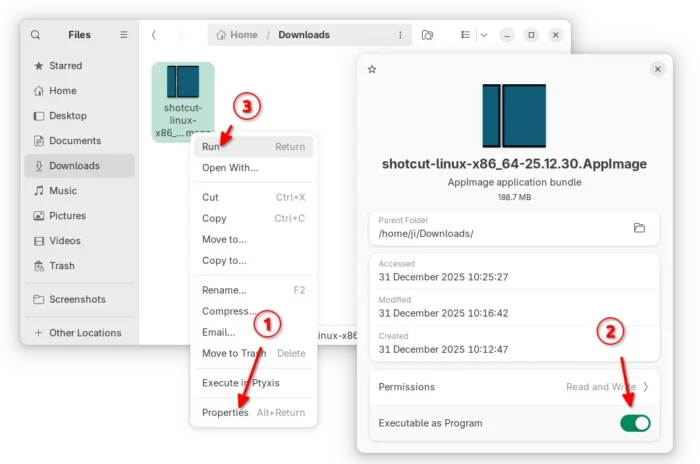
Option 1: Select download the AppImage package from link above. Then, add executable permission from file properties. Finally, click run to launch the video editor.
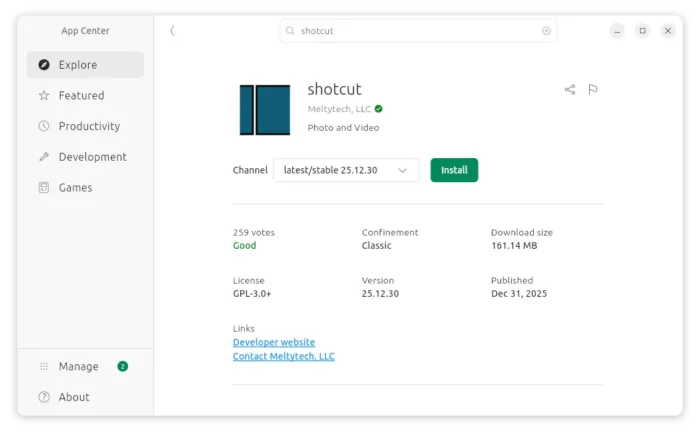
Option 2: Ubuntu users may simply search and install the Snap package from App Center (or Ubuntu Software for 22.04 and earlier).
Option 3: For Linux on both AMD/Intel and ARM64 (e.g., RasPi and Snapdragon X) platforms, there’s as well an official Flatpak package.
First, follow the setup guide to enable Flatpak support, skip GNOME Software Flatpak plugin for Ubuntu if you don’t want 2 software apps, finally run command below in terminal to install the package:
flatpak install flathub org.shotcut.Shotcut