GNOME 50, the default desktop for the upcoming Ubuntu 26.04 LTS and Fedora Workstation 44, was released last night!
The new version of this popular Linux Desktop environment comes with improvements to the built-in remote desktop, screen sharing, and parental controls, as well as accessibility and file manager enhancements.
Thanks to the Wellbeing team, parents and guardians can now monitor screen time, and set daily time limit and bedtime for child accounts. It will automatically lock the screen when the time limit or bedtime is reached, while, parents and guardians can extend screen time when needed.
Besides the time limit and bedtime schedule, the app also added more child account restrictions. You can now prevent child accounts from installing applications, prevent using certain apps, and restrict the browsing or installing of apps unsuitable for selected ages, such as Early Childhood, Teen, and Mature.
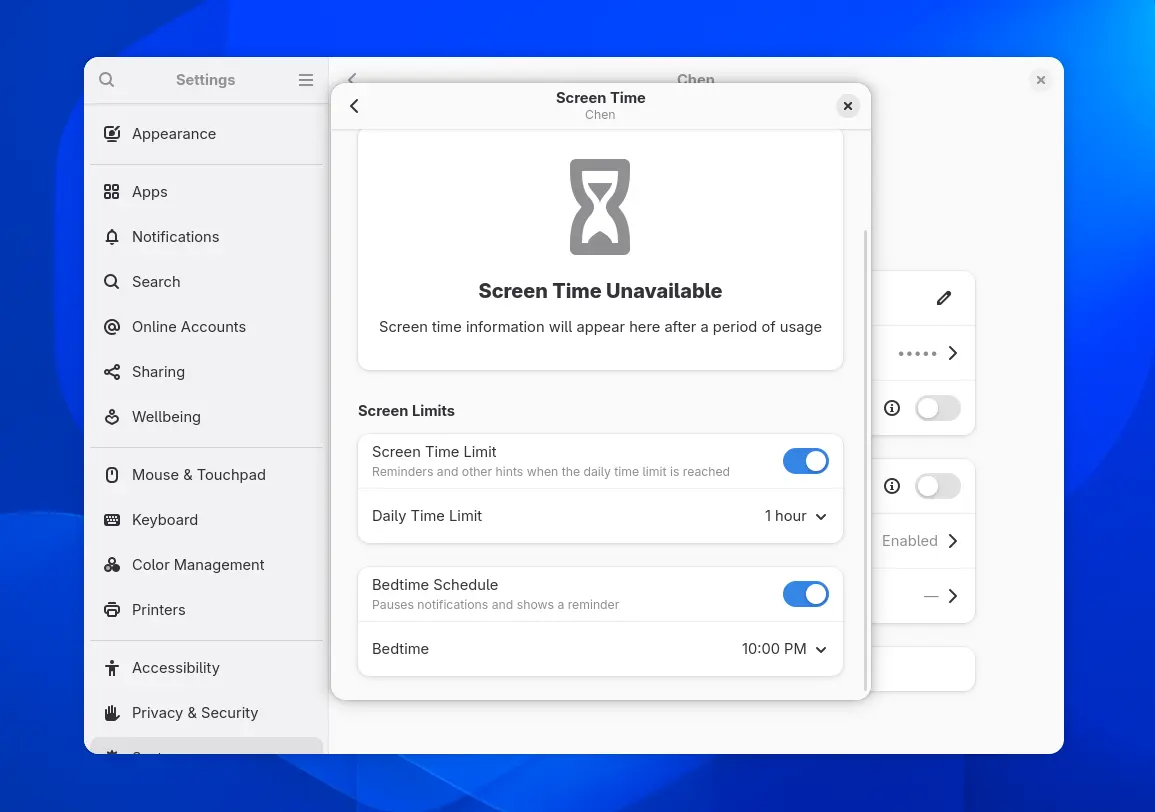
Set daily screen time limit and bedtime
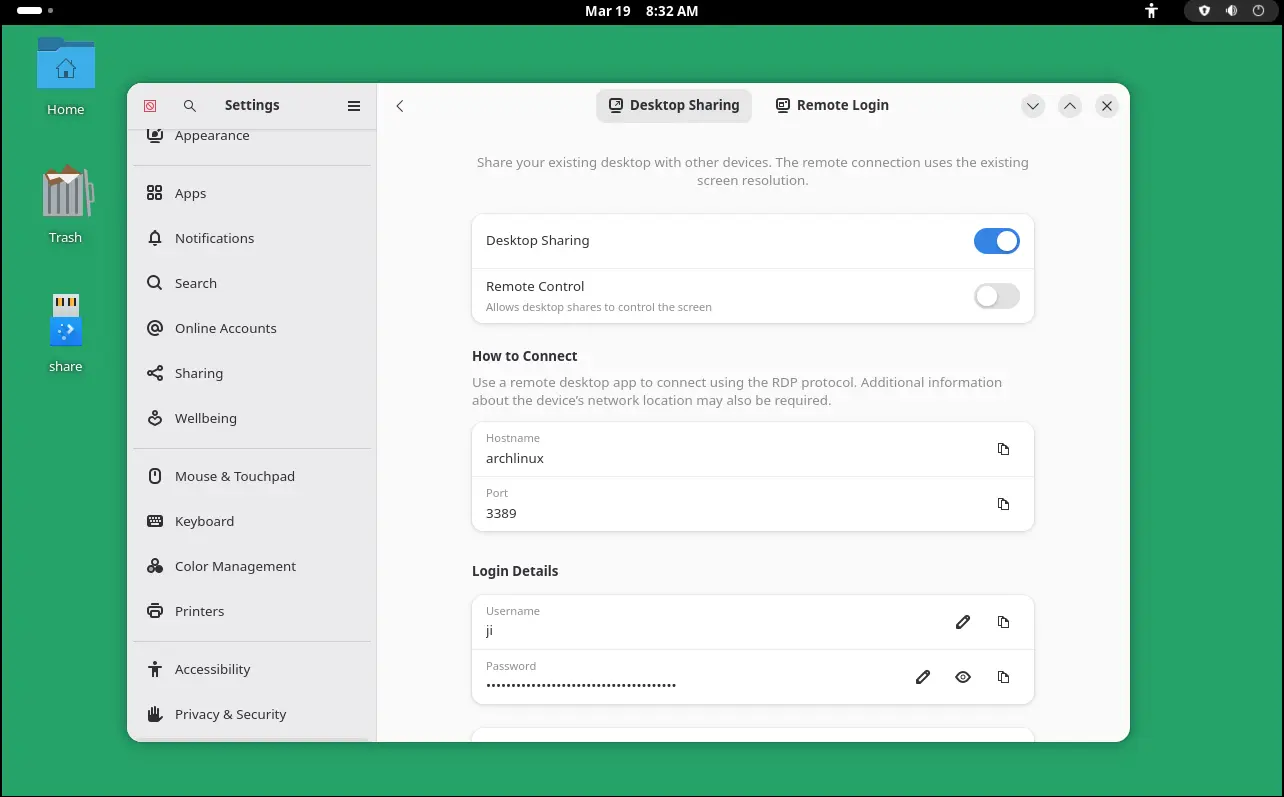
The built-in remote desktop feature has been updated with hardware acceleration support using computer’s graphics card (GPU) for significantly smoother experience and less power consumption.
It as well added HiDPI support, allowing to auto-scale the display to match the screen being used, camera redirection allowing to use local camera just like connected to the remote computer, as well as Kerberos authentication for better security,
Variable Refresh Rate (VRR), the feature to sync monitor’s frame rate with GPU output, and fractional scaling are now no-longer treated as experimental. And, they are enabled by default for users with compatible monitors, though some Distros (e.g., Ubuntu) have already enabled fractional scaling out-of-the-box in previous versions.
GNOME Files (aka Nautilus) in this version features faster thumbnail and icon loading and reduced memory usage. For better performance and security, it now uses the Glycin library for sandboxed image decoding.
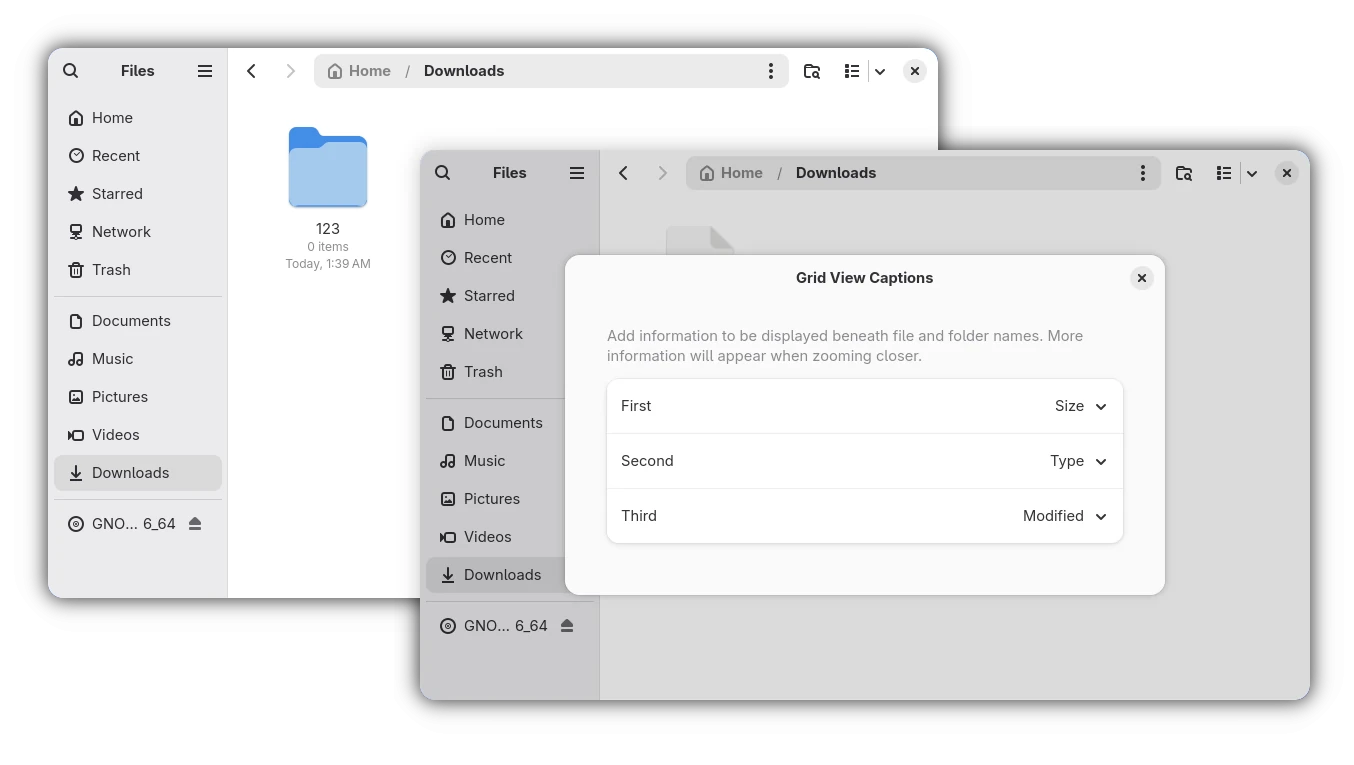
Nautilus also added a new “Grid View Captions” configure dialog, allowing to add more captions below file/folder icons in the Grid View (aka icon view). In addition to the file/folder name, it can display up to 3 more rows of texts, including size, type, modified date, owner, group, permissions, and so on.
GNOME Control Center (aka System Settings) has also been updated with more configure options.
The Date & Time page now supports changing the first day of week. Accessibility setting page now supports changing text size with an adjustable slider. It also renamed “Animation Effects” to “Reduced Motion”, as well added a new button to open Orca screen reader configuration dialog.
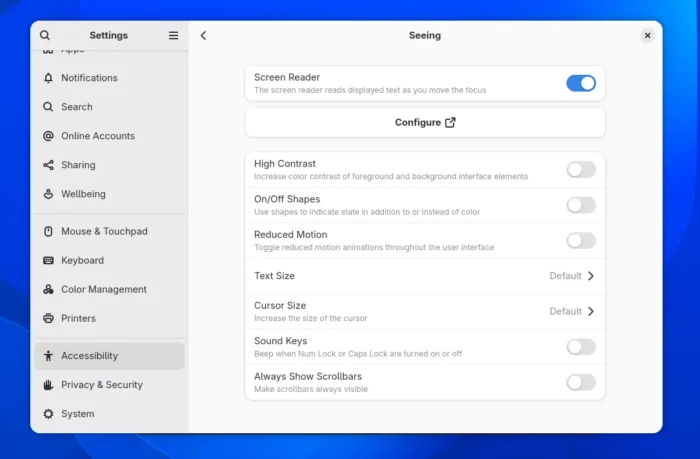
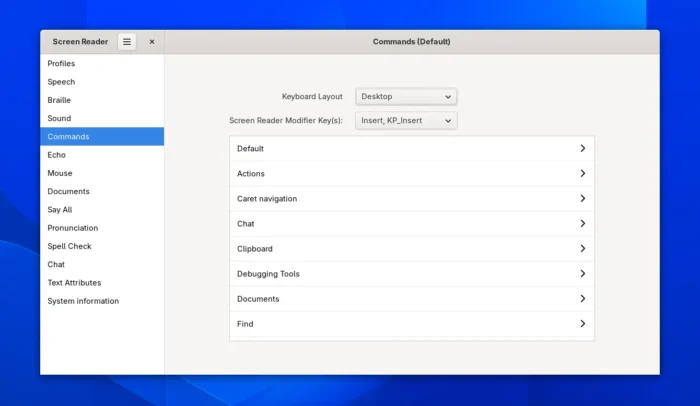
Orca, the screen reader, features a redesigned preferences dialog. All settings and commands are now global, so that user does no longer need to save settings on a per-application basis.
A new “Say All” option is added to only speak displayed text, making reading a long web page smoother. And, new option is added to read chat room messages from the active room when in any application.
The mutter window manager now supports sdr-native color mode features better experience for users with wide-color-gamut displays. Systemd will by default ignore sleep inhibitors when a laptop’s lid is closed. And, X11 support has been removed entirely, except for loading other X11 desktops from login screen.
Other changes in GNOME 50 include:
- HDR screen sharing support.
- Add Primary Sim Slot setting for WWAN.
- XPM and JPEG 2000 mime-types support for Loupe image viewer.
- Use arrow keys navigate in Gnome Calendar Month view.
- Save AVIF image through GdkPixbuf.
- Add XBM and XPM support for Glycin library.
- Support
image/x-win-bitmapfor default app to open .cur files. - Add zoom-on-double-click for GNOME maps.
- Improve support for tablet devices.
- Improve native Xwayland scaling support.
- Disable VA-API in Remote Desktop for AMD GPU.
- Support “unified” authentication mechanism for GDM.
- No longer treat “Service Unavailable” errors from PAM modules as failed login attempts.
- Add HiDPI & monitor mode emulation support in screen cast API / Devkit
- Add way in remote desktop API to set the active keyboard layout
For more about the new GNOME 50 desktop, see the official release note.
Get GNOME 50
As mentioned, GNOME 50 will be available as default desktop environment in Ubuntu 26.04 LTS and Fedora Workstaion 44, and optional in Arch, Manjaro etc Linux distributions.
Besides waiting for your distribution updates, you may try GNOME OS through the .iso image in either Virtual Machine (so for only support Gnome Boxes) or real machine: