Krita, the free open-source raster graphics editor, released new major 5.3.0 and 6.0 simultaneously today!
Krita 6.0 is the Qt6 port. It features native Linux Wayland support with full Wayland Color Management protocol implementation, HDR support, fractional scaling and 10 bit display.
Except the Qt6 and Wayland support, both 6.0 and 5.3.0 almost functionally identical.
when you build Krita 5.3 with Qt5, you get Krita 5.3, but when it is build with Qt6, you get Krita 6.
The new releases completely overhauled the text tool. Instead of opening an edit text dialog, it finally supports on-canvas edit just like most other image editors do.
It now supports making auto wrapped text, text in shape, and text on path. And, a text Properties docker is available to adjust text font family, style, size, align, as well as few dozens other properties.
In addition to the text properties, it as well added glyph palette addition allows to select alternate glyphs that may be present in the currently used font.
And, a new Type Setting Mode is added to edit Font Size, Baseline Shift, Line Height and Dominant Baseline directly on canvas.
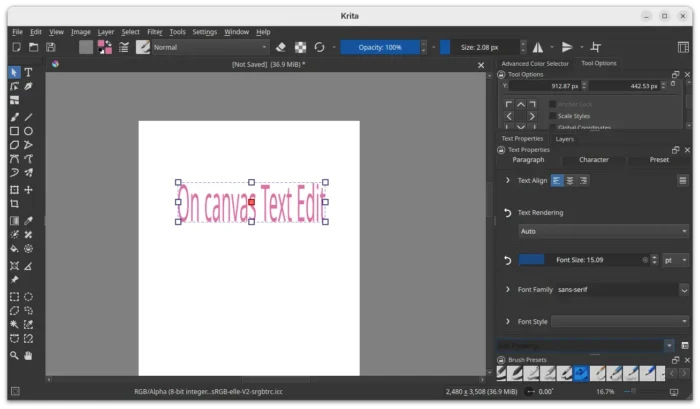
Text tool now supports On Canvas Editing
The new version as well introduced a new knife tool (Comic Panel Editing tool) for vector objects, allowing to cut through a shape with a gap width.
So far there are 3 gap widths to choose from, and it supports removing a gap (merge shapes). And, it will probably support custom gap width, snap, move the gutter etc functionalities in future releases.
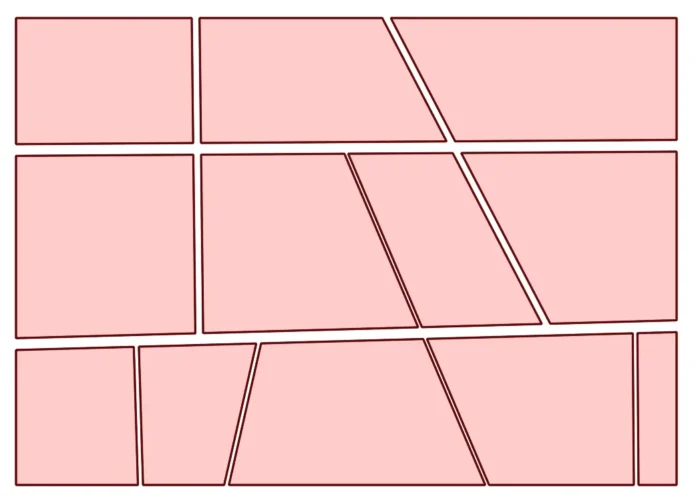
Knife Tool
The 6.0/5.3.0 versions also improved brushes with new Soft texturing mode for the Pattern option, “Invert Texture For Eraser” feature for Ramon, marker blend mode, and ability to set curve points as “corners”.
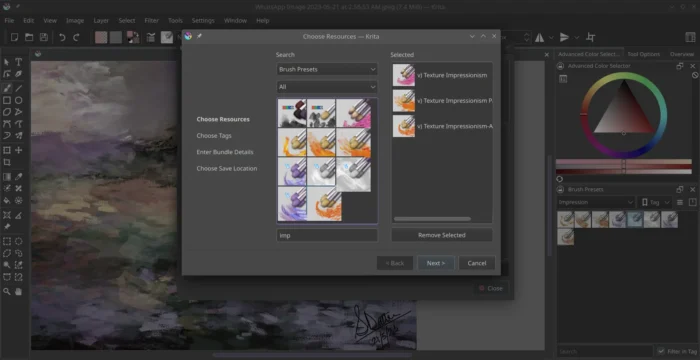
For files, it added support loading and saving Radiance RGBE (.hdr) files, support for multi-layered and multi-pages and animated JXL files, new Bundle Creator, as well as loading and saving shapes, vector masks and guides fro PSD.
Other changes in Krita 5.3.0/6.0 include:
- Fast Color Overlay filter.
- Propagate Colors filter.
- CSS palette support.
- Multibrush ‘Copy Translate at Intervals’ mode.
- Add Python Painting API.
- Ability to add dockers to the pop-up palette.
- Real-time capturing support for the recording docker plugin.
- Refactor blendmodes to properly support HDR modes.
- Transform shortcuts support for multi-selected layers.
- Rotate the transform bounding box with ctrl+alt.
For more about the new versions, see the official announcement.
Get Krita 5.3 or 6.0
The source tarballs, as well as the official installer packages for Linux, Windows, macOS, and Android are available to download in the announcement via the link above.
For choice, you may also choose to download the packages from KDE website:
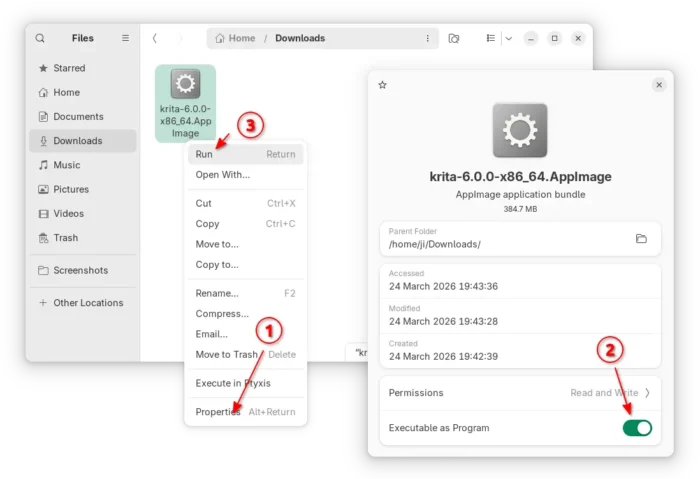
For Linux on modern Intel/AMD platform, select download the .AppImage, add executable permission and run to launch the image editor.
Tips: Ubuntu since 22.04 needs to install libfuse2 for AppImage support by running the command below in terminal (Ctrl+Alt+T):
sudo apt install libfuse2
It also provides official Flatpak package for Linux on both amd64 (Intel/AMD) and aarch64 (e.g., RasPI, Snapdragon X), though not updated at the moment of writing.