OpenShot, the free open-source Qt-based video editor, released new 3.5.1 version few days ago.
The new version introduced preview scaling feature named Optimize Preview and other changes that significantly improved performance for the editing workflow.
Different to other video editors (e.g., Kdenlive and Shotcut), OpenShot down-scale the original video sources by generating (or linking to) another copy of videos in lower resolution (e.g., 720p, 360p).
Then, it uses these lower resolution videos for preview playback, trimming, and editing, resulting a very faster and smoother user experience, while, the export process will use the original videos.
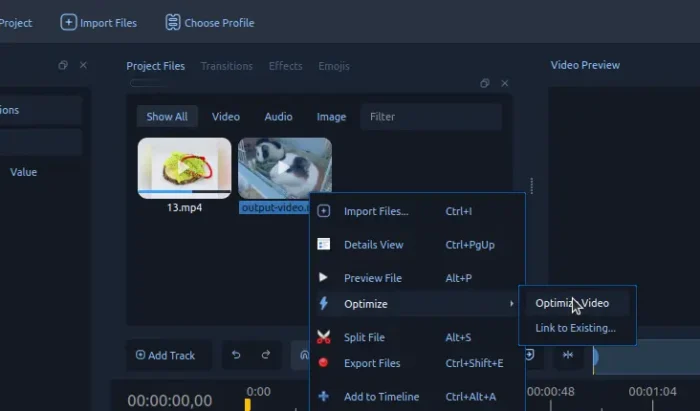
By default, it will down-scale original videos to 720p (1280×720) and store them in .openshot_qt/optimized (for Linux). They will be deleted when you undo the scale action, or close the app window (may have few minutes delay).
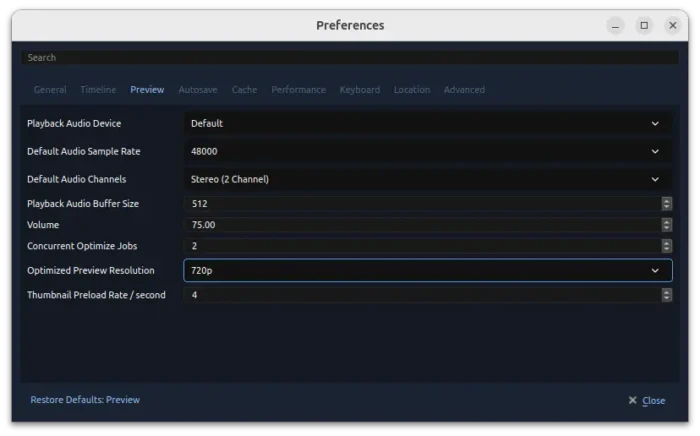
In preferences, user may change the down-scale resolution to 1080p, 540p, or 360p, accordingly, and, configure how many videos it can optimize concurrently.
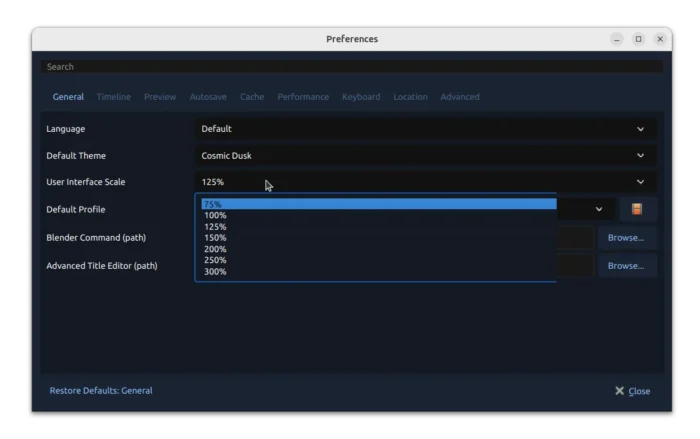
Besides preview scaling, the release also introduced UI scaling. Like the fractional scaling for desktop, user can now scale the app window fonts to 75%, 125%, 150%, 175%, 200% to well fit small or HiDPI displays.
However, when enable the Legacy Timeline, it will set back to 100% scale, because the legacy web timeline backends have ugly artifacts when using some fractional scales.
The new 3.5.1 also improved the zooming behavior in the timeline. Instead of moving playhead to timeline center when zooming out, it now always keeps it as is when zooming in or out with clip length larger than visible timeline.
ComfyUI, the AI tool integration introduced in the last release, has been improved with ability to add depth, lines, and reference images.
Other changes in the release include:
- CPU-aware default thread settings.
- New faster thumbnailing with a 3X thumbnail size max decode.
- Update multi-item trims/retiming to use the same exact position for all items.
- Add Ctrl + middle-drag smooth zoom to the qwidget timeline.
- Fix Qt compatibility for Ubuntu 18.04.
- Various other fixes and improvements.
For more about OpenShot 3.5.1, see the official release note.
Get OpenShot 3.5.1
The video editor provides official installers for Linux, Windows, and macOS, which are available to download via the link below:
For Linux on modern Intel/AMD platform, select download the AppImage package, add executable permission, and finally run to launch the video editor. NOTE: Ubuntu since 22.04 needs libfuse2 library for being able to run AppImage.
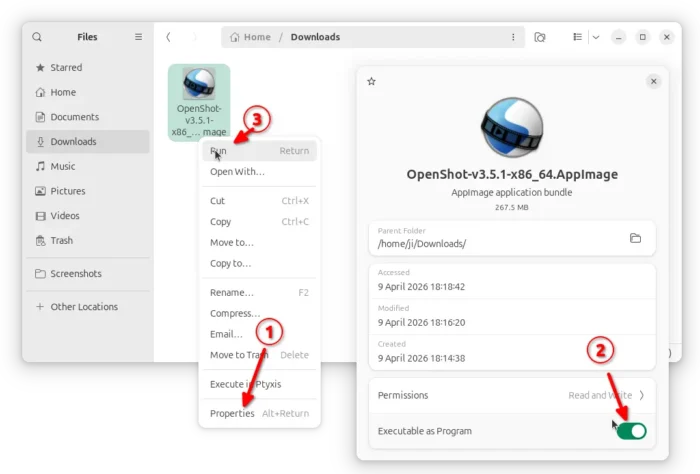
For Ubuntu users who prefer native .deb package, use the official PPA so far supports Ubuntu 18.04, Ubuntu 20.04, Ubuntu 22.04, Ubuntu 24.04, Ubuntu 26.04 and 25.10.
To add the PPA, and install the video editor, open terminal (Ctrl+Alt+T) and run commands below one by one:
sudo add-apt-repository ppa:openshot.developers/ppa
sudo apt update
sudo apt install openshot-qt