Scrcpy, the popular tool to mirror and control Android screen on your computer or laptop, released new major 4.0 version a few days ago.
The new version of this free open-source application ported from SDL2 to SDL3, added flex display, and many other exciting new features.
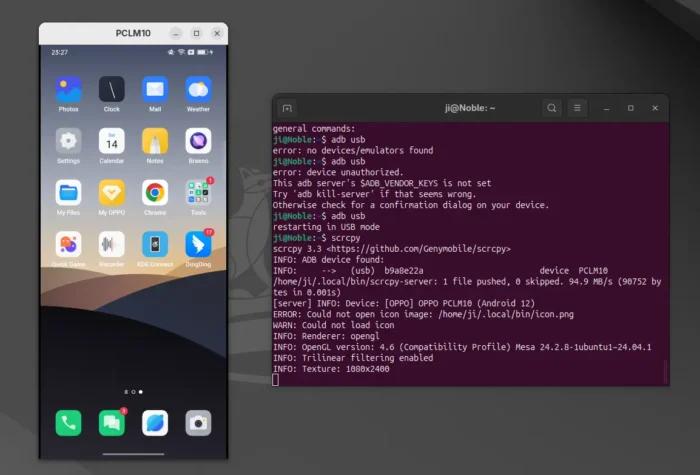
Android Screen on Ubuntu Desktop
First, the new version migrated the backend for video rendering and input handling from SDL2 to SDL3, to benefit from active maintenance, bug fixes, and continued upstream support.
The new SDL3 backend also introduced new features. Previously, it added black borders when resizing (scaling) the Android screen to keep the content aspect ratio. With the new API, the window aspect ratio is preserved while resizing, but without black borders.
Though, if you want, add --no-window-aspect-ratio-lock flag when starting scrcpy to restore the old behavior.
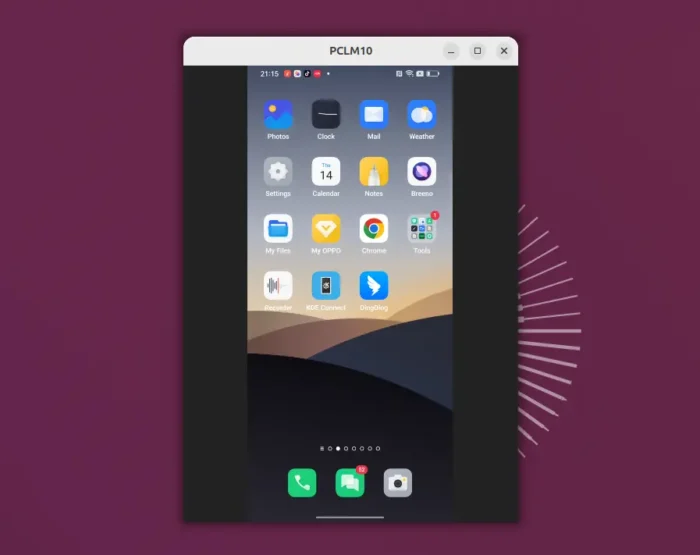
now black borders by default when scaling, but with option to restore
Scrcpy 3.0 introduced a virtual display feature, allowing to start an app silently in your Android then mirror to PC desktop. So you can play Android games on PC, while the physical Android screen is not affected at the same time.
With version 4.0, you can now resize the virtual display window just like a native PC software window. Meaning that you can run Android app or game on PC with custom size that you like.
To enable this feature, start scrcpy with either -x or --flex-display option, along with --new-display which starts a virtual display.
For example, run the command below to start the Android’s Firefox via virtual display on PC screen with re-sizable support.
scrcpy --new-display --flex-display --start-app=org.mozilla.firefox
The resizing may contain glitches, and it preserves the DPI, which is default to 160. Though, you can set custom DPI by --new-display=1920x1080/240 option when starting the virtual display, and, increase the bit-rate and change the codec for better quality on large window:
scrcpy --new-display=1920x1080/240 --flex-display --video-codec=h265 -b16M
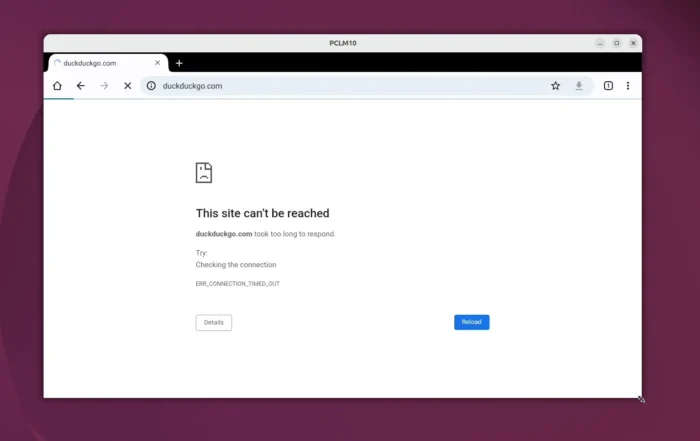
Android Virtual Display is resizable
Scrcpy 4.0 also added more controls for your Android’s camera. You may use --camera-torch option to start Android screen mirroring with camera torch on, and/or use --camera-zoom=1.5 option to set camera zoom level.
Or, use MOD + t key combination to turn on camera torch dynamically and use MOD + Shift + t to disable it. And, use MOD + Up/Down arrows to zoom in/out.
It as well introduced new --keep-active option to prevent screen from turning off due to idle by simulating user activity.
Other changes in Scrcpy 4.0 include:
- New background color command option.
- Show a disconnected icon for 2 seconds when connection lost.
- Add F11 full-screen shortcut.
- Add
Mod+qquit shortcut. - New option to configure the minimum video size alignment.
- New option to configure how the rendering fits the window.
Get Scrcpy 4.0
The official release note as well as the packages for Linux, macOS, and Windows are available in Github via the link below:
For Linux on modern Intel/AMD platform, select download the “scrcpy-linux-x86_64-v4.0.tar.gz” package, then extract, move executable files to your PATH, and done.
For beginners, here’s a step by step guide show you how to install and use Scrcpy in Ubuntu.