Oracle Virtualbox released a new maintenance update for the 6.1 series a day ago.
The new release features Linux guest with Kernel 5.5 support, and a shared folder fix for loopback mounting of images.
Other changes in the VirtualBox 6.1.4 include:
How to Install Virtualbox 6.142 in Ubuntu:
For 64-bit Ubuntu 16.04, Ubuntu 18.04, Ubuntu 19.04, Ubuntu 19.10, and their derivatives, you can either download the official .deb binary from the link below:
Download Virtualbox for Linux
or install VBox from its official apt repository by running following steps:
1. Open terminal (Ctrl+Alt+T), paste below command and run to add the repository:
sudo sh -c 'echo "deb [arch=amd64] https://download.virtualbox.org/virtualbox/debian $(lsb_release -sc) contrib" >> /etc/apt/sources.list.d/virtualbox.list'
For Linux Mint, you HAVE to replace $(lsb_release -sc) in the command with bionic for Mint 19.x, or xenial for Mint 18.x.

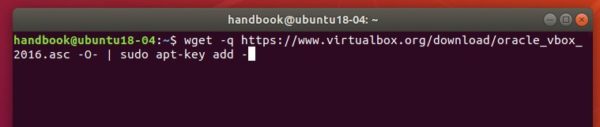
2. Then download and install the repository key via command:
wget -q https://www.virtualbox.org/download/oracle_vbox_2016.asc -O- | sudo apt-key add -
3. Refresh system package cache via command:
sudo apt update
4. Finally install Virtualbox 6.1:
sudo apt install virtualbox-6.1
Uninstall:
To remove it, simply run command in terminal:
sudo apt remove --autoremove virtualbox-6.1
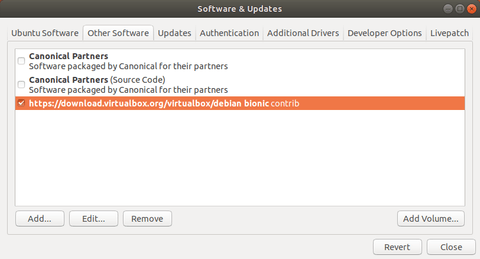
And go to Software & Updates -> Other Software to remove apt repositories.