Archives For March 31, 2020

QQ for Linux, the popular instant messaging apps developed by Tencent, released the second Beta on April Fools’ Day.

The development of QQ on Linux is quite slow. It has been 5 months since the last release. QQ for Linux 2.0 Beta 2 features:

  • Stability improvements.
  • Group chat support.

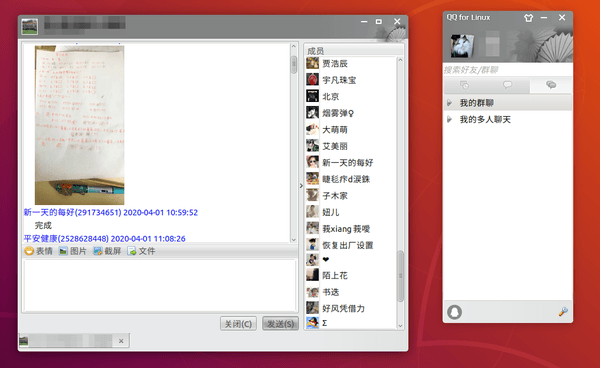
The new beta now is much more stable than the first release, though it so far only supports for sending texts, emoji, files, and taking screenshots.
If you’re looking for QQ Linux package with full (or most) functionality, I’d recommend Deepin Wine QQ, or community build QQ Flatpak package.

For testing purpose, you may download QQ for Linux (64-bit) at the link below:
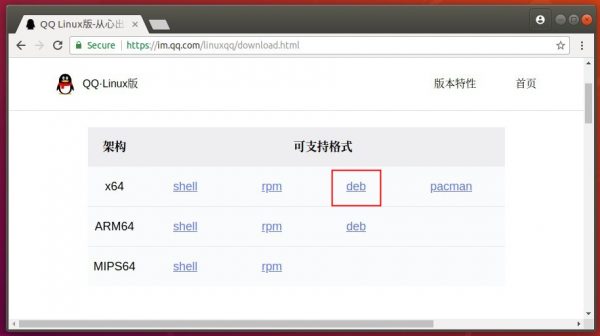
QQ for Linux

Simply double-click the package to install it via Ubuntu Software and enjoy!

(Optional) To remove the IM, simply open terminal (Ctrl+Alt+T) and run command:

sudo apt remove linuxqq

fre:ac audio converter

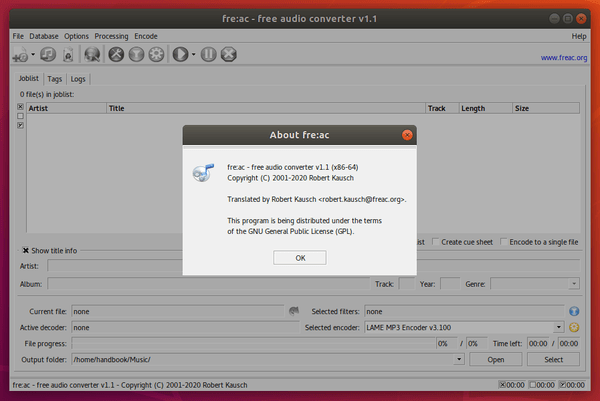
Fre:ac audio converter 1.1 was released a few days ago. Here’s how to install it in Ubuntu 18.04 and higher.

Fre:ac 1.1 is a new major release with tons of new features. Highlights include:

  • Official Linux, Mac OS, and 64-bit Windows binaries.
  • Support for dark mode on Windows and macOS
  • A reworked conversion engine with support for multi-threading and parallel processing
  • An integrated tag editor with support for cover images
  • An extension for simultaneous output to multiple formats
  • Support for new codecs including Opus, Apple Lossless, Monkey’s Audio, WavPack and others
  • Support for DSP filters and lossless file verification
  • Support for multi-channel audio
  • Support for managing multiple configurations
  • Support for writing log files

How to Install Fre:ac 1.1 in Ubuntu:

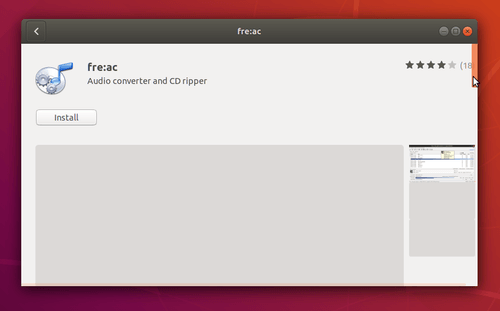
For Ubuntu 18.04 and higher, simply search for and install freac snap package (runs in sandbox) via Ubuntu Software:

For Ubuntu 16.04, the official .AppImage is available to download in github releases page:

fre:ac releases

Grab the .appimage, i686 for 32-bit os and x86_64 for 64-bit os, then make it executable via file Properties -> Permissions -> ‘Allow executing file as program’, and finally run it to launch the audio converter.