Rewaita, the free open-source tool to change the color scheme of GTK4/LibAwaita apps, released new 1.1.4 version today.
The new version of this theming application added GDM support, CLI interactions, more customization options, and some other improvements.
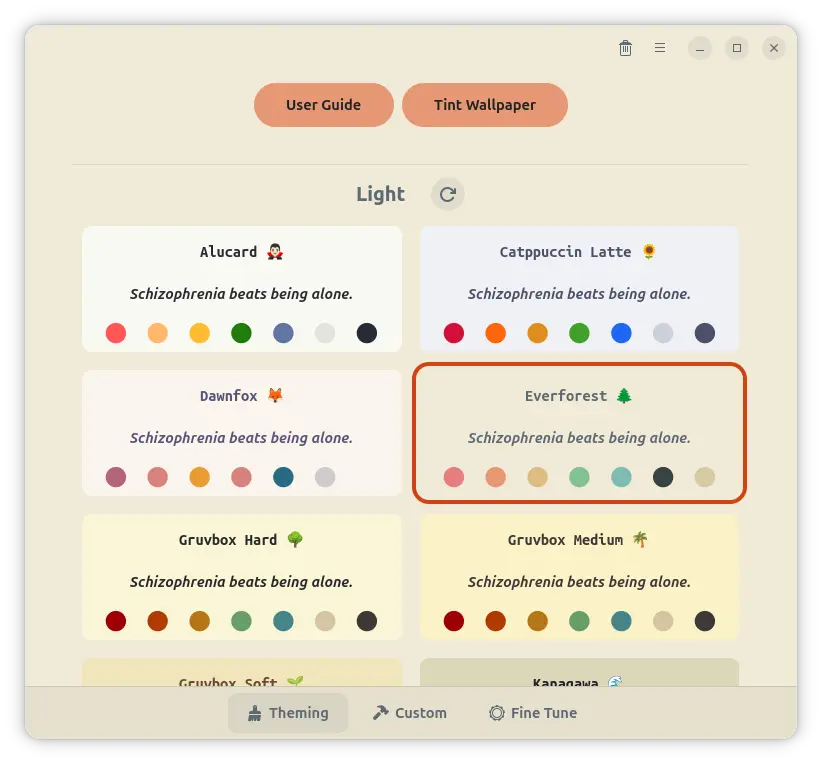
Choose color theme for GTK4/Libadwaita apps
Rewaita includes a few dozens of light and dark color themes out-of-the-box. User can simply choose one theme from the list, and, preview the change via the app window itself which applies new colors immediately.
While, all other GTK/LibAwaita apps’ colors will change after re-launch, though sometimes you need to wait for a few moments.
Besides the built-in color presets, user may set custom text and background values for accent colors, main window colors, buttons and headerbars etc colors, as well as custom CSS code, then save them as a custom preset.
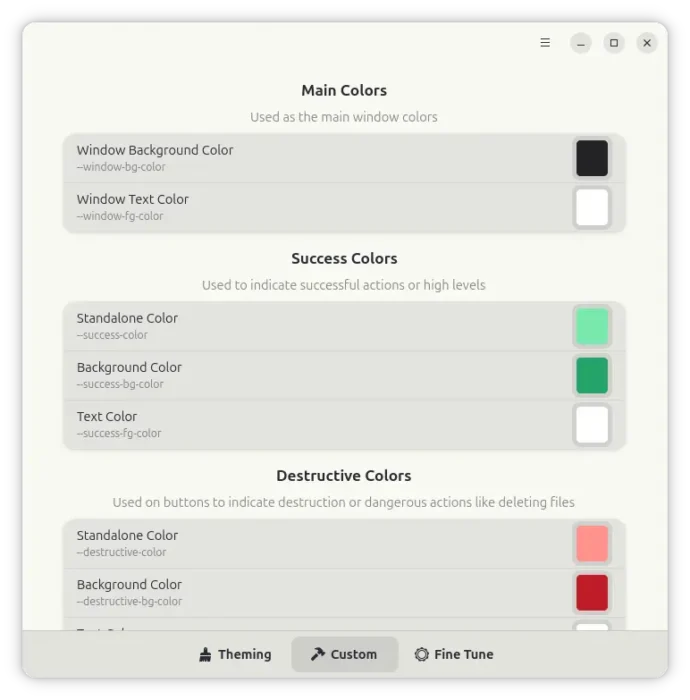
set custom colors and save as preset
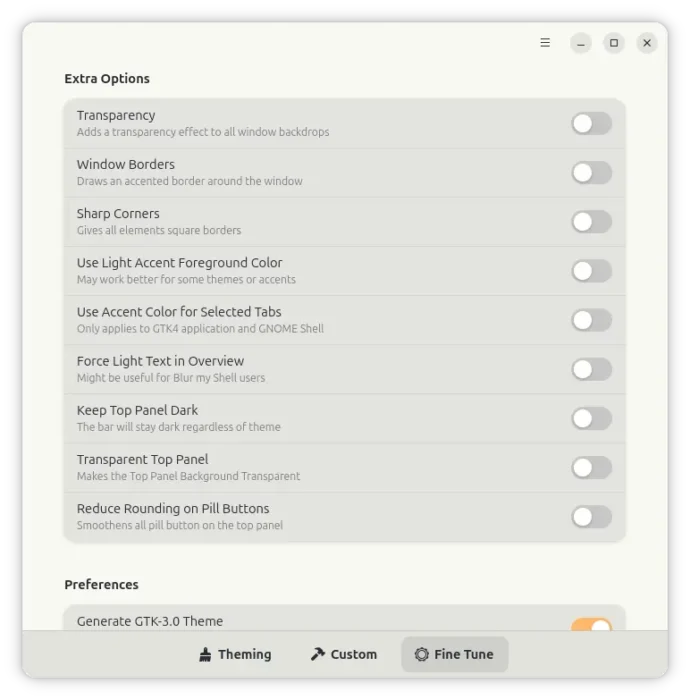
Moreover, it includes a few themes for title-bar buttons (minimize, maximize, close buttons) and extra options to toggle window background transparency, draw window borders with accent color, enable sharp corners.
With the new 1.1.4 version, more toggle options such as transparent top panel, keep top panel dark, use accent color for selected tabs are also available. And, the changes you made will also apply for the GDM Login screen.
For advanced users, the new version added new -l / --list command line option to list all available color themes, and -t / --theme option to set theme from command line. And, this is useful for those who want to use keyboard or custom script to change color themes.
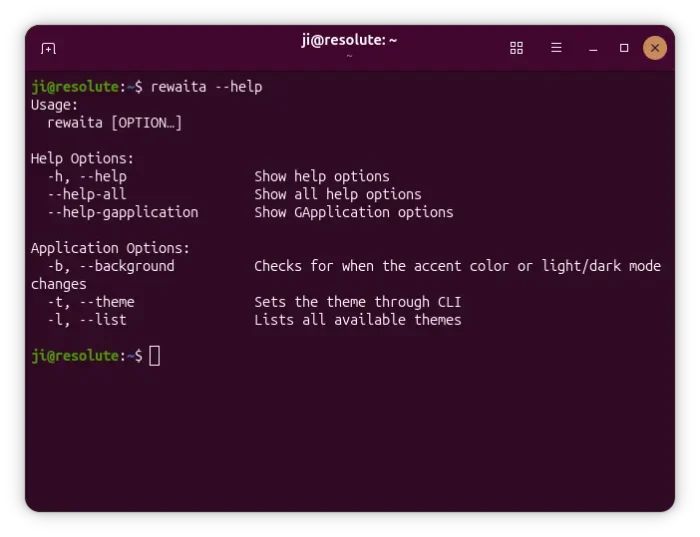
Other changes include:
- Removed integrated Adw-gtk3 (Adwaita GTK3 Theme) support and replaced it with more simplified theming.
- Changed how accent colours work so non-GNOME users should get better fine-tuning.
- Improved the palette swapping feature for images.
- General theming improvements for GTK4, Firefox, and GNOME Shell.
Get Rewaita
Rewaita is available to install in most Linux distributions on both amd64 and arm64 platforms through the official Flatpak package.
For Debian/Ubuntu, simply open terminal and run commands below one by one to install it:
sudo apt install flatpak
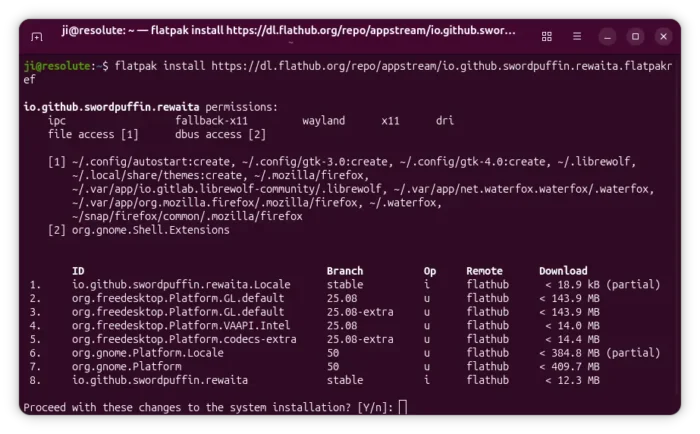
flatpak install https://dl.flathub.org/repo/appstream/io.github.swordpuffin.rewaita.flatpakref
Then log out and back in, and, launch the application from GNOME App Grid or Overview.
For Arch Linux, Rewaita is also available to install through the AUR repository. See more in Rewaita source page.