DXVK, the open-source translation layer that converts Windows Direct3D calls into Vulkan calls on Linux, released new 3.1 version a day ago.
The new library version introduced some new features and fixes for running Windows apps/games on Linux through Wine, Proton and Steam Play.
The new version added basic support for DXGI present parameters, a feature tells Windows which parts of the frame have changed and which parts can be reused from the previous frame when an application presents a frame to the screen, which can avoid doing unnecessary work when displaying the frame.
With it support in DXVK, it can fix UI rendering issues in VirtualDJ and improve various game launchers support in Linux.
DXVK 3.1 also implemented support for creating render target views on buffers directly. Which fixes a long-standing clouds misrendering issue in some situations in Battlefield 3.
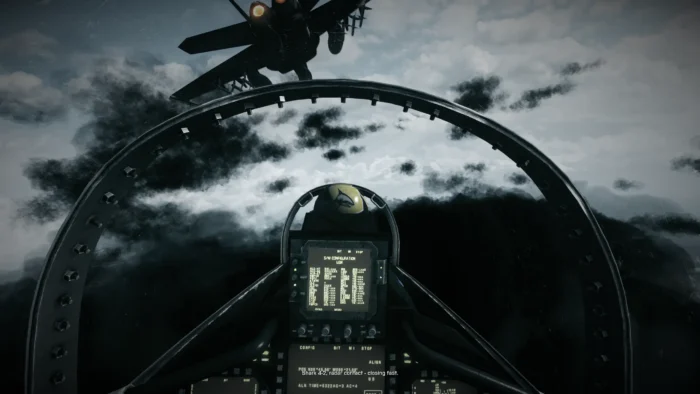
Battlefield 3 cloud rendering issue, image from https://github.com/doitsujin/dxvk
If DXVK is running on an Intel GPU, it now makes use of Intel’s additional Vulkan functionality when available. Similar to AMDAGS and NVAPI extensions, it prepares support for future Intel-specific D3D11 features.
The 3.1 version also improved support for external overlays and fixed issues with some games. It now more aggressively limits rendering work to only the parts of the image that actually need rendering, especially on tiling GPUs.
For troubleshooting purpose, a new configuration option is added for NVIDIA users to explicitly disable VK_NVX_* extensions, which however disables DLSS support too.
Other changes are mostly bug-fixes, including:
- Fix Mabinogi and The Witcher 1 rendering issue.
- Fix a crash when applications try to compile D3D12-specific shaders.
- Workaround a crash on Nvidia GPUs with descriptor heaps enabled.
- Fixes Ghost Recon Breakpoint, Mirrors Edge, and RaceRoom Racing Experience.
For more and the source, see it in Github releases page.
How to install DXVK 3.1
Proton and its forks such as Proton-GE have DXVK in bundle. Select download and use the latest Proton depends on your game launcher.
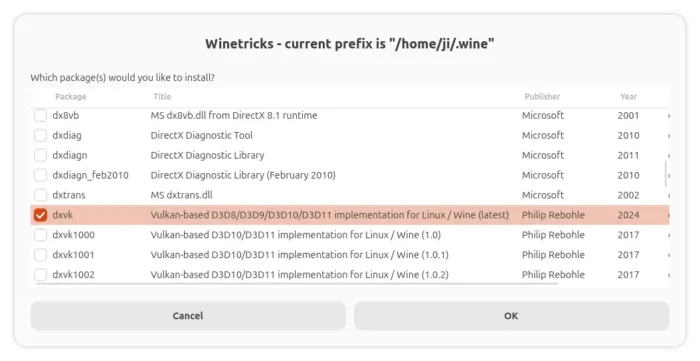
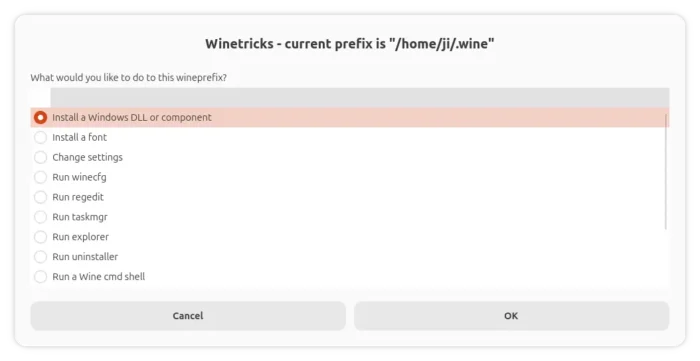
For Wine, you may run winetricks --gui, choose “Select the default wineprefix”, then select “Install a Windows DLL or component”, and finally choose install DXVK (latest).
To use DXVK, set DXVK_HUD=version environment either in terminal or use your launcher’s preferences dialog.