Archives For August 31, 2023

For those who are sticking to Firefox ESR, the latest 115 release is now easy to install in all current Ubuntu releases via PPA.

Firefox ESR (Extended Support Release) is a slow moving release series target for organizations, including schools, universities, businesses. It has different release circle compare to the general Firefox series.

Mozilla keeps updating the ESR with stability, security fixes and policy updates every few weeks,  and rolls out major updates on average every 42 weeks. See update differences between  Firefox ESR and Rapid releases.

The latest version now is Firefox ESR 115.x, which was firstly released almost 2 months ago. It includes all the new features since Firefox 102. But of course lacks features in v116, 117, and next releases until  they are included in next major ESR release. See the release note for details.

Like the rapid releases, you can download the latest Firefox ESR as portable tarball from the ftp page. However, PPA is a good choice with better Ubuntu integration and easily to keep it up-to-date. It’s also a good alternative for Ubuntu 22.04+ users who hate Snap packages.


Continue Reading…

In the recent update of Ubuntu 23.10 daily build, the GNOME desktop has been updated to v45 beta. And, here are some visual changes.

The default wallpaper now has a dark variant. Meaning changing Ubuntu Desktop to dark style will also change to dark style wallpaper. Though, the final wallpaper is not revealed yet!

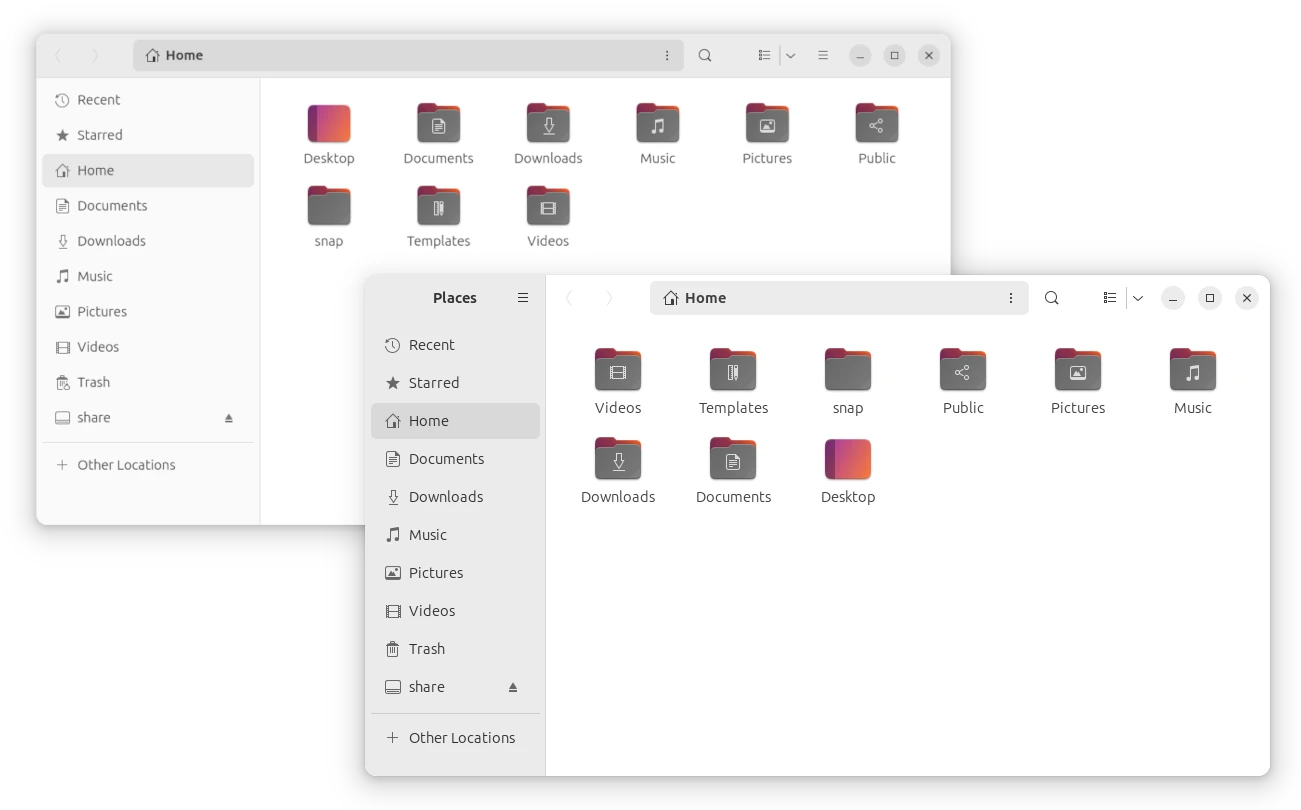
The ‘Files’, aka Nautilus file manager, has been redesigned with more stylish layout. Which, supports drag and drop web image into file, and implements Global Search.

Redesigned Nautilus File Manager

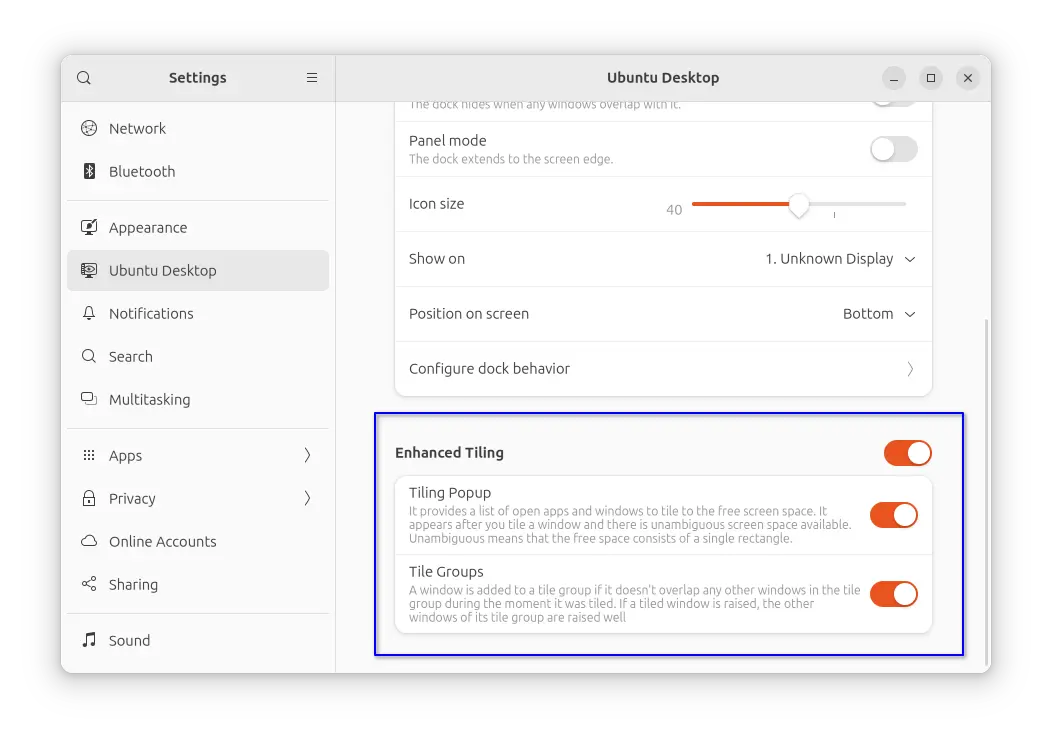
And, there’s new system extension to enhance tiling window support. Not only half screen tiling, it also support tiling window to quarter screen size, with either drag’n’drop or keyboard shortcuts, as well as features such as Tiling Pop-up and Tiling group.

By going to ‘Settings’ -> ‘Ubuntu Desktop’, you’ll see the new toggle options. Though, you can get even more by using “Extension Manager”.

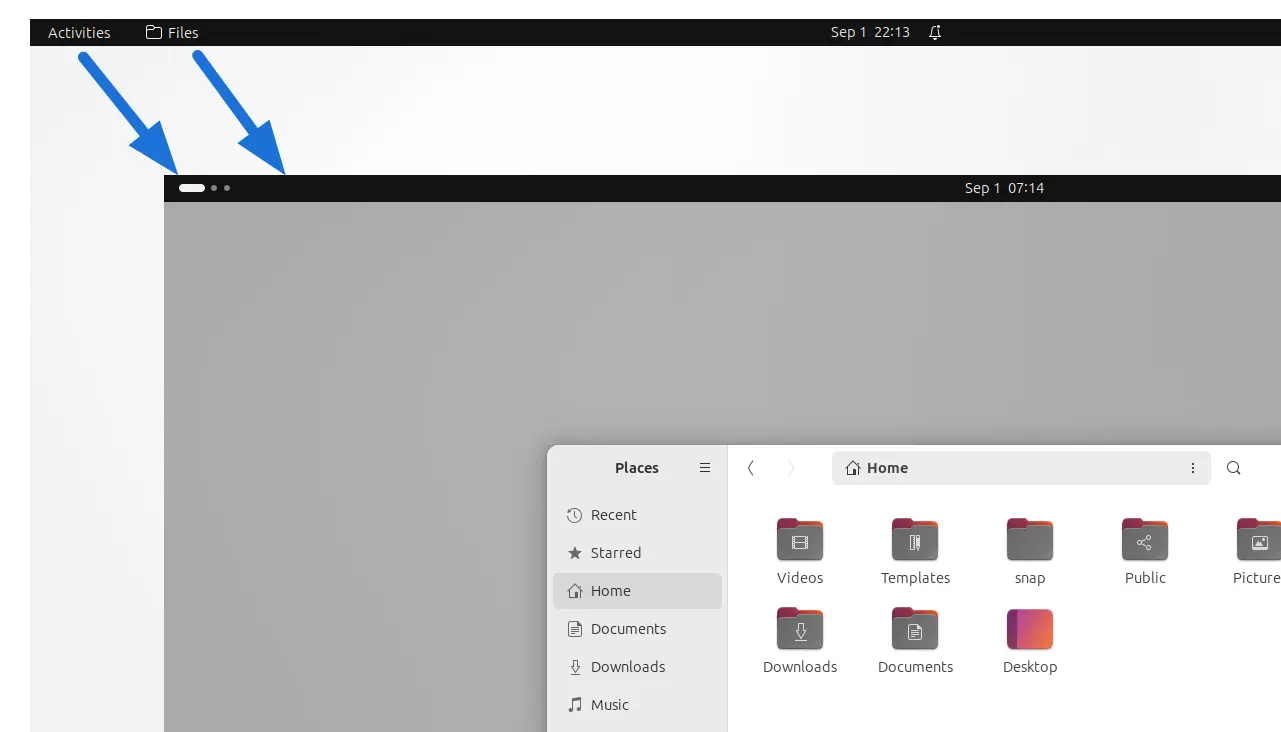
Via the latest Gnome Shell package updates, the top-left ‘Activities’ button is finally replaced by an indicator. Now, it displays a white pill that indicates which workspace you’re on. Depends on how many workspaces you have, all others are indicated via gray dots.

As well, you may found the app menu, to indicate which app window is on focus, has also been removed. Though, the new Window Focus animation is not implemented at the moment.

They are even more great new features in Ubuntu 23.10. To try it out, just download the latest daily build image from the link below and install it in either real or virtual machine.