
QPDF, the popular command-line tool for transforming, inspecting, and repairing PDF files, released new 12.4.0 version today.
The new version of this free open-source software library and CLI tool rewrote the Tab completion function for zsh & bash shells, introduced a few security updates, and fixed various issues.
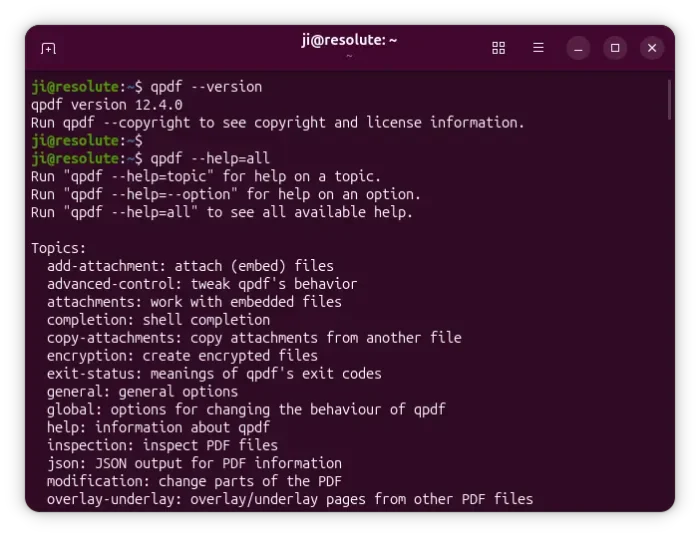
Previously, qpdf itself was responsible for providing TAB completion suggestions. But, it had various bugs when qpdf was wrapped, and was potentially insecure as it could leak sensitive arguments into the environment.
Since the new 12.4.0 version, it now uses a separate description file (job.yml) to auto-generate the completion functions from the same metadata that is used to generate the command-line argument parsing code.
It is easier for maintenance and better for security, as it does no longer need to inspect or pass around the user’s command-line arguments to provide completion.
For security, qpdf now limits how deeply nested PDF objects can become when creating direct objects, by QPDFObjectHandle::makeDirect, and, limits how deeply nested the PDF page tree can be, which can prevent crashes caused by extremely deep or malicious PDF files.
And, it now detects duplicate entries in PDF form field structures earlier, preventing specially crafted invalid PDFs from making processing extremely slow.
QPDF 12.4.0 now cleans up broken annotation data when copying PDF pages, by removing invalid /Annots entries (e.g., wrong type, empty arrays, or non-dictionary annotation objects) before processing them, preventing crashes caused by damaged page annotations.
It changed how QPDF::setMaxWarnings works so that the warning limit only applies while initially reading a PDF file. If too many warnings happen during loading, qpdf treats the PDF as too damaged to continue. This avoids accidentally trying to continue processing a badly broken file.
Other changes in the release include:
--show-linearizationoption tries to display information about a PDF’s web-optimization (linearization) data even when it is partially broken.- handle PDF page rotation values outside of normal 0 – 360 degrees, instead of incorrectly treating them as no rotation.
- Fix error message when
--checkencounters a file without any pages. - Fix failure in QPDFWriter when trailer
/IDentries are invalid.
For more about the new 12.4.0 version, see the official release note.
Install QPDF 12.4.0
The official installers for Linux and Windows, as well as the source tarball are available in the Github via the link below:
For Linux, either grab the AppImage, add executable permission, and run to use the tool, or select download the Zip archive, extract and run the executable file under bin sub-folder.
For Ubuntu, the latest QPDF is available to install through the official PPA, which so far support Ubuntu 22.04, Ubuntu 24.04, and Ubuntu 26.04, while Ubuntu 26.10 has already made the new version into system repository.
To add the PPA and install QPDF 12.4.0, open terminal (Ctrl+Alt+T) and run commands below one by one:
sudo add-apt-repository ppa:qpdf/qpdf
sudo apt update
sudo apt install qpdf