Fooyin, the popular Foobar2000 alternative music player for Linux, released new 0.13.0 version today.
The new version of this free open-source Qt music player is a big release that includes many exciting new features!
First, the new Fooyin 0.13.0 added “Open audio CD” option in File menu. It can read your CD disc (if you have one connected), read CD-text, metadata, insert CD tracks to a playlist and play them.
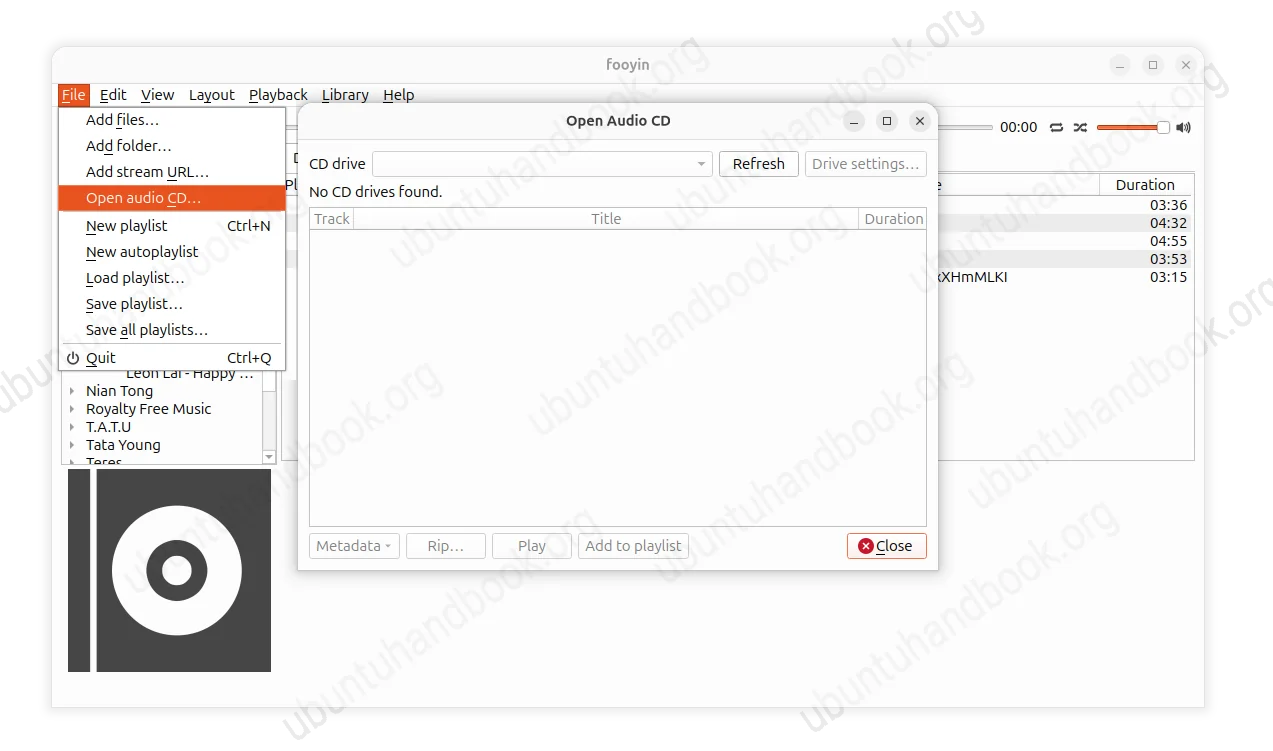
In addition to audio CD playback, it also supports ripping CD that converts the audio tracks from CD disc to audio files (e.g, mp3 and opus) on your computer.
Before the ripping process, it allows to edit metadata and supports AccurateRip verification to make sure the audio files created from a CD are correct. Without editing the converter setup again and again, it also supports presets to reuse your previous settings.
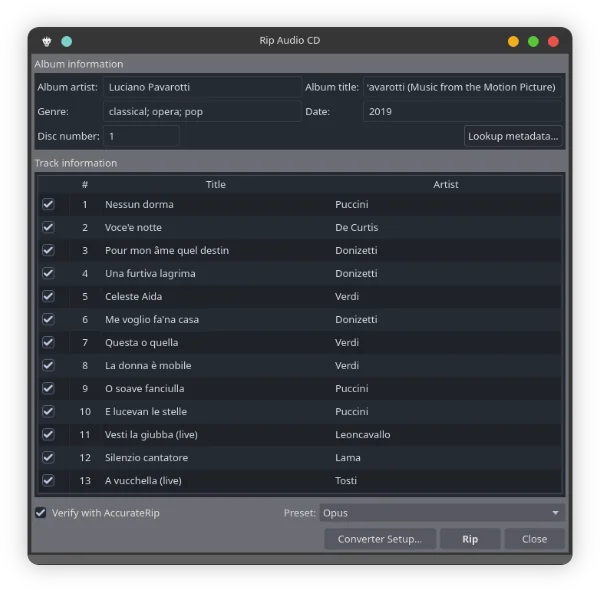
image from https://github.com/fooyin/fooyin/pull/1558
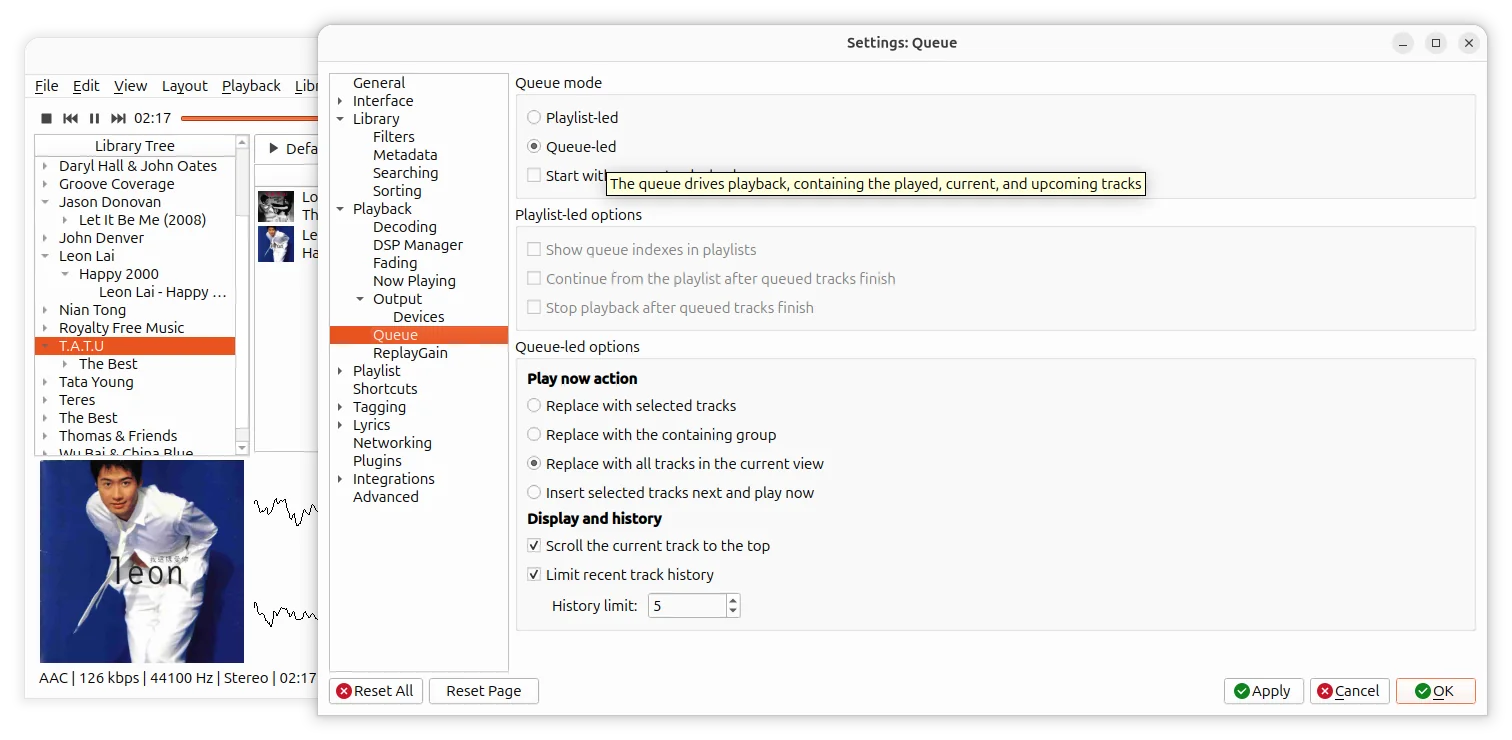
The new version also reworked the playback queue with Playlist-led and Queue-led modes. The default “Playlist-led” mode works as before, where playlists drive playback and queued tracks act as temporary overrides.
While, the “Queue-led” makes the queue the playback source. According to the pull request:
Queue-led playback supports shuffle, random, album shuffle, and repeat modes. Changing playback order updates the remaining generated tracks without affecting played history or manual queue entries. The Play now action can be configured to replace the queue with the selection, containing group, all tracks in the current view, or insert selected tracks next and play immediately.
As you see in the screenshot below, the new Queued-led options were added for “Play now” action and “Display and history”. And, Queue view widget now supports Playing Tracks and Upcoming Tracks views.
Besides CD Playback & Ripping and new playback queue mode, the 0.13.0 release also introduced last.fm ‘love’ feature support, metadata lookup by MusicBrainz, and savable library filters.
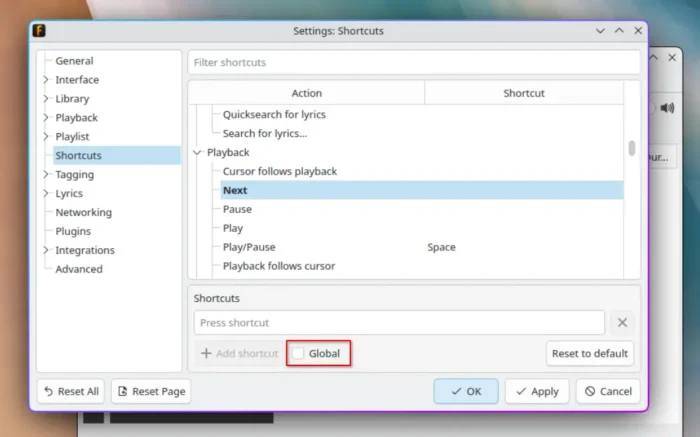
It as well added global shortcuts support, meaning you can control the music playback (e.g., pause/play, next, previous, and volume up/down) while app window is not in focus, minimized for example.
By going to Edit -> Settings -> Shortcuts, you’ll see the “Global” checkbox when setting a keyboard shortcut. It works in my case in KDE Plasma, however grayed out in GNOME (Ubuntu 26.04) on Wayland.
Other changes include:
- Add “Run Services” settings for custom ‘run’ context menu options.
- Add command line options for volume, mute, repeat, and shuffle control.
- Option to prevent screen turning off.
- Add shortcut to show/hide main window.
- Additional MP4 codecs supported by TagLib 2.3.2
Get Fooyin 0.13.0
There are as well numerous other features, improvements and bug-fixes in the release. Along with the installer packages, they are available in the link below:
Depends on your Linux Distribution, select download .rpm or Fedora, .deb for Debian, Ubuntu, and Linux Mint. And, run cat /etc/os-release in terminal to tell your OS code-name, and uname -m to tell the CPU architecture type.
Or, choose AppImage that can run directly (after added executable permission) to launch the music player, or install the flatpak package that runs in sandbox environment in most Linux.