



HPLIP, the HP developed Linux driver for HP’s inkjet and laser printers, released new 3.26.6 today!
The new version of this free open-source Linux driver added many new HP printers support, including:
- HP ScanJet Enterprise Flow N9000 sn1
- HP ScanJet Enterprise Flow 9000 s1
- HP ScanJet Pro 4200 s1
- HP LaserJet Pro 4006dn printer
- HP LaserJet Pro 4006dw printer
- HP LaserJet Pro 4006n printer
- HP LaserJet Pro 4002d printer
- HP LaserJet Pro 4007dw printer
- HP LaserJet Pro 4007n printer
- HP LaserJet Pro 4008d
- HP LaserJet Pro 4008dn
- HP LaserJet Pro 4008dw
- HP LaserJet Pro MFP 4112dw printer
- HP LaserJet Pro MFP 4112fdn printer
- HP LaserJet Pro MFP 4112fdw printer
- HP LaserJet Pro MFP 4113dw printer
- HP LaserJet Pro MFP 4113dwg printer
- HP LaserJet Pro MFP 4113fdn printer
- HP LaserJet Pro MFP 4113fdng printer
- HP LaserJet Pro MFP 4113fdw printer
- HP LaserJet Pro MFP 4113fdwg printer
- HP LaserJet Pro MFP 4114dw
- HP LaserJet Pro MFP 4114fdn
- HP LaserJet Pro MFP 4114fdw
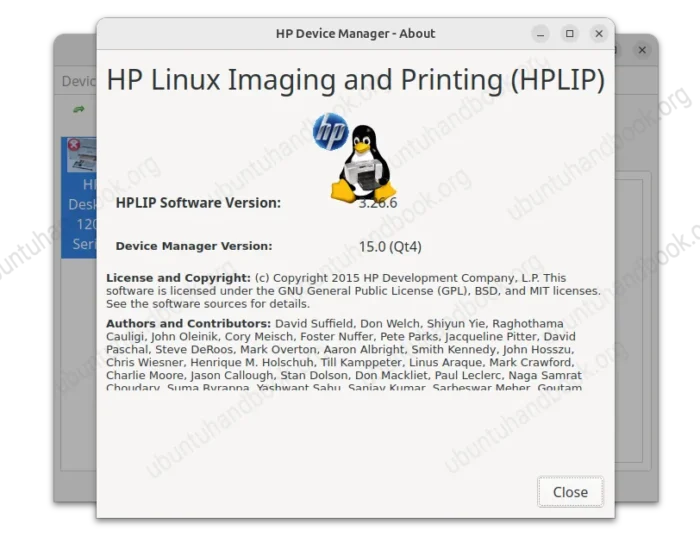
However, the official installer still has very outdated Linux Distributions support! All the recent Ubuntu 26.04, Debian 13, Fedora 44, RHEL 10, and openSUSE 16 are NOT supported!
And, below are the currently supported Linux distributions:
- Ubuntu 10.04 ~ Ubuntu 24.04.
- Debian 6.0 ~ Debian 12.
- Linux Mint 22.x and earlier.
- Fedora 17 ~ Fedora 40.
- RHEL 5.0 ~ RHEL 9.1.
- openSUSE 12.2 ~ 15.5.
Get HPLIP 3.26.6
The source tarball as well as the official .run installer is available to download via the link below:
For supported Linux Distributions, simply download the “hplip-3.26.6.run” package, open Downloads folder in terminal, and run the commands below one by one to grant permission and start the installer:
chmod u+x hplip-3.26.6.run
./hplip-3.26.6.run
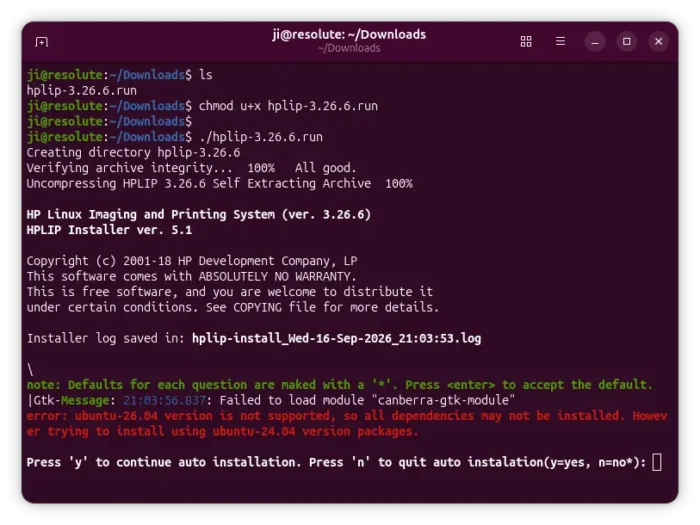
HPLIP 3.26.6 .run installer, sadly does not support Ubuntu 26.04
For recent Linux Distributions that are not supported, system default CUPS driver may be the better choice for newer HP printers support.
If you really want to install the driver, either build from source, wait your distribution package updates, or use third-party repositories, such as Ubuntu PPA.



















printers: the bane of existence for IT dept support since the 1980s
wild they didnt test for or support for the latest distros.