Fooyin, the foobar 2000 inspired music player, released new 0.14.0 version today for Linux and Windows.
The new version of this free open-source Qt based music player introduced drag and drop support for its layout editing mode.
By enabling “Editing mode” under Layout menu, you can drag and drop to rearrange existing layout items.
Or, move cursor to right corner to view the new palette, and add items by dragging from there.
Depending on the target area, it will show you either “fill empty area” or “split and place” when you drag and drop. And, you can hold ctrl while dragging to replace the target widget.
Keep in mind that your edit will override the current layout profile! It’s better to create a new layout before editing.
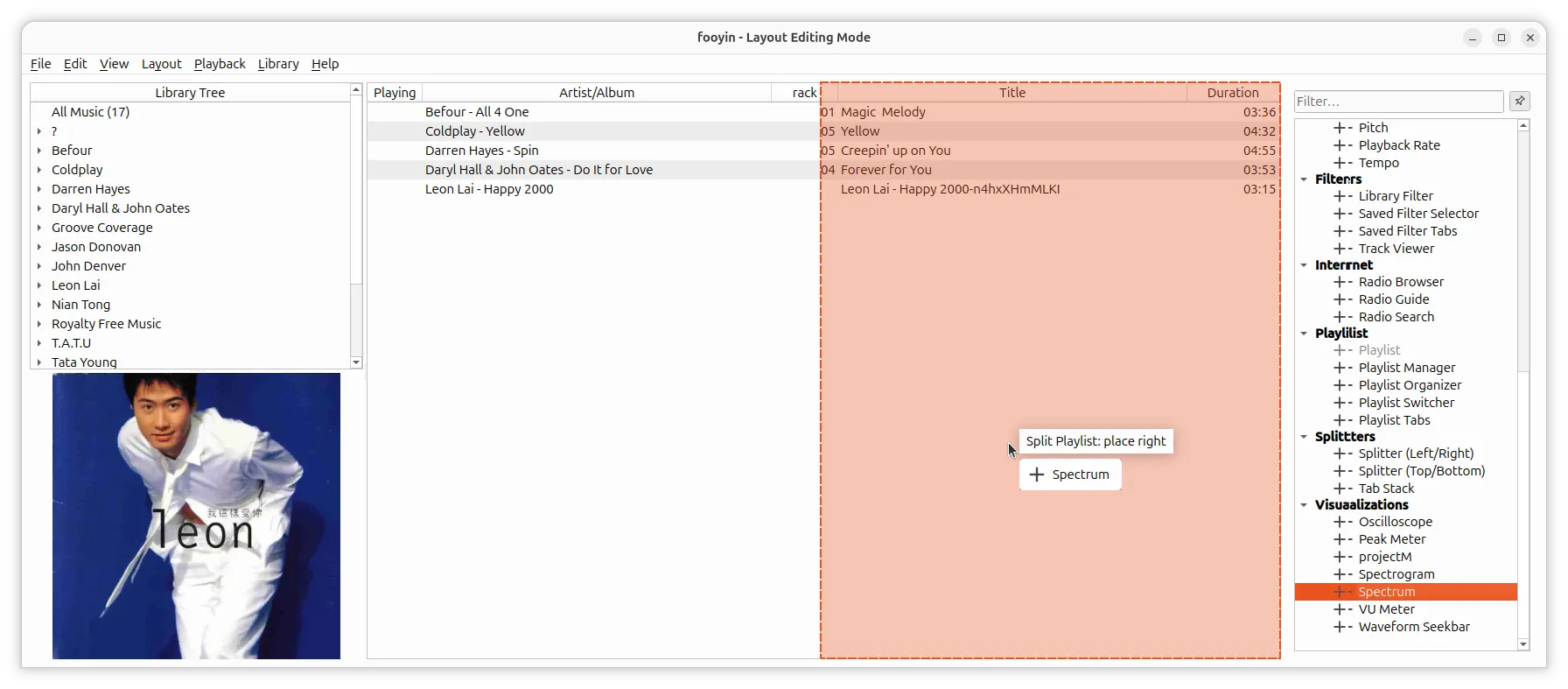
Besides new layout editing, it also added a new Track Viewer widget that works with Library Filter to display tracks matching the current selections.
Lyrics, Script Display, and Queue Viewer now supports custom backgrounds. Toolbar layout is customizable. And, a standalone Library Tree added as separated window.
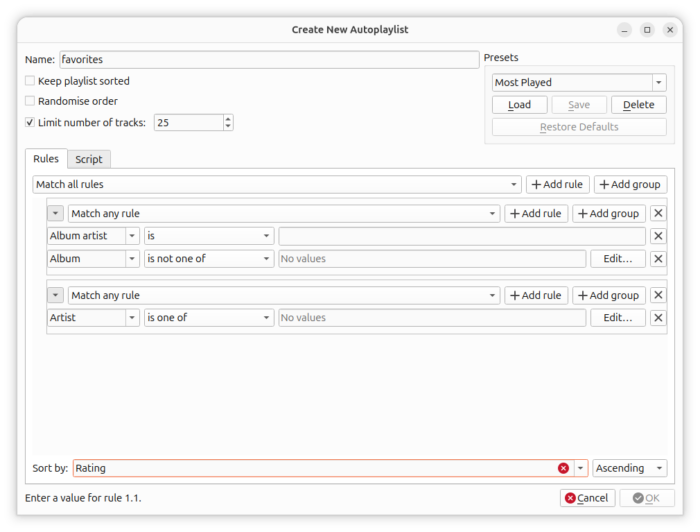
For advanced users, it introduced a visual editor to create autoplaylists. There you can create and edit autoplaylist queries, with inline groups using AND, OR, and XOR rules.
The audio playback in Fooyin 0.14.0 has been updated with several new native decoders.
They include native decoders for Opus, Vorbis, MP3, as well as decoder for playing FLAC files that contain DTS multi-channel audio format.
Other changes include:
- JACK output.
- True Audio files (tta) playback.
- A-B repeat to loop a specific section of audio track.
- Per widget playlist settings.
- Drag and drop plugin install.
- Scriptable Playlist Tabs text.
Get Fooyin 0.14.0
There are also a large amount of other improvements and bug-fixes in the release. Along with the installer packages, they are available in the link below:
For Linux, select download .rpm or Fedora, .deb for Debian, Ubuntu, and Linux Mint.
If you don’t know which one to choose, run cat /etc/os-release in terminal to tell your OS code-name, and uname -m to tell the CPU architecture type.
For choice, choose AppImage that can run without installation (just add executable permission, and run to launch the music player). or install the flatpak package that runs in sandbox environment in most Linux distributions.