For those who want to try out the most recent Mesa graphics library 26.2, it’s finally easy to install in Ubuntu through the popular kisak-mesa fresh PPA.
Mesa is the user-space open-source graphics drivers and libraries let apps and games on Linux access to the GPU, especially for Intel/AMD GPUs.
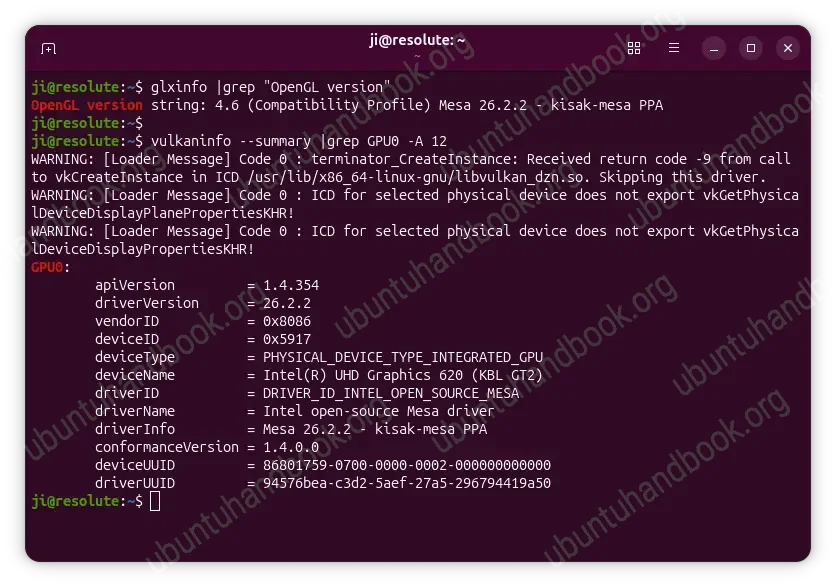
The latest Mesa version so far is 26.2.x, while Ubuntu still provides the 26.0.x for Ubuntu 26.04 and 25.2.x for 24.04.
The new Mesa added support OpenCL 3.1 applications running with Apple AGX, Intel, AMD, Vulkan-based GPUs, and CPU software backends.
For Intel GPUs, the OpenCL implementation features improved performance for compute workloads. The Vulkan driver now provides synchronized GPU and CPU timestamp information. And, it now supports measuring frame display timing for the older Intel “Haswell” (Gen7) GPUs.
The changes for AMD GPUs also include compute workload improvements in the OpenCL driver. And, it now supports Vulkan split shader barriers, which can improve GPU scheduling and reduce synchronization stalls in compute workloads on AMD GFX12 GPUs.
The Vulkan driver (RADV) can now use AMD GPU hardware protected memory features on Vega 10 and newer GPUs. And, it now supports the extension, allowing the CPU to copy data directly to and from Vulkan images without using GPU copy commands.
The new version also many new extensions support for Arm Mali, and PowerVR GPUs, as well as some improvements for NVIDIA users. It as well include numerous bug-fixes through the 2 point releases. See the release note page for details.
How to Install Mesa 26.2 in Ubuntu
Without building from source, the popular kisak-mesa fresh PPA maintained by Kisak Missive, a developer from Valve the company behind Steam, finally updated with Mesa 26.2.x for Ubuntu 26.04, Ubuntu 24.04, Linux Mint 22.x.
Simply press Ctrl+Alt+T on keyboard to launch a terminal window. Then run command to add the PPA:
sudo add-apt-repository ppa:kisak/kisak-mesa
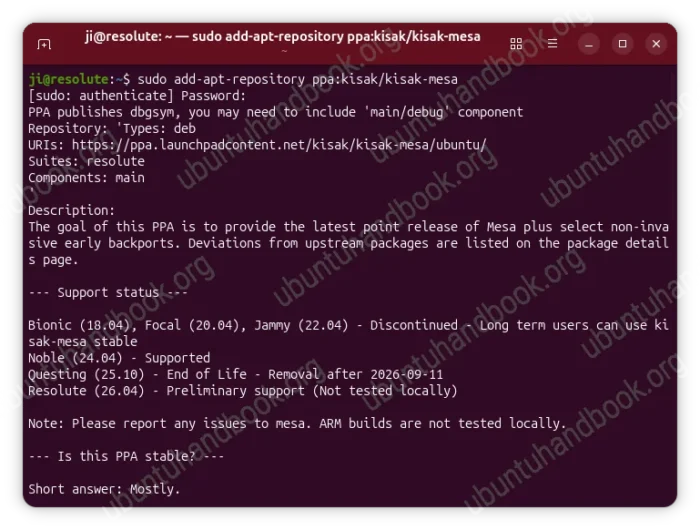
You can then either launch “Software Updater” utility and install all the available updates, or run the commands below to get the latest Mesa graphics suite:
sudo apt update
sudo apt full-upgrade
Finally, run either glxinfo | grep "OpenGL version" and/or vulkaninfo --summary to verify the driver version.
Restore Mesa to the Stock versions
For any reason, you may run the command below to install ppa-purge tool:
sudo apt install ppa-purge
Then, purge the PPA which will also downgrade Mesa to the previous default versions:
sudo ppa-purge ppa:kisak/kisak-mesa