Firefox 158.0, the new biweekly release of Mozilla’s web browser, is available to download.
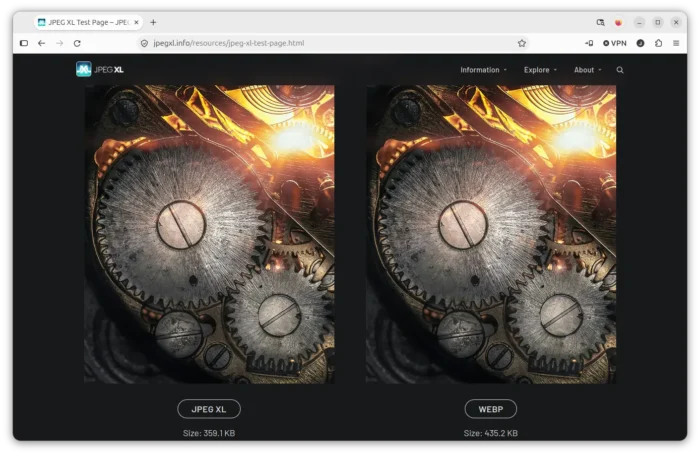
The new version of this popular web browser finally added out-of-the-box support for JPEG-XL image format, which has been available for testing in Firefox Labs since v152.0.
This version improved PDF support by fixing a variety of PDF rendering issues, such as missing math symbols. And when saving a web page as PDF or printing on Linux and macOS, it now creates more accessible PDFs.
For smart window users, the form fill feature is now faster than before, as it will now suggest data to use based on your relevant open tabs and saved auto-fill data. Though, it’s a progressive roll-out feature that may not available for you.
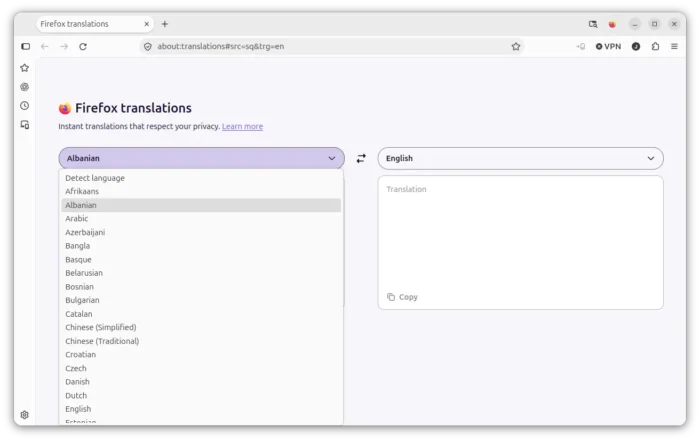
Other changes include Albanian, Belarusian, Filipino languages support in translations, smoother and more precise scrolling on HiDPI display, and keep custom wallpapers under “Your images” title in new tab.
For developers, Firefox 158.0 features:
- Add support typed arithmetic in CSS
calc(). - Add support the
navigateoption for theNotificationconstructor andServiceWorkerRegistration.showNotification(). - Show the WebAuthn conditional UI on input elements with an
autocomplete=\"webauthn\"attribute. - Support the
cachevalue forPerformanceResourceTiming.deliveryType. - WebGL extension
EXT_polygon_offset_clampon compatible devices.
Get Firefox 158.0
The new 158.0 as well includes various crash, security, and other bug-fixes, see the link below for the official release note:
As the link above is not ready at the moment of writing, you may go to this Mozilla web-page for the source and installer packages for Linux, Windows, and macOS.