FFmpeg, the popular multimedia library, released new 8.1.1 version few days ago.
This is a maintenance release that includes mostly bug-fixes, stability improvements, as well as few minor new features.
News, Tutorials, Howtos for Ubuntu Linux
FFmpeg, the popular multimedia library, released new 8.1.1 version few days ago.
This is a maintenance release that includes mostly bug-fixes, stability improvements, as well as few minor new features.

FFmpeg, the popular multimedia library, release new major 8.1 version yesterday on March 16th.
The new version, code-name “Hoare”, features some new encoders and decoders for more codecs support, new filters, and other improvements.
FFmpeg, the popular multimedia library released new version 8.0.1 in last week. Here’s the PPA contains the .deb packages for all current Ubuntu users.
As a maintenance update, the release includes only minor new features, some improvements, and bug-fixes. And, the FFmpeg website does not even provide an official release note for it.
FFmpeg, the popular free open-source multimedia library, released new major 8.0 version almost a year since the last 7.1.
The new FFmpeg 8.0, codename “Huffman”, added native decoding support for Samsung’s Advanced Professional Video (APV) codec, Apple’s ProRes RAW, Sanyo LD-ADPCM, RealVideo 6.0, G.728, and ADPCM IMA Xbox.
Continue Reading…

Just few weeks after the last release, HandBrake video transcoding released new 1.9.2 version with few more fixes.
In new HandBrake 1.9.2, it now allows muxing NVENC AV1 and VCN AV1 in WebM container. It also fixed a crash that could happen when a source contains chapters with no titles.
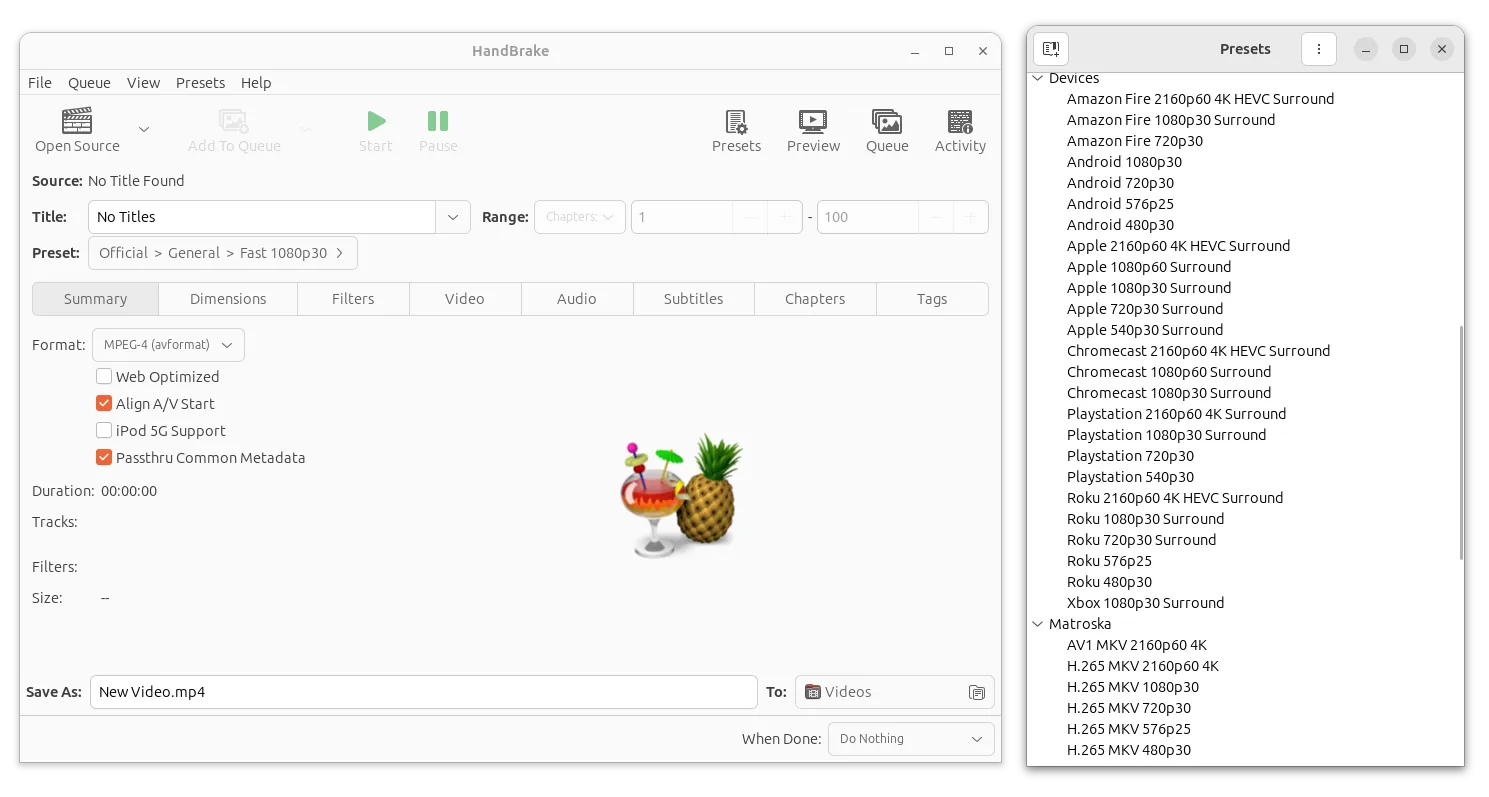
HandBrake video transcoder released new 1.9.1 version a few days ago. Here are the changes and native .deb packages for Ubuntu users.
The new HandBrake 1.9.1 contains primarily bug-fixes. It fixed FFV1 pixel format selection when an hardware decoder is used, causing incorrect bit depth output.

Upscayl, the popular free open-source AI image upscaler, announced new 2.15 released at Christmas!
The release improved user experience for enlarging and enhancing low-resolution images by new AI module and improved module selection dialog.
Instead of choosing from drop-down box, it now shows a pop-up screen. From where you may choose between modules with image previews.

Upscayl – AI mode selection dialog

The popular FFmpeg media library released new version 7.1 a few days ago. Here are the new features and Ubuntu PPA for Ubuntu 22.04 and Ubuntu 24.04 users.
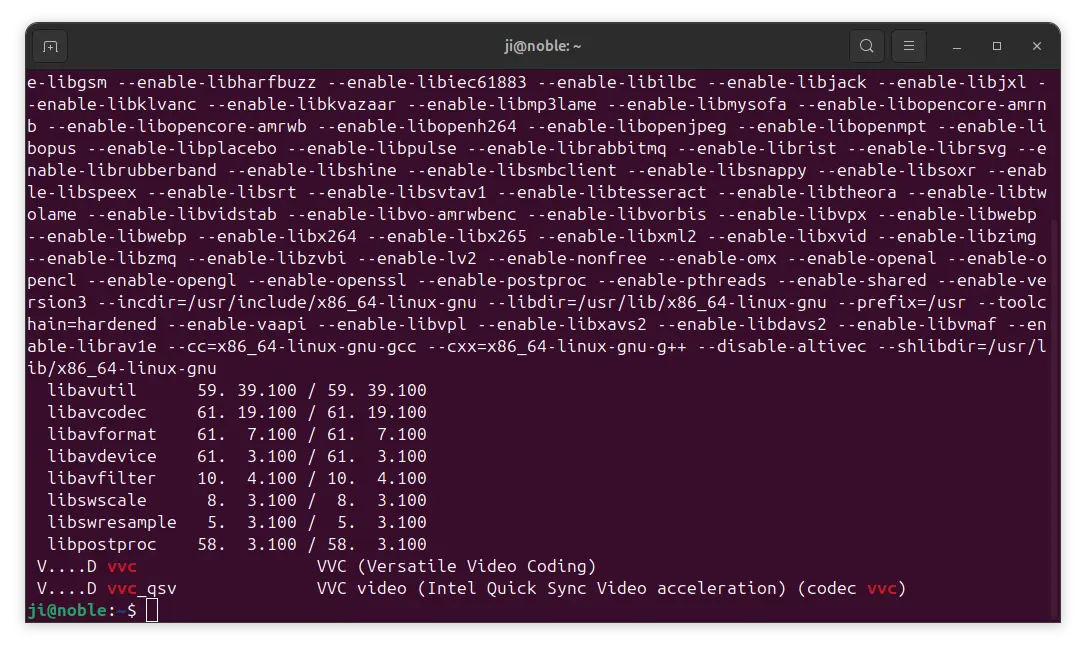
The new release of FFmpeg library added official VVC decoder support. Versatile Video Coding (VVC in short), also known as H.266, has about 50% better compression rate for the same quality compared to HEVC (aka H.265). It supports resolutions ranging from very low up to 4K, 16K, and 360° videos, as well as YCbCr 4:4:4, 4:2:2 and 4:2:0 with 8–10 bits per component, HDR, variable and fractional frame rates from 0 to 120 Hz, and more.
FFmpeg added experimental VVC decoding support since the last 7.0 version. Now, the decoder goes official and it’s compatible with DVB test content. The release also supports for decoding VVC with Intel Quick Sync Video acceleration. As well, it supports encoding VVC using libvvenc library.

This simple tutorial shows how to easily turn your Ubuntu or Debian into home media server, so that you can listen to the music, watch photos and videos that are stored in Linux PC remotely using your mobile phones and/or smart TVs.
GNOME, the default desktop in Ubuntu and Fedora Workstation, has built-in option to enable this feature. It uses Rygel home media solution as backend.
It automatically transcode media to a format compatible with the client device. And, client machines that supports DLNA/UPnP, such as Sony PlayStation, Microsoft Xbox, smart TV, Android, iOS, can access them through the local network.
Continue Reading…

The first point release of Kodi 20 ‘Nexus’ is out today after almost 2 months of development.
As the title said, the new Kodi 20.1 includes mainly bug-fixes. It introduced a new algorithm to look to overcome some audio issues on Android devices. Fixed DVD playback folder structures over network sources (e.g. SMB/NFS/HTTP, etc.)
Other changes include:
Kodi website provides the downloads for all supported platforms.
For Ubuntu and Linux Mint users, the official PPA repository is one of the best choices to install the media play. So far, it supports Ubuntu 20.04, Ubuntu 22.04, Ubuntu 22.10, Ubuntu 23.04, Linux Mint 20/21.
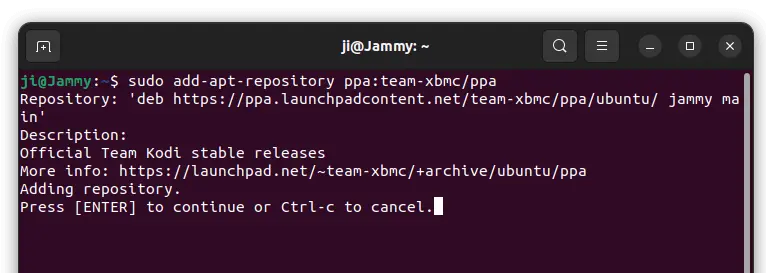
1. First, open terminal by pressing Ctrl+Alt+T on keyboard. When it opens, run command to add the PPA:
sudo add-apt-repository ppa:team-xbmc/ppa
Type user password (no asterisk feedback) when it asks and hit Enter to continue.
2. Software Updater may not upgrade the media center if an old version was installed in Ubuntu 22.04. Instead it show ‘Partial Updates’ issue.
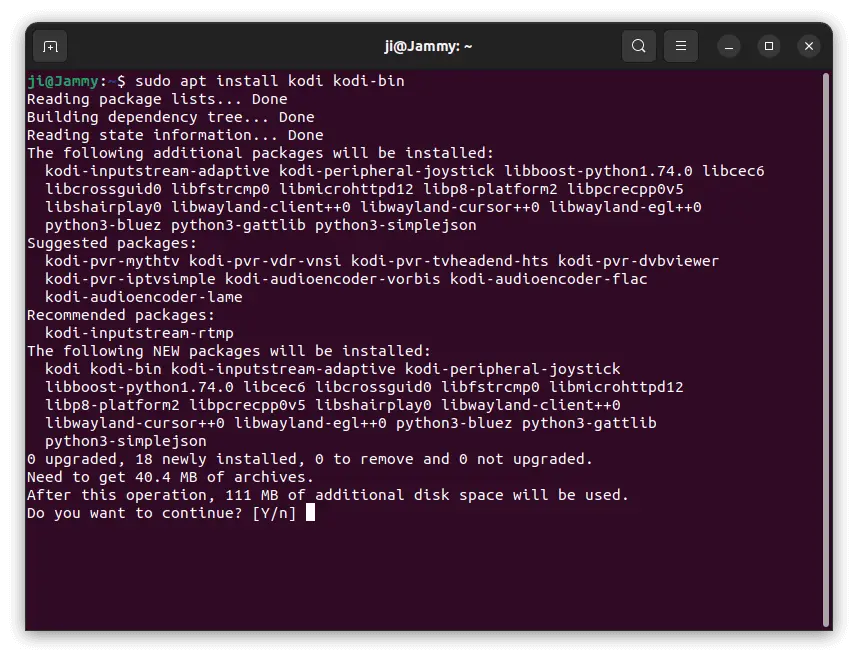
As a workaround, either run apt install command below:
sudo apt install kodi kodi-bin
Or run sudo apt full-upgrade to install all available updates (you may still need to install kodi-bin manually). For Linux Mint, run sudo apt update before doing updates!
For choice, you can either run command in terminal to purge the PPA, which will downgrade Kodi to stock version in system repository:
sudo apt install ppa-purge && ppa:team-xbmc/ppa
Or manually remove the software package via command:
sudo apt remove kodi kodi-bin --autoremove
And remove the PPA via command as you prefer:
sudo add-apt-repository --remove ppa:team-xbmc/ppa