
Inkscape, the free open-source vector graphics editor, released new 1.4.4 version for Linux, Windows, and macOS users.
The new version of this GTK application introduced various stability fixes, some new features, and performance improvements.
First, Inkscape 1.4.4 is a bridge release that:
Inkscape 1.4.4 is also a bridge release in the sense that it can be used to convert the planned Inkscape 1.5 multipage file format to the pre-1.5 multipage format. Versions lower than Inkscape 1.4.3 will not be able to interpret pages created in Inkscape versions 1.5 and upwards.
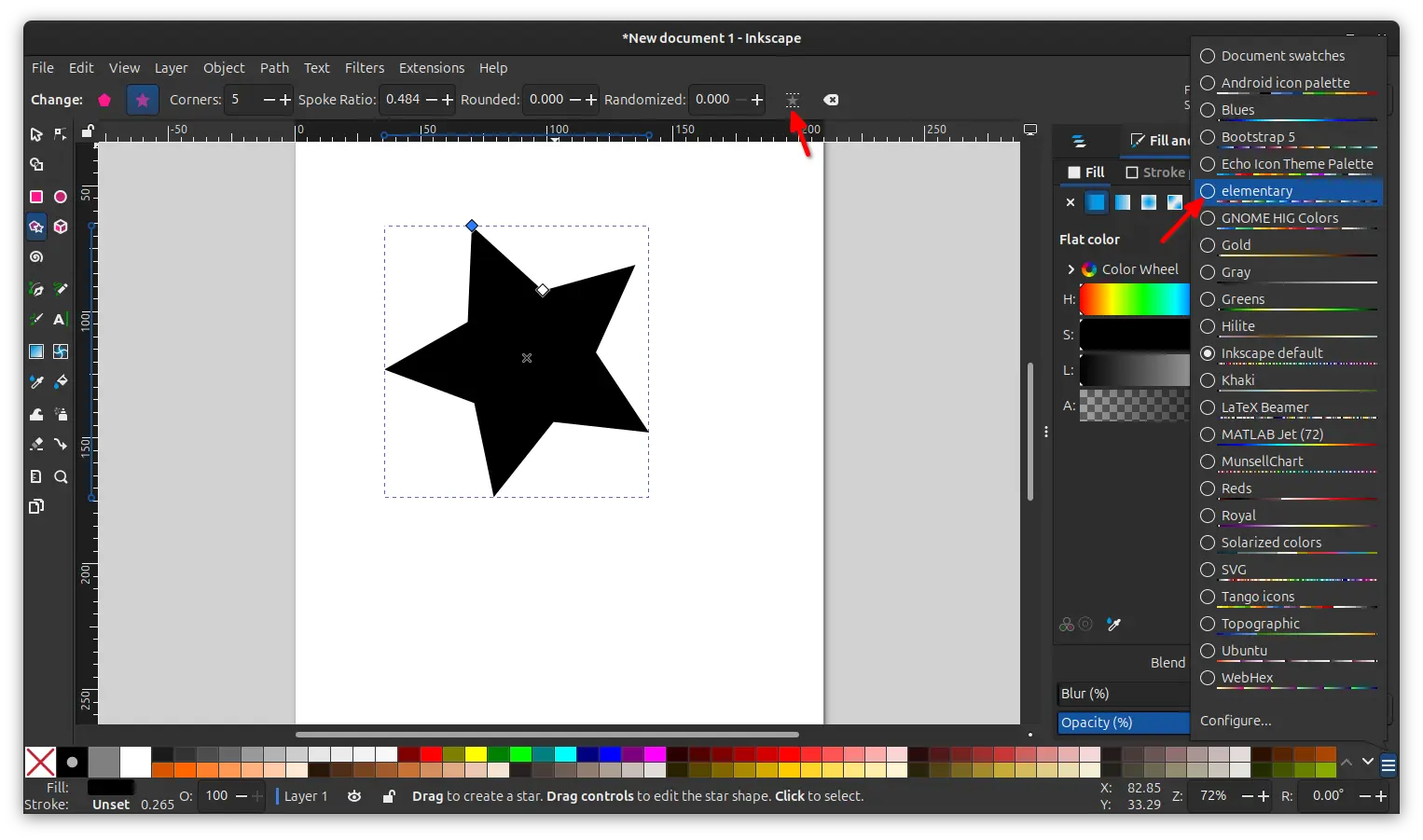
The new features include new tool option for Star / Polygon Tool to rotate the selected star or polygon into an upright position, and, a new palette for the colors used by elementary OS.
Besides the new features, the new version also introduced some performance boosts. Zooming in on a document with lots of paths, copy’n’pasting large numbers of objects with gradients, opening the dialog with many objects selected, and selecting paths with the Object Properties dialog open are now much faster!
As well, editing gradients with the Gradient Tool is faster now, because the editor does no longer continuously update the tool controls bar anymore.
The new 1.4.4 version also fixed various issues. Up / Down arrow keys can now navigate between objects in layer and object panel. The expander arrows now clickable in RTL (Right to Left) languages. And, text rendering now respects the language metadata (xml:lang)for each tspan separately, instead of using the last tspan‘s language setting for the whole text.
It as well fixed 20 crashes issues, such as crash when starting app with multi-entries for the same file in recent list, starting app with a graphics tablet plugged in, trying to open SVG file with broken markers, and various other cases.
Other changes in Inkscape 1.4.4 in include:
- Add ability to keyboard shortcut for Paste on page.
- No longer open a terminal window for Windows on ARM.
- Add
libuemfsubmodule. - And translation updates.
This version also includes some known issues, see the release note page for details.
How to Install Inkscape 1.4.4
Inkscape provides official packages for Linux, Windows, and macOS, which are available to download via the link below:
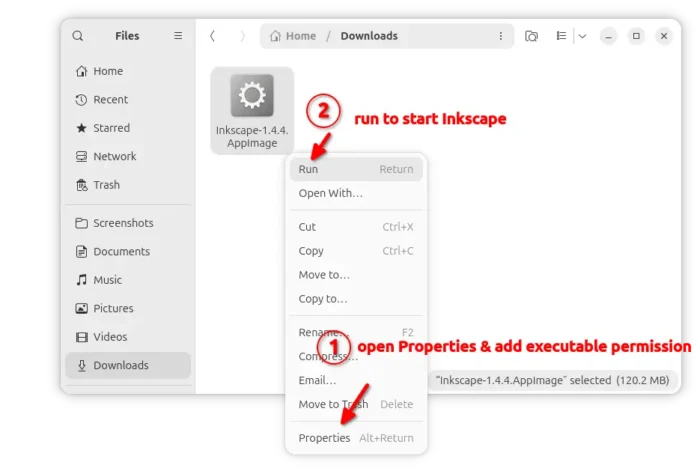
For Linux, it’s non-install AppImage. Just add executable permission from its Properties dialog, then run to start the graphics editor.
Ubuntu user may choose install the Snap package which is available in App Center or Ubuntu Software. Also, there’s a Flatpak pacakge available in the Flathub repository.
For Ubuntu and Linux Mint, there’s also an official PPA that contains the native .deb packages for Ubuntu 22.04, Ubuntu 24.04, Ubuntu 25.10 and 26.04.