Firefox 152.0, the new monthly release of the popular free open-source web browser, is available to download.
The new version features a redesigned settings page. It now separates settings in more groups in left, such as Account and sync, Password and autofill, Appearance, Accessibility, Permission and data, and more, providing a clearer interface to customize the web browser.
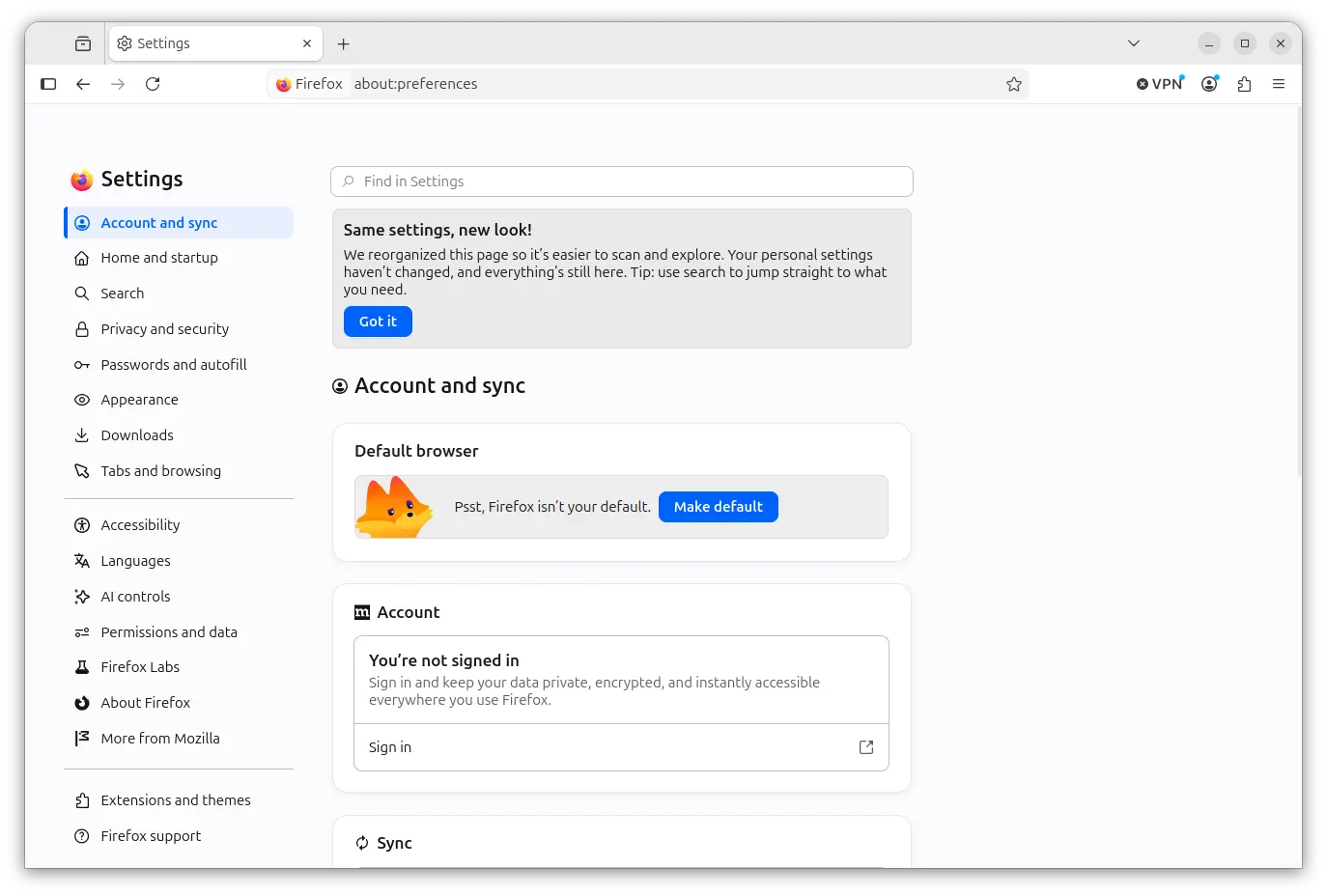
New Firefox Settings page
In the Private Browsing mode, user can now temporarily disable tracker blocking. If a web page is broken due to tracker blocking, simply reload that tab, Firefox will show a message with option to reload without the stricter protections, while, keeping all other tracking protections active.

For Linux and Windows, without the requirement to switching to the target tab, user can now right-click on a tab and go to “Share -> Copy Link”, to copy the URL into clipboard. When multiple tabs selected, it can copy all the URLs at once, one URL per line. While, Windows users still retain access to Microsoft sharing options from the Share menu.
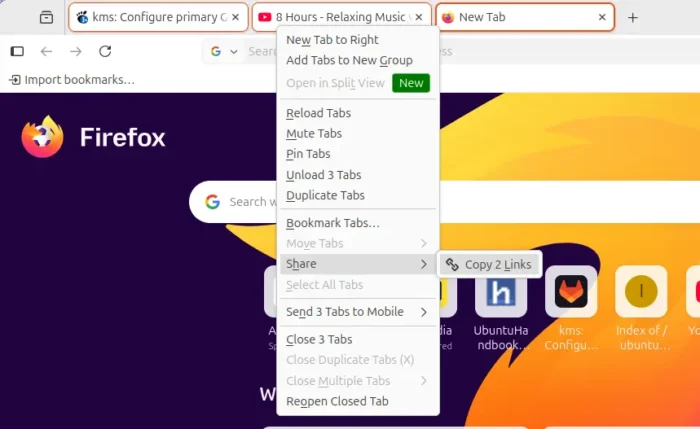
copy tab URL
Firefox 152.0 also improved the video playback control. It can now play, pause, fullscreen, mute, and loop video in the context menu, even on sites like Instagram and TikTok where custom video players previously blocked access to them. And, it now supports address bar quick action (try “mute”, “shush”, or “sss”) to mute browser across all Firefox windows.
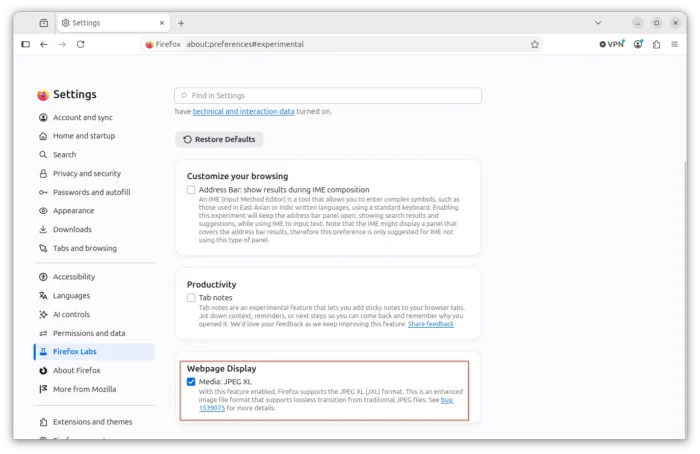
It also added experimental support for JPEG-XL (.jxl), the next-generation image format designed to succeed legacy formats like JPEG, PNG, GIF, and WebP. To enable this feature, go to Settings -> Firefox Labs and check it under Webpage Display section.
Other changes in the release include:
- New “Send tab” button available in customize toolbar.
- Add action buttons for Web Notifications.
- New Basque, Galician translations.
- Built-in dictionary for the Firefox spellchecker in Croatian, English (UK), Georgian, Persian, Slovenian, Tajik, Tamil, Tibetan, Turkish, Welsh, and Xhosa built.
- More site zooming levels in smaller increments.
- Improved support for more advanced cursor movement commands.
- Add field-sizing property.
- Support WebAuthn Related Origin Request.
- Add unadjustedMovement option for the Pointer Lock API.
- New option in Developer Tools to toggle the display of comment nodes in the Inspector.
- Improve dragging images from Firefox to the desktop or Finder on macOS.
- Various security fixes.
Get Firefox 152.0
The official release note as well as the download link are available in the Firefox website via the link below:
For Ubuntu, the pre-installed Firefox is a snap package that will update automatically. If you prefer the native .deb package, either download Firefox from the link above or use Mozilla Team PPA, though you need to set package priority for either. See this step by step guide for details.