Shotwell, the digital photo organizer for GNOME, released new major 33.0 version a day ago.
The new version of this Ubuntu default/pre-installed app (when Ubuntu installed in Extended selection mode) is finally ported to GTK4.
Shotwell 33.0 now is based on GTK4 app but NOT Libadwaita. Meaning it can now use GPU-accelerated rendering, it has improved Wayland and HiDPI support, and it features better GNOME integration.
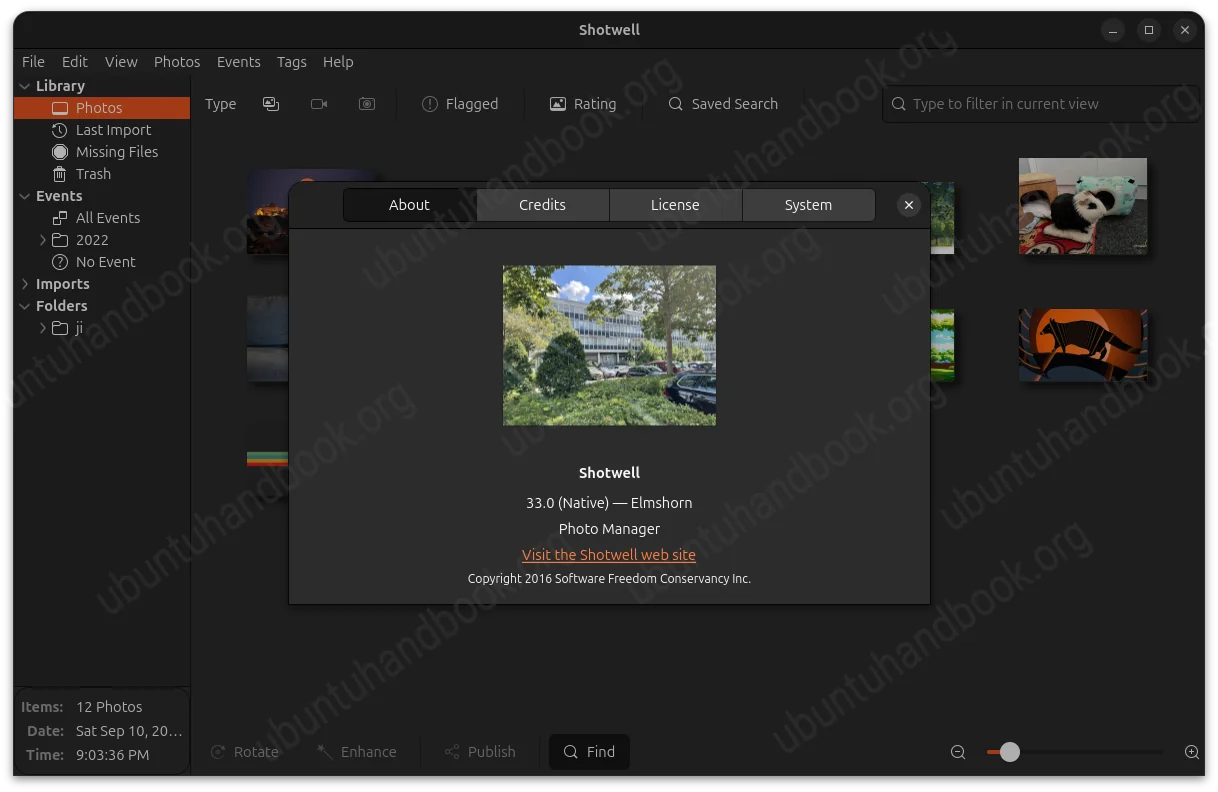
But, the UI looks quite similar to the old releases that used GTK3. The only big visual differences include native file chooser and print dialogs. And, the file menus and context menu (the DEB version) look better than before.
The drag and drop behavior has been improved. Instead of popping up a dialog asking for your choice, it now directly imports (copy & import) the images you dropping into the app window. And, the imported images are automatically grouped according to their date and time metadata.
For online services, such as Flickr and Google Photos, the authentication runs a small local web server to receive the login callback from the web browser instead of launching a separate authentication program.
Other changes in Shotwell 33.0 include:
- Add support for opening URIs (e.g.,
trash:///,file:///) with the viewer. - Introduce Toasts (small temporary notification) to replace simple dialogs.
- Allow pop-up of context menu with keyboard (shift + F10).
- Disable face detection in viewer.
- Add a help overview of the keyboard shortcuts.
For more about the release, see the NEWs file in Gitlab project page.
How to Install Shotwell 33.0
Shotwell provides official package for Linux through Flatpak package, which works in most Linux though runs in sandbox.
Fedora Workstation and Linux Mint 22.x can simply search and install the Flatpak package from either GNOME Software or Software Manager.
While Debian/Ubuntu users may run the 2 commands below one by one to install the Shotwell flatpak from terminal:
sudo apt install flatpak
flatpak install https://dl.flathub.org/repo/appstream/org.gnome.Shotwell.flatpakref
Log out and back in if the app icon is not visible, or run flatpak run org.gnome.Shotwell command to start the package from terminal.
For user who prefer the native .deb package, I’ve built the release into this unofficial PPA, for Ubuntu 26.04 LTS only because old Ubuntu releases do not match the minimum GTK4 version requirement.
To add the PPA and install Shotwell 33.0, launch terminal (Ctrl+Alt+T) and run the commands below one by one:
sudo add-apt-repository ppa:ubuntuhandbook1/shotwell
sudo apt update
sudo apt install shotwell
NOTE: the PPA also contains libgexiv2-0.16-4 required for installing Shotwell 33.0. It won’t break system default gexiv2 0.14. But DON’T manually install the gir1.2-gexiv2-0.16, libgexiv2-dev, libgexiv2-doc, python3-gexiv2 packages that may break dependencies.
So, it’s better to remove PPA afterward by running the commands below one by one:
sudo add-apt-repository --remove ppa:ubuntuhandbook1/shotwell
Also run sudo apt update to refresh cache.