



Audacity released the new 4.0.0 version a few days ago! Here’s the new PPA contains the native .deb for Ubuntu 26.04 LTS.
The new 4.0.0 version of this audio editor and recording application is a new major release that ported its UI from wxWidgets to Qt6 with native high-DPI rendering support.
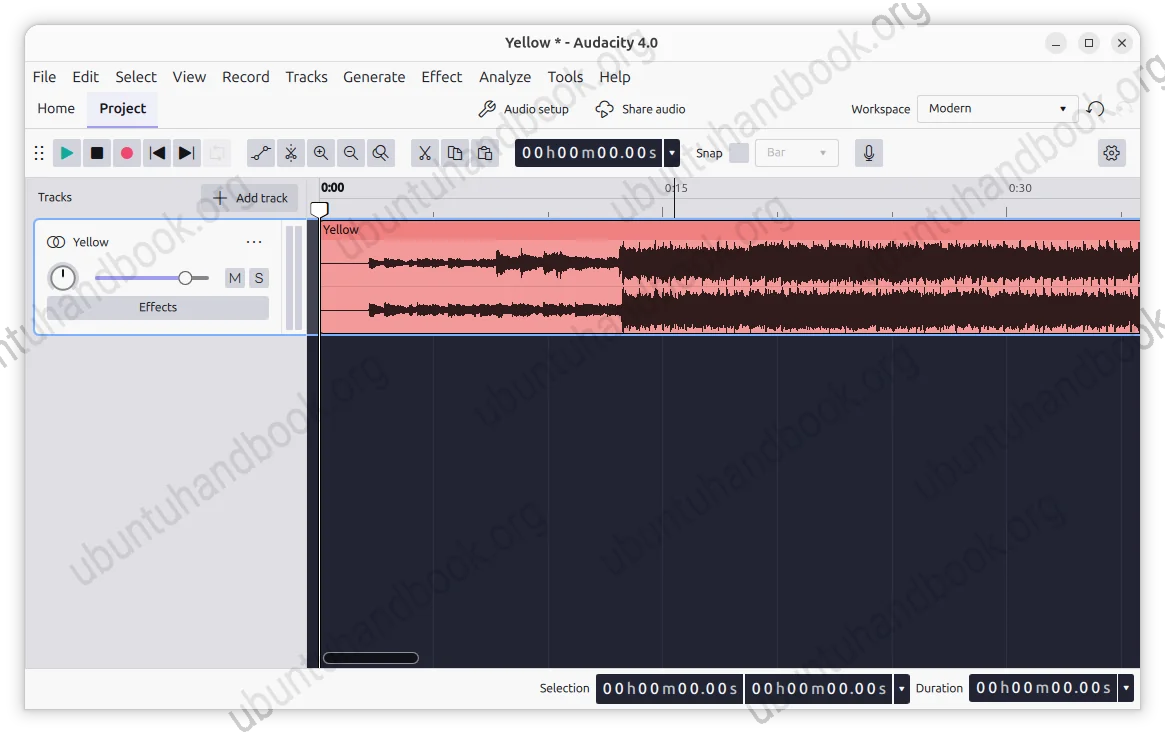
Thanks to Qt port, toolbars and panels are now movable and dockable. Meaning you can now drag and drop to rearrange them, or let them float as separate windows. And, a new Workspaces sub-system is added, so that you can save your prefer app layout as a preset.
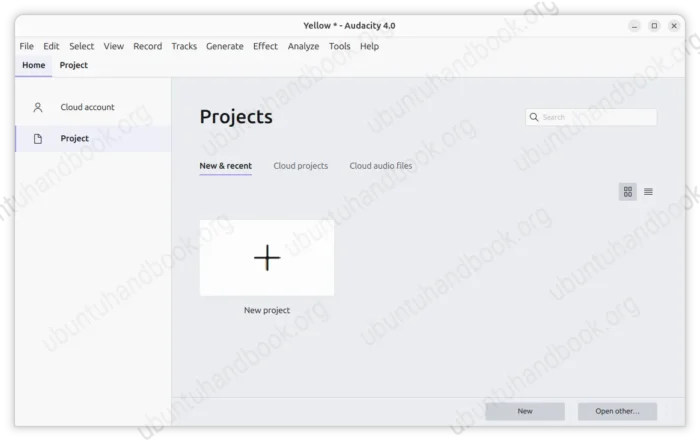
In addition, a new Home is introduced, allowing to manage your recent projects and cloud audios, while, current working projects are opened in tabs.
Besides the UI changes, Audacity 4.0 now uses new .aup4 project format that stores preview thumbnails as well as additional clip and appearance data.
It supports opening the old .aup3 format and converting to the new .aup4, but new project format cannot be converted back. As well, it supports importing the older .aup projects.
The clip editing has been improved that user can now click a clip header to select it, or shift+click to select multiple clips and edit them together.
And, user can now press and hold S then click on the waveform or clip header to split audio clips. While split-cut, split-delete, split at silences and split to a new track are also available as commands.
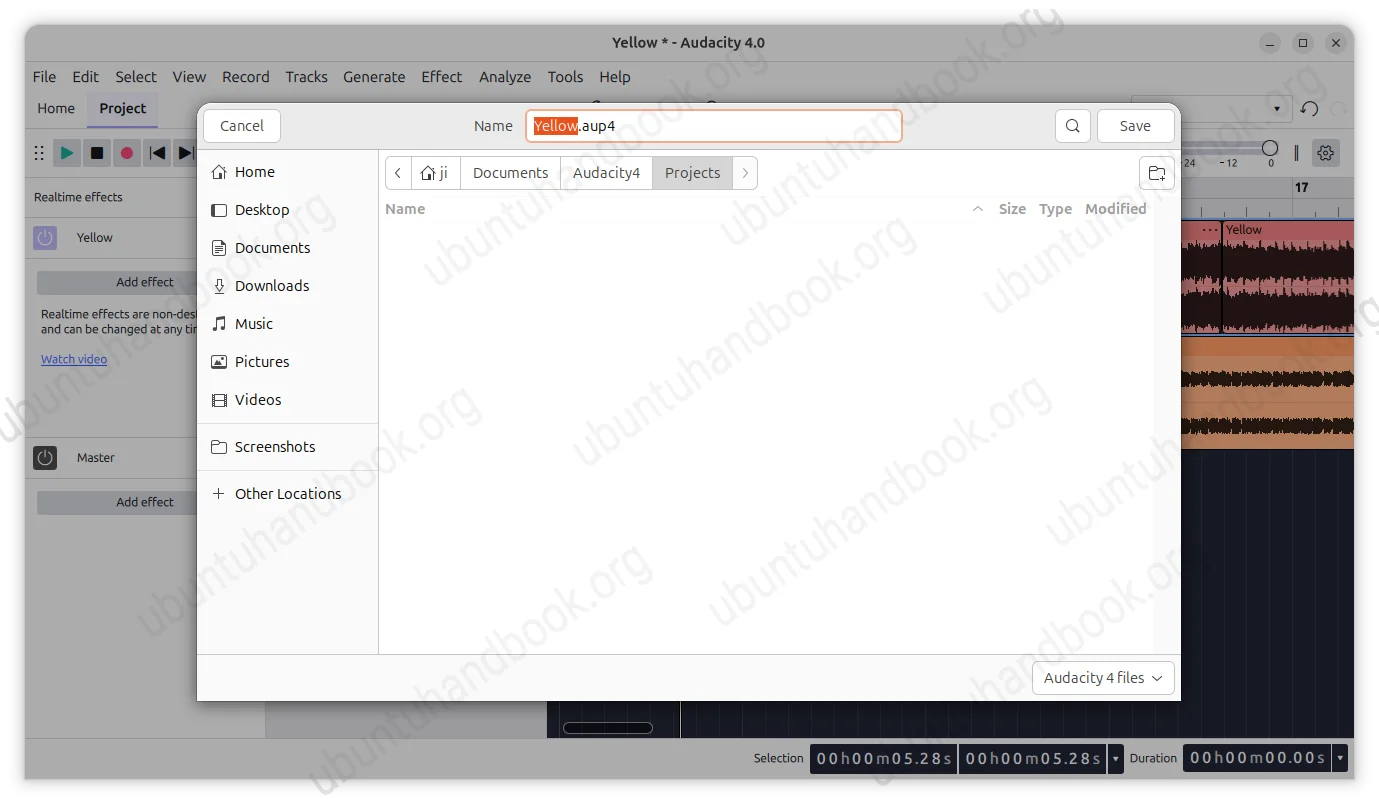
new aup4 project format
Other changes in Audacity 4.0.0 include:
- Light, dark and high-contrast themes, along with accent colors.
- ASIO playback and recording support for Windows.
- Plugin formats: VST3, Nyquist, LV2 on Linux and Audio Units on macOS.
- Remove the separate Select, Envelope, Draw and Multi-tool modes.
Compare the last 3.x release series, some features are still missing. They include Time Tracks, Note/MIDI tracks, Mixer, Macro Manager and the scripting pipe, VAMP and LADSPA plugin hosting, Play-at-speed.
For more about Audacity 4.0.0 see the official Youtube Video, or visit the link below.
How to Install Audacity 4.0.0
The official release note as well as the installer packages for Linux, Windows, and macOS are available in the project page via the link below:
For Linux, select download the AppImage (x86_64 for Intel/AMD, aarch64 for Raspberry Pi and SnapDragon X), then add executable permission from its Properties dialog, finally run the launch the software.
Though, Debian and Ubuntu users need to install the libfuse2 library first for AppImage support. To do so, launch terminal and run command:
sudo apt install libfuse2
For Ubuntu 26.04 users who prefer native .deb package, I’ve build the new release package into this Ubuntu PPA with amd64/amd64v3/arm64 platforms support. While, the Audacity 3.x PPA is also available for those who need it.
NOTE: backup your projects first, before upgrading from Audacity 3.x to 4.0.0.
To add the PPA and install the package, open terminal (Ctrl+Alt+T) and run the commands below one by one:
sudo add-apt-repository ppa:ubuntuhandbook1/audacity4
sudo apt update
sudo apt install audacity
The PPA package now supports Audio.com due to offline build support. However, Ubuntu 24.04 and Ubuntu 22.04 are no longer supported because it requires Qt6 >= 6.8 that they don’t match.















No noble ;(
Sadly the Qt library in noble (24.04) does no longer match the minimum requirement for building Audacity 4.0.0