GIMP, the popular GTK image editor, released new 3.0.8 version a few days ago.
The new version is a maintenance release that includes various bug-fixes, improvements, as well as some minor new features.
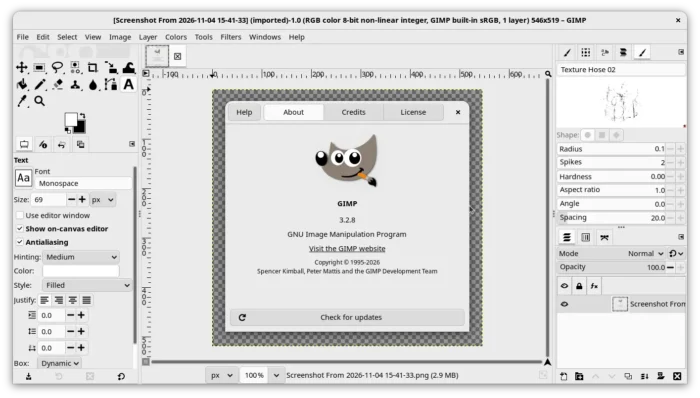
First, GIMP 3.2.8 improves the Text Tool with better support of RTL text as well as of mix of LTR and RTL texts.
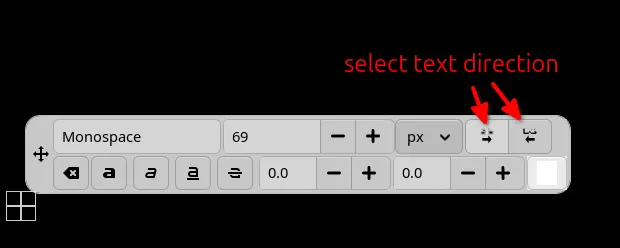
The on-canvas dialog now includes two new icons, allowing to quickly switch between Right-To-Left and Left-To-Right text, though it automatically detects your base text direction.
It also fixed editing text with negative kerning, and improved the text cursor movement when editing Right-to-Left languages.
The release improved the performance when drawing gradients larger than 6000 x 6000 pixels, and improved the appearance of channel entries in dark mode.
The Preferences dialog now opens faster. Border filter now allows to create semi-transparent borders. And, it now supports loading larger HEIF images.
For Linux, the AppImage now supports installing Python Wheels via pip. However, the minimum Linux requirement is a distribution released after Debian 13 (Trixie).
On the Windows side, the Print Preview now works with the Windows 11 Unified Print Dialog, and, Page Setup now uses the correct printer, not just the default one.
The Screenshot feature now works better on HDR displays. And, “Merged title bar” settings now work better with system features such as task bar minimizing.
For macOS, GIMP now uses system native ScreenCaptureKit API for taking screenshots. And, the title bar background rendering issue has been fixed for macOS 27+.
Other changes in GIMP 3.2.8 include:
- Deprecate
gimp_plug_in_add_menu_branch(). - Allow plug-in, script developers to add submenus in named menu sections.
- Various security fixes and other changes.
For more about the release, see the official announcement.
How to Install GIMP 3.2.8
GIMP provides official packages for Linux, Windows, and macOS, which are available to download in its website via the link below:
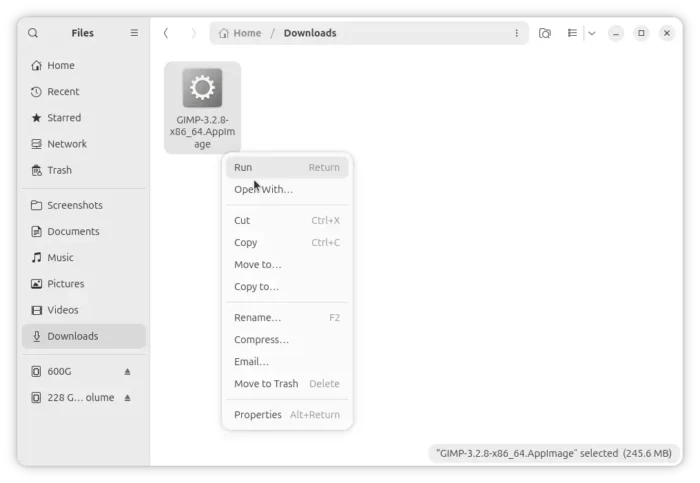
For Linux, choose AppImage, Flatpak, or Snap package that work in most Linux Distributions.
And for Ubuntu users who prefer native .deb package, I’ve uploaded the new release into this unofficial PPA for Ubuntu 24.04, Ubuntu 26.04, and Ubuntu 26.10.
NOTE: The PPA build farm seems busy. It may take several hours for the new packages to be published.
To add the PPA and install GIMP 3.2.8, open terminal and run commands below one by one:
sudo add-apt-repository ppa:ubuntuhandbook1/gimp-3
sudo apt update
sudo apt install gimp libbabl-0.1-0 gir1.2-gegl-0.4 libgegl-0.4-0t64