Linux Lite, the lightweight and beginner friendly Linux distribution, released new 7.8 version yesterday.
The new Linux Lite 7.8 is still powered by Kernel 6.8.0 and Ubuntu 24.04 package base, and features XFCE 4.18 desktop with customized layout and themes for better look and feel while keeping lightweight.
The third point release of Linux Mint 20 is out! Unlike Ubuntu, it has different code names for each point releases. And, Linux Mint 20.3 codenamed ‘Una’.
The release still has Kernel 5.4 though user may install updated Ubuntu patched Kernels using ‘Update Manager’. And, it features Cinnamon 5.2, MATE 1.26, and XFCE 4.16 for each desktop editions.
XApp Updates:
Linux Mint now has a new Xapp “Thingy“. It’s a Document Manager for user to quick access to favorite and recently opened documents and keeps track of the reading progress.
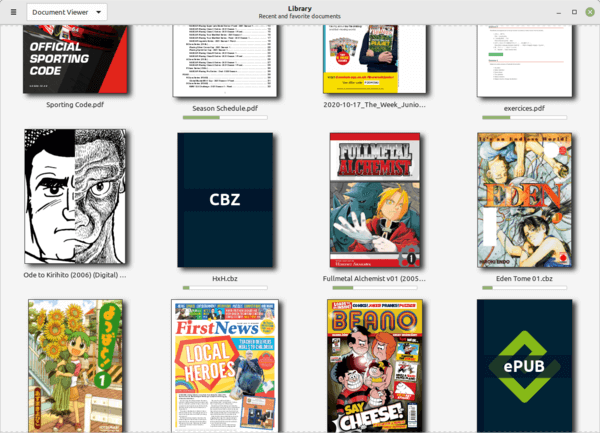
New Document Manager ‘Thingy’
Hypnotix IPTV Player now defauts to dark mode. And, it features a new search function, and Xtream AIP support.
The Sticky Notes also has a new search function and adds option to control the text size.
Theme updates:
Linux Mint 20.3 features full dark mode support. And some apps including Hypnotix, Celluloid, Pix, Xviewer and Gnome Terminal now default to dark.
The default “Mint-Y” theme now has rounded tittle bar corners and bigger buttons. Accents and feature colors removed on some widgets, and now only left on sliders, checkboxes, radios and the close button.
For those prefer the old look, the original Mint-Y theme is available as “mint-themes-legacy” package in the repositories.
Cinnamon 5.2:
The Cinnamon desktop has been updated to v5.2. It’s calendar applet features multi-calendar events, and online calendars and applications sync with evolution-data-server.
Calendar multi events support
There are also simplified animations, new radial shader effect added to clutter dialogs, new configuration options for windows list, notification and workspace switcher applets, and other improvements.
For those looking for a best looking Linux system, I would recommend Deepin and Zorin OS 16. And, I personally prefer the former one a bit more for the desktop appearance.
Deepin is based on Debian. It’s great, but for those stick to most recent NVIDIA drivers, Ubuntu PPAs, and/or the Ubuntu communities, then UbuntuDDE Remix is a good choice.
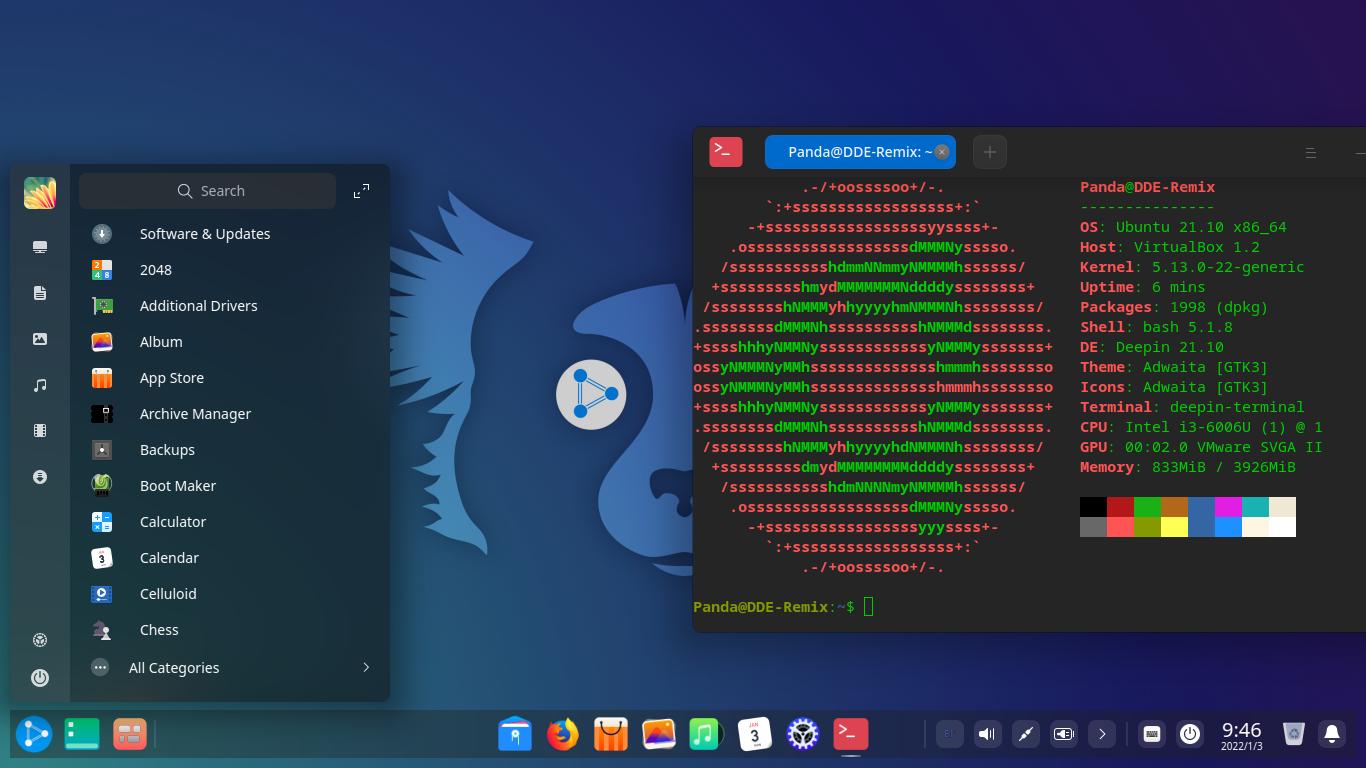
UbuntuDDE Remix is a Ubuntu flavor that uses the Deepin Desktop Environment. It includes all the goodies from Ubuntu while having the beautiful desktop appearance.
UbuntuDDE 21.10
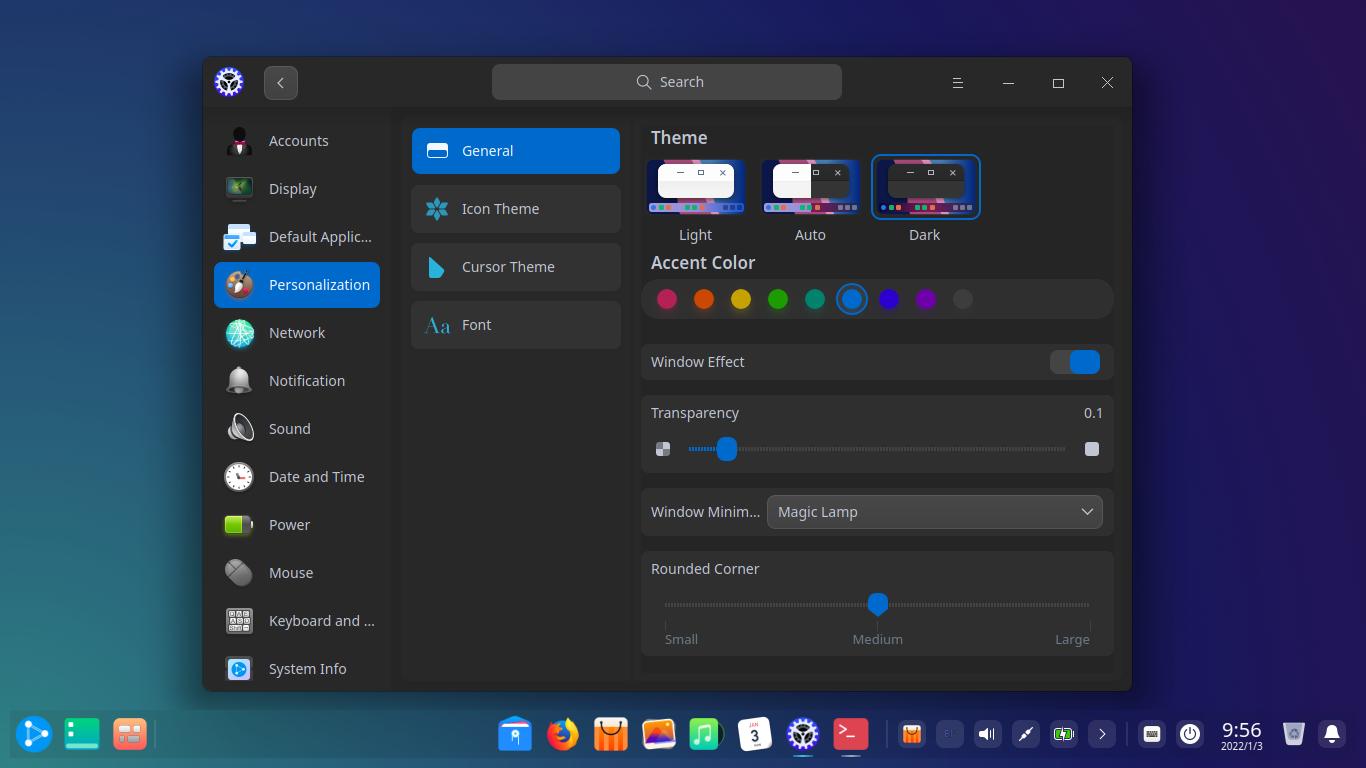
The desktop has a blurred panel and start menu, while allowing to adjust the background transparency. Core apps has GTK4 style rounded corners. And it’s has lots of configure options, including ability to toggle between full dark and light mode, and choose an accent color.
DDE Settings
UbuntuDDE Remix 21.10 was released with Ubuntu 21.10 package base, Linux Kernel 5.13, along with the latest DDE desktop and software packages. And, there’s new beautiful impish wallpapers. See the release note for details.
Download UbuntuDDE Remix:
The Ubuntu flavor requires 4GB RAM, 20GB disk space, and 2 GHz processor or better. The ISO image is available to download for 64-bit personal PC or laptop at the link below:
The beautiful Debian based Linux distribution Deepin 20.3 was released. Features Kernel 5.15, new features and optimizations for its core apps.
The stable Linux kernel has been updated to v5.15 with better support for Intel 12th Gen processors and NTFS file systems. Though the iso image by default boots with 5.10 LTS kernel, user have to select the new kernel to install from ‘Advanced’ menu in Grub boot-loader.
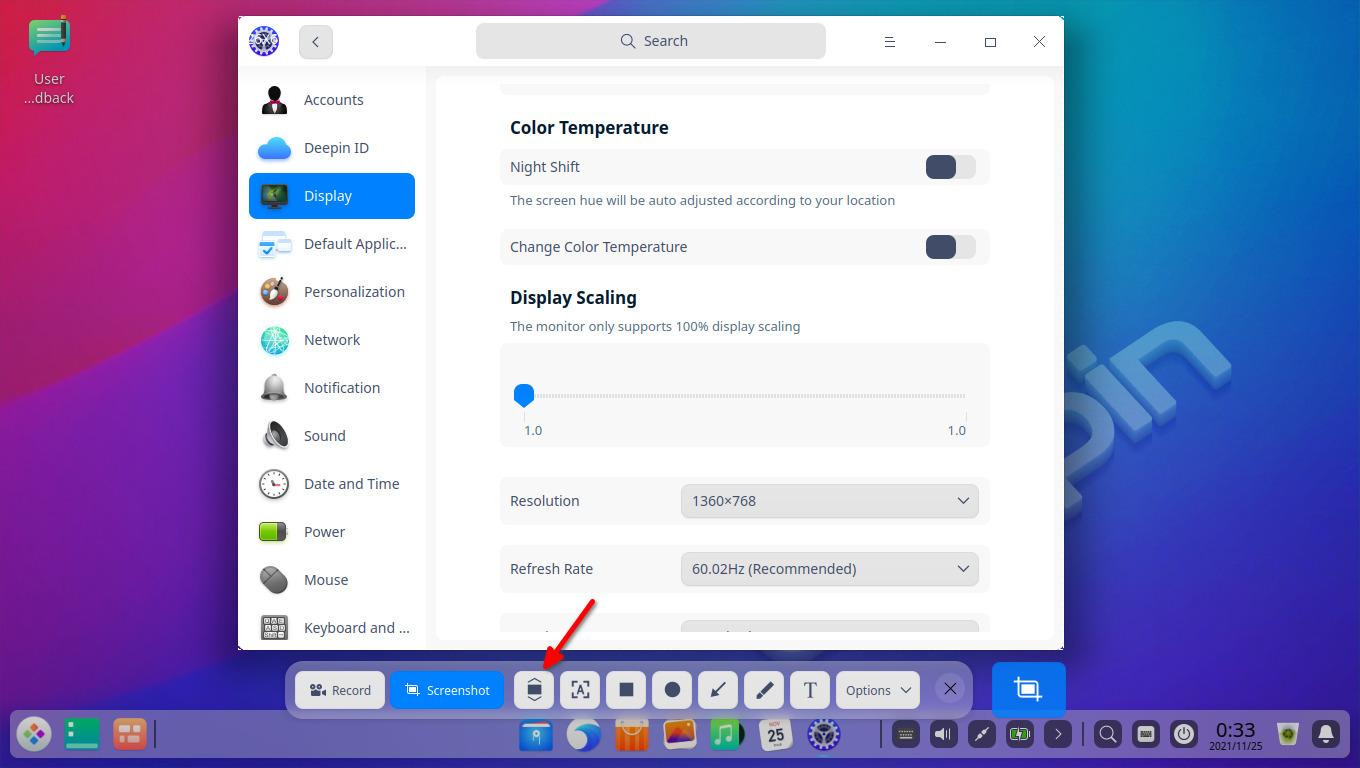
The Deepin screen capture can now take scrolling screenshots via the ‘Scrollshot‘ option. After selecting an app window to capture, a ‘Scrollshot’ option is available in tool-bar. By clicking on it, you may scroll the page to take a continuous screenshot with real-time preview. Also OCR is supported in this mode to extract text from image.
Deepin Scrollshot
In the extended mode, you may now set how to display the Dock on multiple displays via its right-click context menu.
Other changes in Deepin 20.3 include:
Video search, preview, and management in the Album app.
Add support for 2K hard decoding of OLAND chips.
Add shortcut for Global Search, which also supports searching markdown files.
Add the print entrance in Document Viewer.
Improve the file manager, movie, music, as well as other core apps.
Get Deepin 20.3
Compare to other Linux, Deepin somehow requires too much disk space now: 64 GB at least and 128 GB recommended. And it does not provide a live system to try out before installing into disk.
Zorin OS 16 was officially released! Features Ubuntu 20.04 LTS package base, Kernel 5.11, and modified Gnome Desktop 3.36.
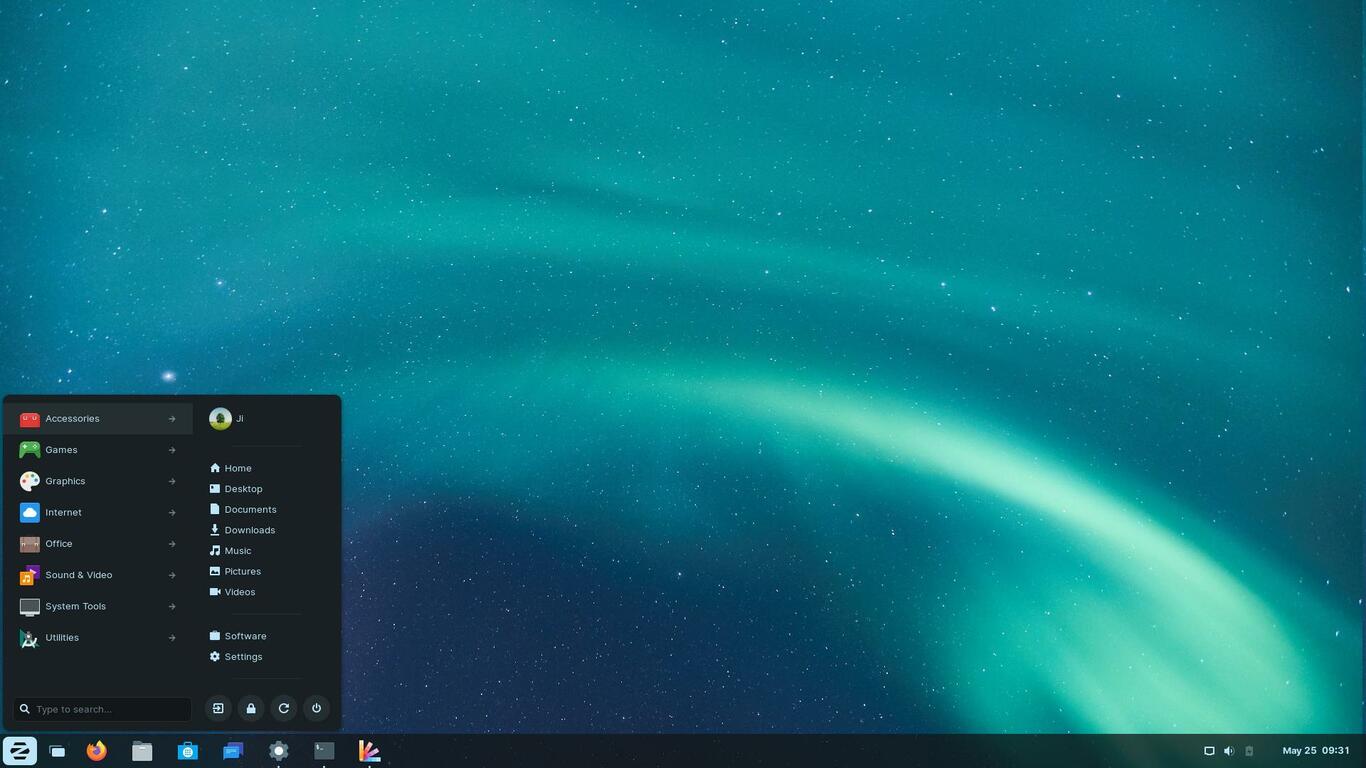
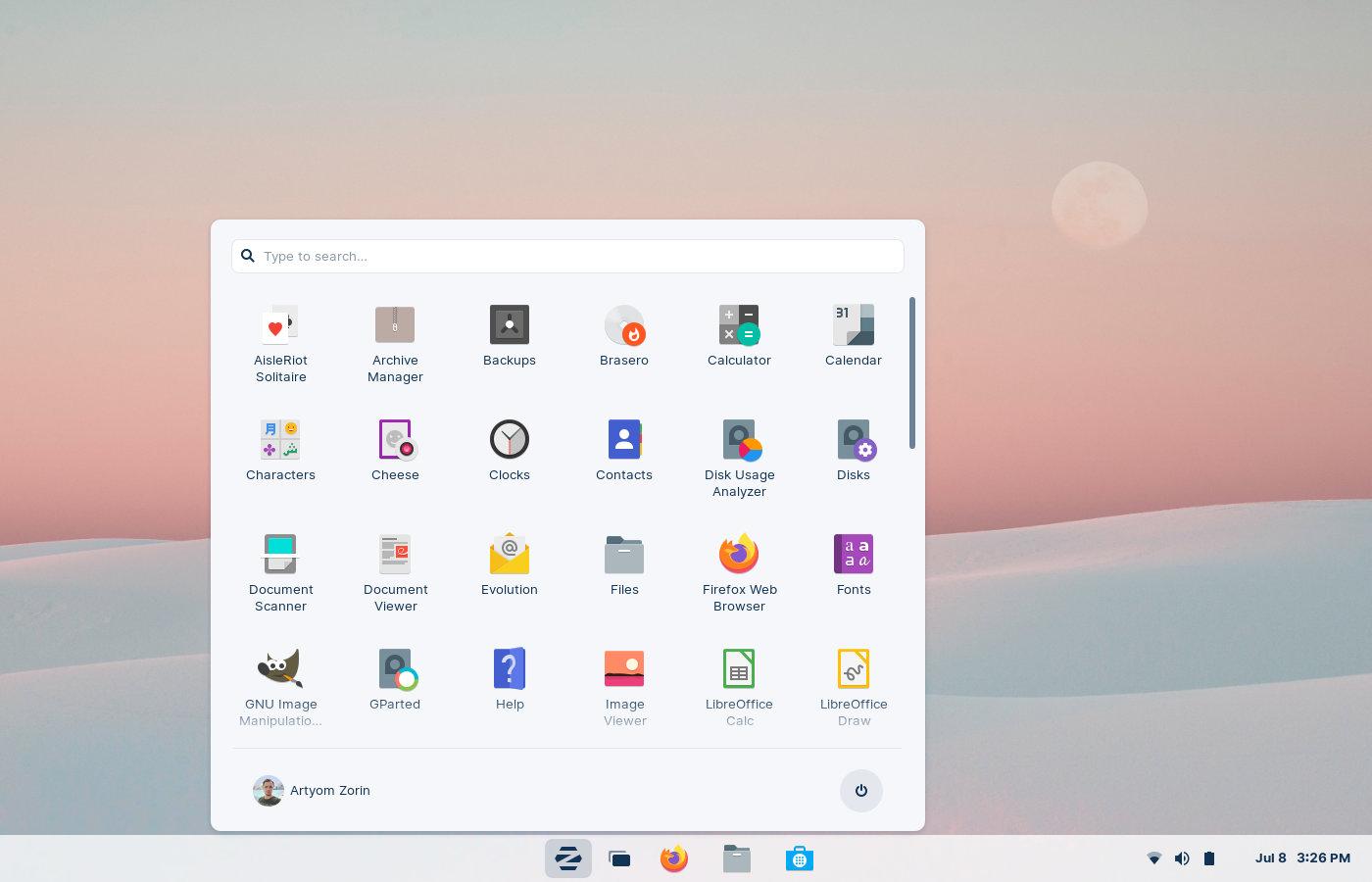
Zorin OS is an open-source Linux distribution for personal computers. It provides an user friendly desktop appearance based on Gnome. With built-in utility, it allows to single click changing UI layout to original Gnome, classic or modern Windows style.
A lightweight version is also available for old computers based on XFCE desktop environment. And it features “Zorin Connect”, GSConnect / KDE Connect similar implementation to link your Android phone and computer together.
What’s New in Zorin OS 16:
The new release introduced a revamped and refined desktop appearance, along with new wallpaper changes automatically according time of day.
The lock screen now displays a blurred version of desktop wallpaper, just like what it does in Ubuntu 20.04 LT. Follow GNOME 40, Zorin OS now has multi-touch gestures out-of-the-box for laptop users. The finger gestures are however a little different, and I prefer the way in Gnome and Elementary OS 6.
Touch-pad gestures:
4 fingers up/down to switch workspaces.
Pinch with 3 fingers to trigger activities overview.