After more than a year of development, the RawTherapee raw photo development program, was finally tagged the new 5.13 version.
The new version of this free open-source raw developer enhanced its built-in tools, improved HiDPI support, and added support for more cameras, raw formats, and color profiles.
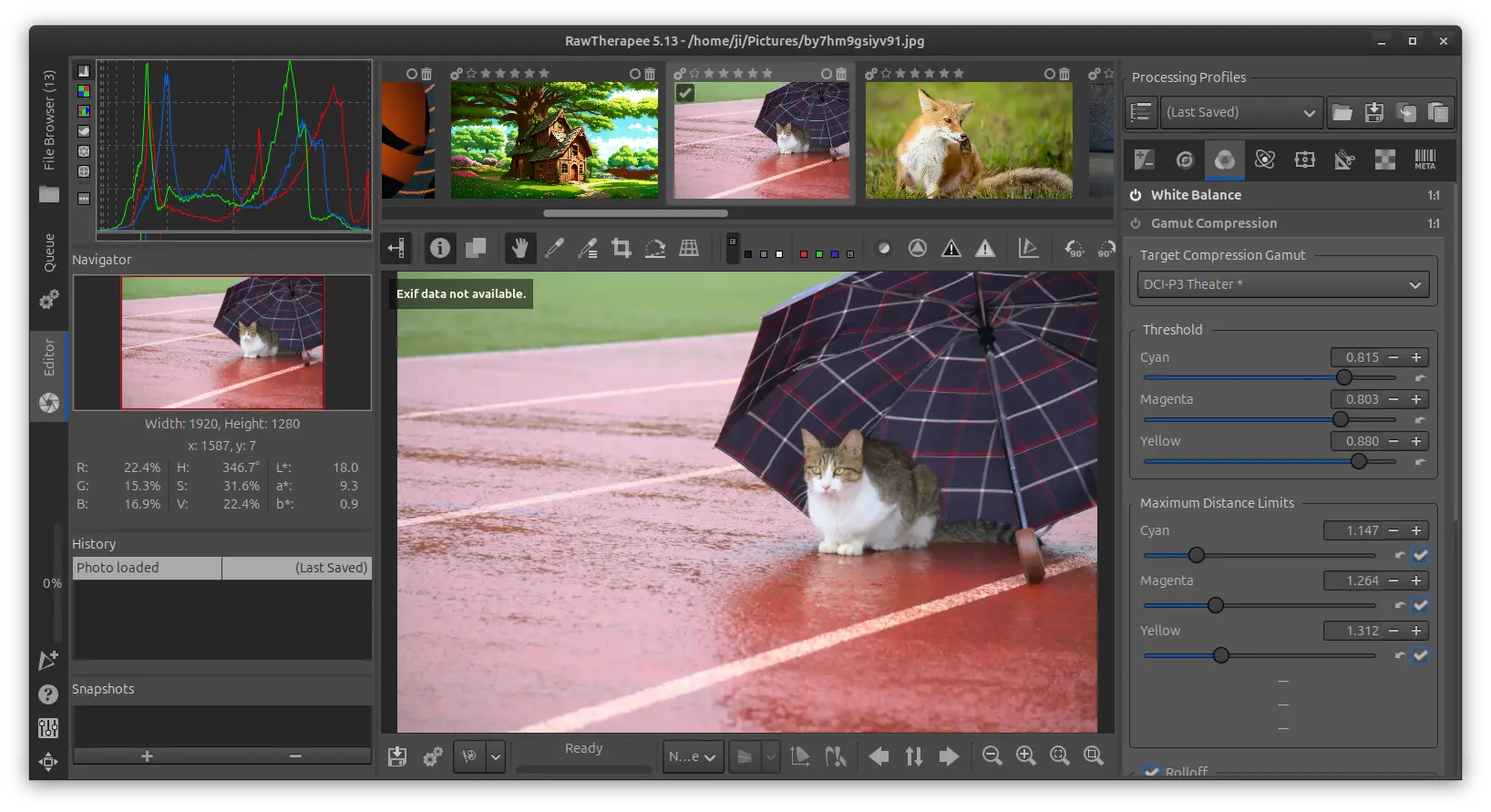
This version enhanced the Gamut Compression tool with ability to set distance limits automatically and increased maximum values for the distance limits. And, the tool now shows the maximum red, green, blue, and achromatic values, as well as the estimated distance ratio between the working and target color spaces.
The Abstract Profile tool in Color Management now features adjustable highlight attenuation, new custom destination primaries option allowing to change the primaries by hue and saturation, and, the xy chromaticity diagram in the primaries adjustment shows the Rec2020 primaries for reference.
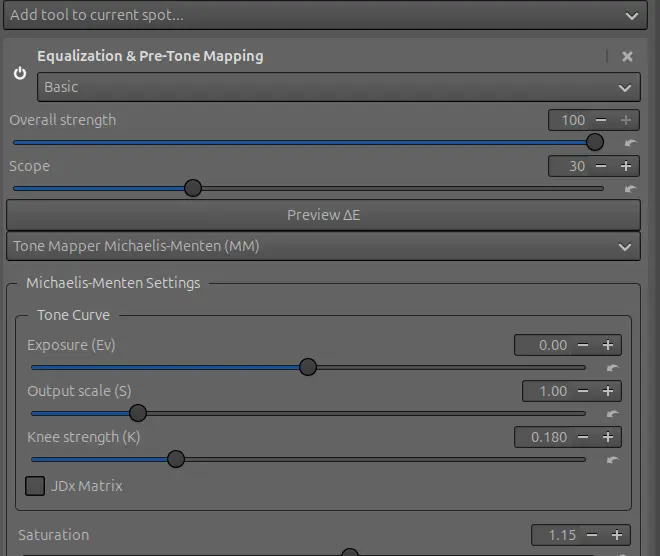
The Selective Editing’s Equalization & Pre-Tone Mapping tool, formerly Shadows/Highlights, Equalizer & GHS, now has new simple tone mapper called Michaelis-Menten.
The Generalized Hyperbolic Stretch (GHS) method in this tool has been improved with ability to set Black point and White point automatically. And, the Black point/White point section now shows the maximum red, green, and blue values and the dynamic range.
Several parameters can now be adjusted regardless of what the Stretch Factor (D) is set to; The Symmetry point shows a recommended value and can be set automatically; Middle gray, RGB maximum, and 3 sigma standard deviation are now displayed; And, there is now a choice of matrix conversions that affect the color handling.
Other tool enhancements include:
- New TRC based tone mapper in Selective Editing’s Color Appearance tool.
- New Recovery Based on Luminance Mask in Blur/Grain & Denoise tool.
- New Capture Deconvolution method in Selective Editing’s Sharpening tool.
- Crop tool now allows to show multiple guides simultaneously.
- Lens / Geometry tool can scale images horizontally or vertically.
- New Presharpening denoise option in Capture Sharpening tool.
Besides tool updates, it also improved HiDPI display support, making the editor preview and thumbnails sharp. By compiling with SIMDe, it features improved performance on ARM architecture. And, all preferences can be reset via a new button.
RawTherapee 5.13 also added or updated support for cameras, raw formats, and color profiles, including:
- Canon EOS M50 (white level)
- Canon EOS R5m2
- Canon EOS R6 Mark III (black level)
- Canon EOS R50 V (black level)
- Canon EOS R100 (white level)
- Canon PowerShot V1 (black level, white level)
- Fujifilm GFX 50S II (color matrix)
- Fujifilm GFX 50S II (color matrix)
- Fujifilm GFX 100 II (color matrix)
- Fujifilm X-M5 (color matrix, raw crop)
- Fujifilm X-T30 III (raw crop)
- Hasselblad CFV-100c (color matrix)
- Nikon Z5_2 (color matrix)
- Nikon Z50_2 (color matrix)
- Nikon Z f (white level)
- Olympus OM-3 (color matrix)
- Olympus OM-5MarkII (color matrix)
- Panasonic DC-G97 (color matrix)
- Panasonic DC-S1M2ES (raw crop)
- Panasonic DC-S1M2 (raw crop)
- Panasonic DC-S1RM2 (raw crop)
- Panasonic DC-S9 (raw crop)
- Samsung DNGs (black level, white level)
- Sony DSC-RX1RM3 (raw crop)
- Sony ILCE-1M2 (color matrix, raw crop)
- Sony ILCE-7M5 (black level, raw crop)
- Sony ILCE-6400A (color matrix)
How to Install RawTherapee 5.13
The source tarball for the new version is available to download in the Github page.
The installer package for Linux, macOS, and Windows will be soon available in the link below, though not ready at the moment of writing.
Linux user may also keep an eye on the community maintained Flatpak package.
For Ubuntu users who prefer native .deb package, the unofficial PPA has been updated with the package for Ubuntu 26.04, Ubuntu 24.04, and Ubuntu 22.04.