KDE Rounded Corners, the open-source project that rounds window corners in KDE Plasma desktop, released new 0.11.0 version today.
The new version of this popular Kwin effect fixed the compatibility issue with Plasma 6.8, and introduced a new toggle option to that can lower GPU usage.
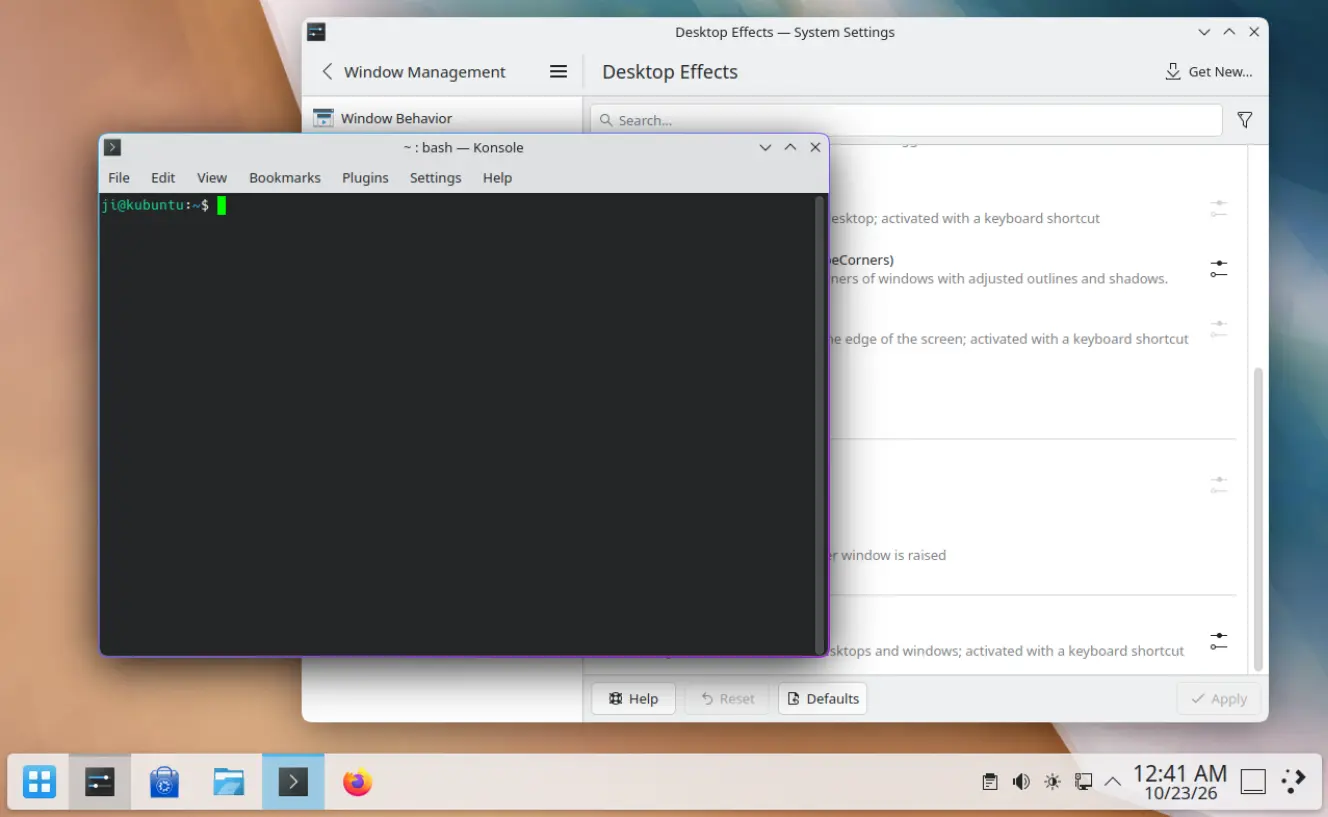
KDE Window with rounded corners
First, the new 0.11.0 version fixed the flipped and misaligned rounded corners and window outlines in Plasma 6.8.0 due to a change introduced in the new Kwin.
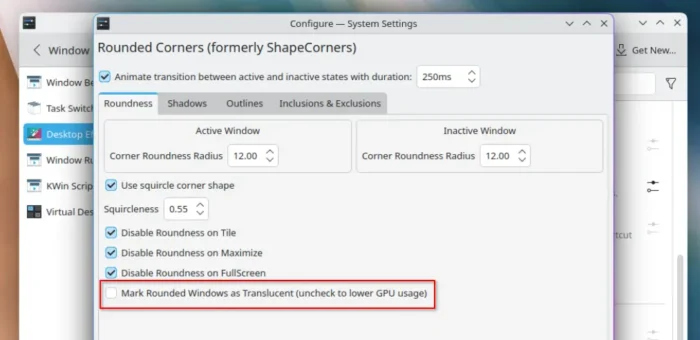
And, it added a new option to control whether KWin treats windows with rounded corners as translucent (partially transparent).
The option is enabled by default, preserving the behavior of previous versions. In the case, The kwin window manager and compositor may repaint underlying windows and background blur effects behind rounded windows.
User can choose to disable the option to prioritize rendering efficiency or lower GPU usage. There’s no visual difference in most cases, but visual artifacts may appear in the transparent corners.
In addition, the release fixed the effect not working correctly on monitors with fractional scaling, outline flickers between active/inactive colors when animation is disabled, as well as the performance issue when running on Qt5.
For users who build KDE Rounded Corners from source, it fixed the issue that the test-install.sh script could run rm -rf ./* that delete users’ files if the expected build directory was missing.
Other changes include new Japanese translation and more. See the Github releases for details.
How to Enable KDE Rounded Corners
The Kwin effect is available in Arch Linux AUR repository as kwin-effect-rounded-corners.
Fedora can install it through this COPR repository. And, (K)Ubuntu 22.04, (K)Ubuntu 24.04, and (K)Ubuntu 26.04 users may run the commands below one by one to get it from PPA.
sudo add-apt-repository ppa:matinlotfali/kde-rounded-corners
sudo apt update
sudo apt install kwin-effect-roundcorners
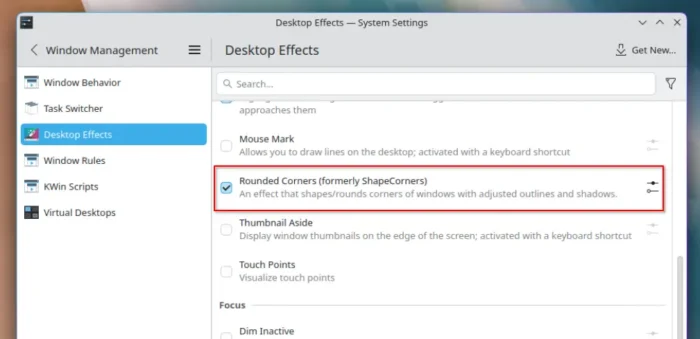
After that, launch Settings and navigate to Window Management -> Desktop Effects. Finally, enable “Rounded Corners (formerly shape corners)” and configure shadows, outlines, and roundness.