gThumb, the free open-source image viewer and organizer, is finally porting to GTK4 plus LibAdwaita.
With version 4.0 alpha, the user interface has been rewritten in Vala that looks modern and native in recent GNOME based distros, such as Ubuntu and Fedora Workstation.
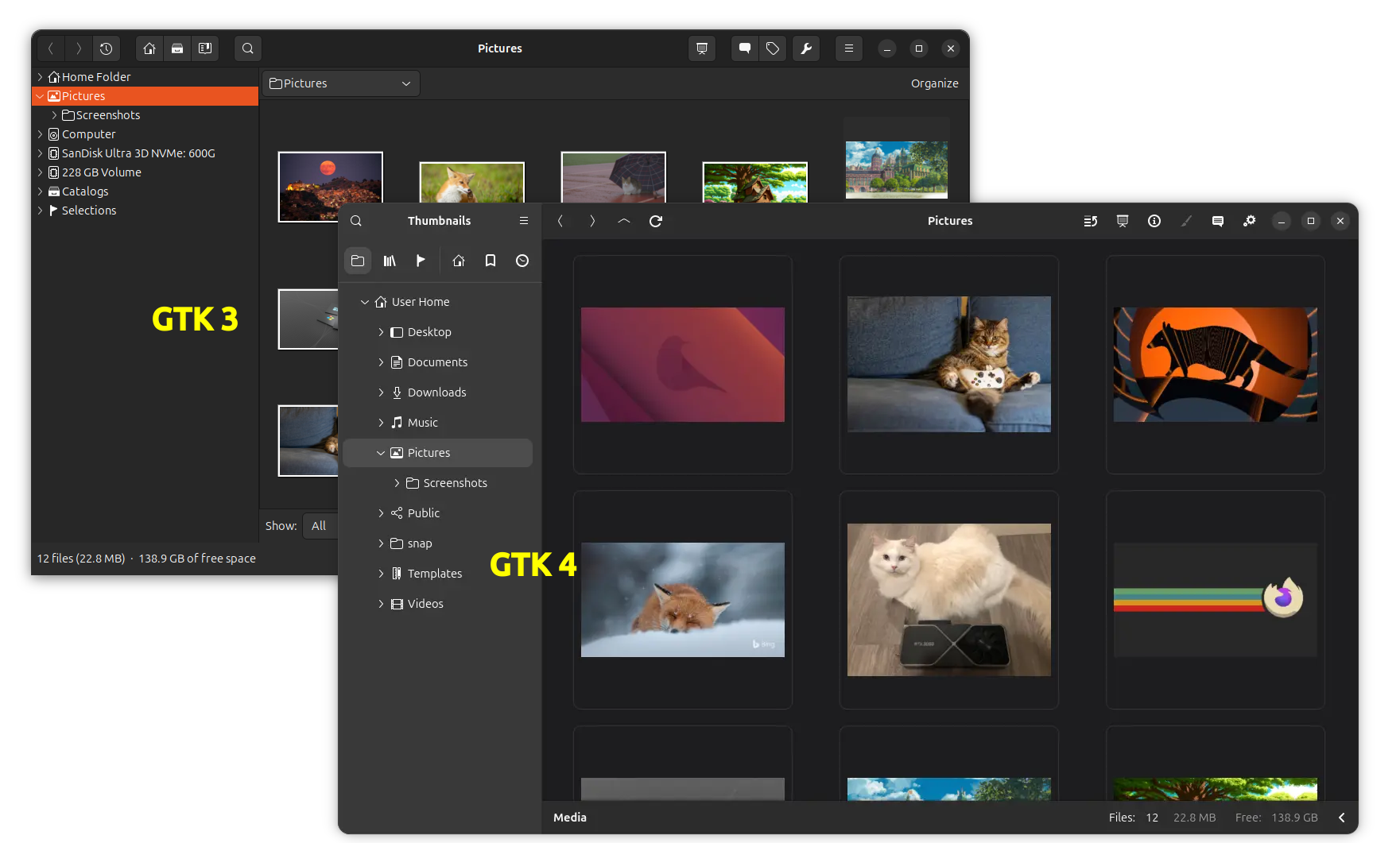
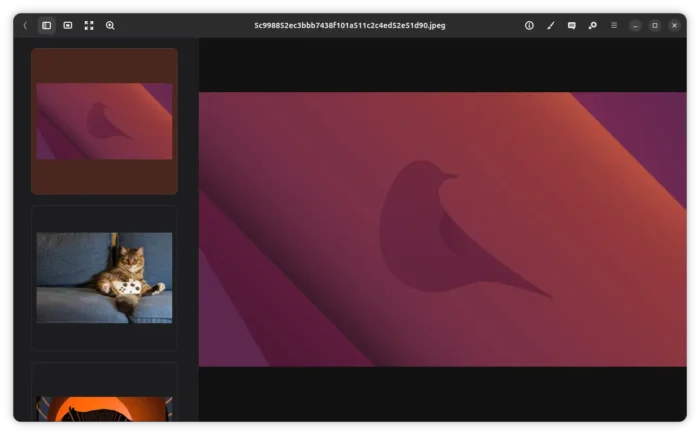
gThumb GTK 4 user interface
As you see in the screenshot, the new development version features rounded corners, full height left side-bar with “Home Folder”, Bookmarks, History,Catalogs etc filters, as well as search, app name, and hamburger menu in top, just like the core Gnome apps, such as Files (Nautilus) and Settings (Gnome Control Center).
The new GTK4 UI is great! But for those prefer native .deb package, so far only Ubuntu 26.04 matches the dependency requirements. Meaning old Ubuntu will probably need to switch to Flatpak or Snap package to try out the latest versions.
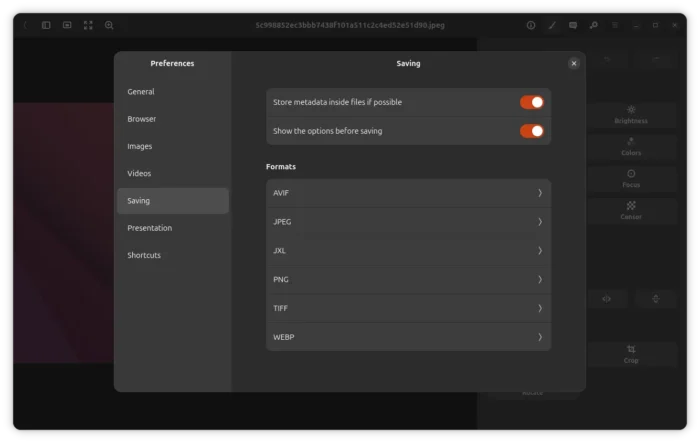
Besides the UI backend changes, the 4.0 version also added support playing WEBP and PNG animations and saving JXL images. It as well removed extensions, instead added native RAW images support by using libraw library.
Like GNOME 50 Files (Nautilus), the gThumb image browser now supports up to 3-row grid view captions. It now reloads the location when renaming current folder, and reload the current folder as well when expanding the tree item.
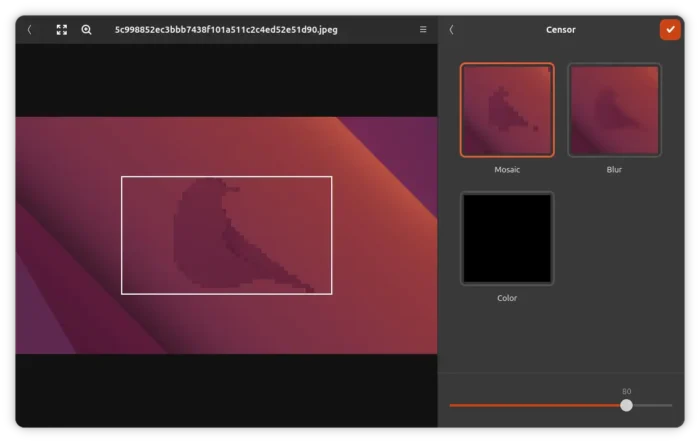
The built-in editor has been updated with new color operations, such as darker edges and 8 colors effects, as well as mosaic, blur, and option to fill selected area with custom color.
Don’t know why, gThumb also changed its app id to app.gthumb.gthumb, then changed back to org.gnome.gthumb later.
Other changes include:
- Display thumbnails in left instead of bottom in image view.
- New toggle to enable/disable drag’n’drop images.
- New “repeat” option in image resizing dialog.
- Make app name translation-able.
- Add option to disable rotation for videos.
- Remove web albums, contact sheet, adjust time, find duplicates.
- Allow to change the quantity of the applied filter for many filters.
For more, you need to either dig in source code or try it out yourself, as there’s no official release note and NEWs file includes quite few information about it.
Get gThumb 4.0
gThumb 4.0 so far is in early development stage. There’s no official installers, but you may build it from source tarball.
For Ubuntu 26.04, you may try it out by using this unofficial PPA, though it includes newer version of libraw, that will break other graphics apps (e.g., shotwell) that require the default one (libraw) in system repository.
To add the PPA and install gthumb 4.0 alpha, open terminal (Ctrl+Alt+T) and run commands below one by one:
sudo add-apt-repository ppa:ubuntuhandbook1/gthumb
sudo apt update
sudo apt install gthumb
(Optional) To downgrade libraw library and gthumb to stock versions, first run command to install ppa-purge tool:
sudo apt install ppa-purge
Then, purge the PPA which will also downgrade the installed packages:
sudo ppa-purge ppa:ubuntuhandbook1/gthumb
If ppa-purge failed (e.g., due to broken repositories), then manually remove the PPA and gthumb packages via the commands below:
sudo add-apt-repository --remove ppa:ubuntuhandbook1/gthumb
sudo apt update
sudo apt remove gthumb gthumb-data gthumb-dev
And, manually install back the old version of libraw library:
sudo apt install libraw23t64=0.21.5b-1ubuntu1
The version number “0.21.5b-1ubuntu1” may change as time goes on, run apt policy libraw23t64 to see the version table.