OBS Studio, the free open-source live streaming and video recording application, released new major 33.0.0 version today.
The new version updates its Chromium Embedded Framework (CEF) from the old version 127 to version 150. This upgrade moves Chromium forward by 23 major versions, bringing numerous security fixes and web-compatibility improvements.
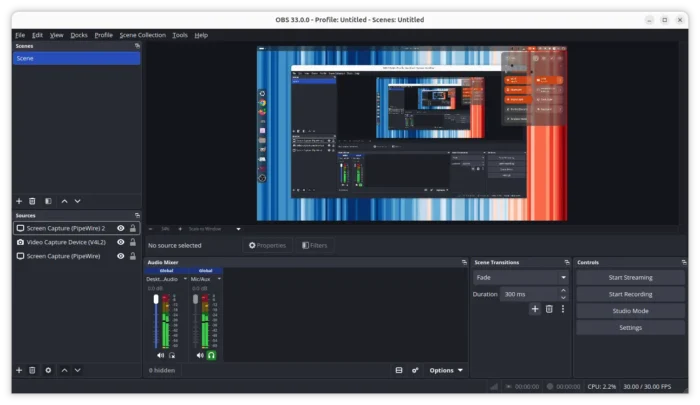
The release also overhauls the plugin loading system with new locations.
The plugins developed by OBS developers are now in a new core folder. Third-party plugins have an updated installation location and folder structure. While, existing third-party plugins will continue to load from the legacy locations until the next 34.0 release.
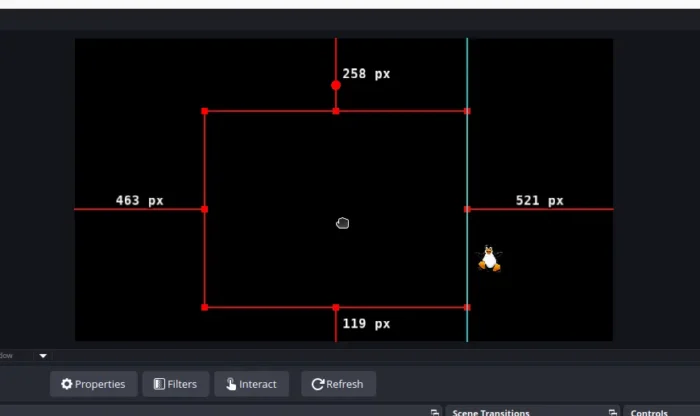
This version also improves the source snapping in the preview window.
It introduces visual indicators for snapping. A source’s top, bottom, left, or right edge can snap to the corresponding edge of another source. And, the default snap distance has been changed from 10.0 to 5.0.
Hidden sources can no longer be hovered or clicked in the preview to select them. And, when dragging a visual source it will no longer automatically align with a hidden source.
For ARM laptops with NVIDIA GPU, such as Dell XPS 16 and Surface Laptop Ultra, the new OBS Studio 33.0.0 now supports hardware accelerated encoding through NVENC. This is tested on on Windows on ARM, though it should also work on Linux.
And, it updates NVIDIA video FX SDK to 1.3.0 and audio FX SDK to 3.0.0, which adds ARM64 compatibility and fixes DLL loading.
Other changes in OBS Studio 33.0.0 include:
- Improve spinboxes number entering user experience.
- Check missing encoders on app startup.
- Do not start WebSocket server in Safe Mode.
- Remove Ubuntu 24.04 support.
- Remove support for FFmpeg 6.x / 7.x, Qt 6.4 ~ 6.9.
Get OBS Studio 33.0.0
The official release note, as well as the packages for Ubuntu 26.04, Windows, and macOS are available in Github via the link below:
Ubuntu 24.04 and earlier editions are no longer supported, but you can install the Flatpak package instead, which runs in sandbox environment, and works in most Linux.
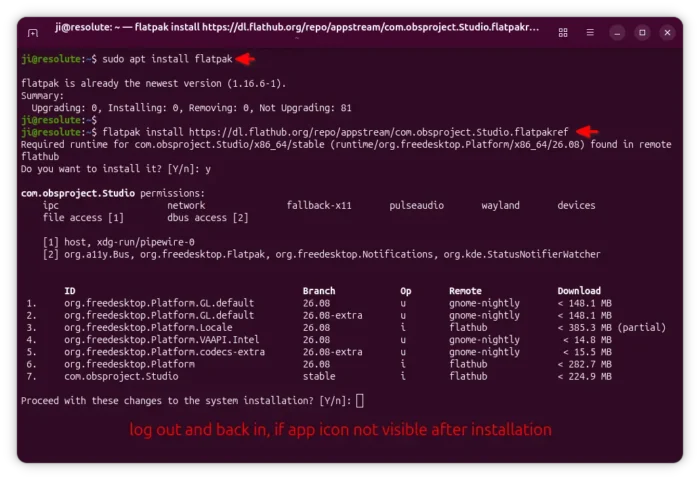
Install OBS Studio in Ubuntu via Flatpak package
NOTE that the Flatpak requires many addons and plugins installed as separated packages, see the link above.